
Wolves Sapphire EA V6.3 MT5 – Flexible, Non-Martingale Forex Trading
Introduction
Forex trading can be a minefield, especially when relying on automated strategies that promise massive profits but fail to deliver when market conditions shift. That’s where Wolves Sapphire EA V6.3 MT5 comes in—a powerful MetaTrader 5 Expert Advisor designed to navigate real-world market conditions. This EA offers a balanced approach to forex trading with trend-following and breakout strategies, ensuring that your trading decisions are based on high-probability setups.
Unlike other trading robots that rely on risky martingale strategies, Wolves Sapphire EA V6.3 uses non-martingale risk management to protect your capital. The EA works across any timeframe, providing flexibility for scalpers, day traders, and swing traders alike. With its dynamic market approach, Wolves Sapphire EA adapts to various market conditions, allowing traders to maintain control while automating key aspects of their trading strategies.
Let’s dive into the features, benefits, and how Wolves Sapphire EA V6.3 MT5 can help you make smarter trades.
Overview
What is Wolves Sapphire EA V6.3 MT5?
Wolves Sapphire EA V6.3 MT5 is an advanced forex trading robot designed to capitalize on trending markets and breakout opportunities. The EA combines these two strategies to identify high-probability trades on any major forex pair. It employs a non-martingale risk management system, which means that it calculates position sizes based on your risk settings, ensuring that you don’t over-leverage your account.
Key Features of Wolves Sapphire EA V6.3
- Trend Following: The EA tracks the overall market direction and enters trades in alignment with the prevailing trend.
- Breakout Strategy: It also detects key support and resistance levels, entering trades when the price breaks out of these levels with momentum.
- Non-Martingale Risk Management: Unlike martingale systems, this EA uses fixed risk per trade, helping you avoid large losses in case of a losing streak.
- Works on Any Timeframe: Wolves Sapphire EA is versatile and can be applied to any timeframe—M1, M5, M15, H1, H4, or higher—depending on your trading style.
- Adaptable to Any Major Pair: While it is highly effective on EURUSD, GBPUSD, and USDJPY, it works on all major forex pairs, making it suitable for a wide range of trading setups.
- Full Automation with Customizable Settings: The EA allows you to adjust parameters like risk, trade size, stop-loss, take-profit, and more, to suit your personal trading preferences.
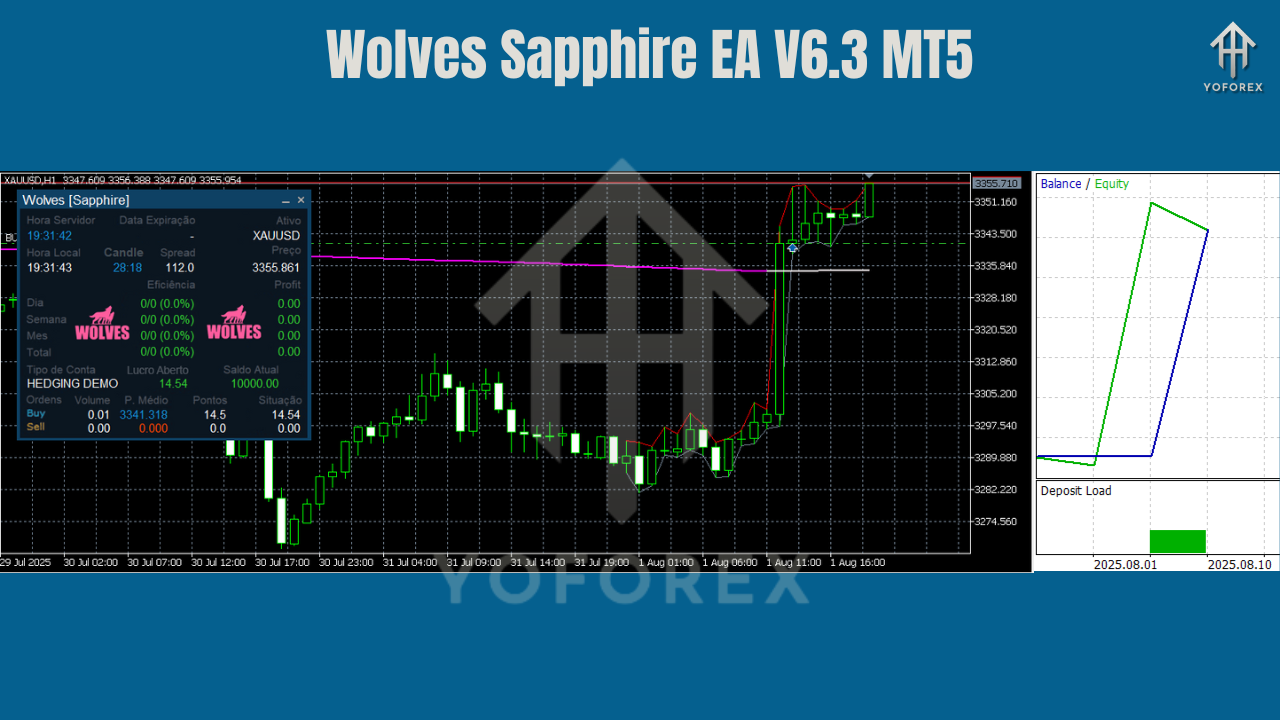
Key Features of Wolves Sapphire EA V6.3
1. Trend Following
- Directional Bias: Wolves Sapphire EA uses advanced trend-following algorithms to identify when a currency pair is in a strong uptrend or downtrend.
- Trade with the Trend: Once the trend direction is confirmed, the EA enters trades that are aligned with the market’s momentum, increasing the likelihood of a profitable trade.
- Trend Confirmation Indicators: The EA uses a variety of market indicators to ensure that only the most significant trends are targeted. This reduces the risk of false signals and ensures that you’re trading in the direction of the market.
2. Breakout Strategy
- Key Support and Resistance Levels: The EA identifies significant support and resistance zones, which are crucial for breakout strategies.
- Confirmed Breakouts: It waits for price to break out of these zones with momentum before entering the market. This strategy helps to avoid entering trades on false breakouts or wicks.
- Adaptable to Market Conditions: Wolves Sapphire EA adjusts its breakout criteria based on market volatility, ensuring that it doesn’t enter a breakout trade unless the conditions are favorable.
3. Non-Martingale Risk Management
- Fixed Risk Per Trade: Unlike martingale systems that double down on losing trades, this EA uses fixed risk per trade, ensuring that you don’t over-leverage your account.
- Capital Protection: By calculating position sizes based on your specified risk settings, Wolves Sapphire EA helps protect your capital from unnecessary drawdowns.
- Consistent Risk Management: This approach ensures consistent trade sizing and helps you maintain control over your account balance, regardless of the market’s movements.
4. Works on Any Timeframe
- Adaptable for Scalpers: The EA works perfectly on M1–M5 timeframes, providing quick entry and exit points for scalpers.
- Suitable for Day Traders: If you prefer trading on M15–H1, Wolves Sapphire EA can identify short to medium-term trends, making it ideal for intraday traders.
- Swing Traders Will Benefit Too: For H4 or daily traders, the EA provides entries that are aligned with longer-term trends, allowing you to capitalize on larger market moves.
- Flexible Timeframe Use: Whether you're looking for frequent, small trades or fewer, larger positions, the EA works on any timeframe, giving you the flexibility to adapt to different market conditions.
5. Full Automation with Customizable Settings
- Automatic Entries and Exits: Once installed, the EA automatically scans the market for trade opportunities, places orders, and manages trades until they reach their take-profit or stop-loss levels.
- Customizable Risk Settings: You can adjust the risk per trade, stop-loss levels, take-profit targets, and more, ensuring that the EA fits your personal risk tolerance and trading strategy.
- Adjustable Trade Parameters: You can fine-tune the EA’s sensitivity to market conditions, choosing how aggressively you want it to trade based on the time of day, market volatility, and your risk appetite.
How to Install and Use Wolves Sapphire EA V6.3 MT5
Step-by-Step Installation
- Download Wolves Sapphire EA V6.3 MT5 from MQL5.software (link below).
- In MT5, go to File → Open Data Folder → MQL5 → Experts and place the EX5 file in the Experts folder.
- In MT5, go to File → Open Data Folder → MQL5 → Presets, and place any preset files for easy access.
- Restart MT5 or right-click Navigator → Experts → Refresh to see the EA.
- Drag Wolves Sapphire EA V6.3 onto your desired chart.
- Adjust the EA's settings according to your preferences, including risk, stop-loss, take-profit, and time filters.
Input Settings
- RiskPerTrade: Start with 0.5%–1% of your balance for conservative risk management.
- MaxOpenTrades: Set to 1–3 to avoid overexposure.
- Timeframe: The EA works on any timeframe, but H1 and M15–M30 are the most commonly used for balanced trading.
- StopLoss / TakeProfit: Adjust these to fit your trading strategy. For scalping, use tighter stops; for trend-following, use larger targets.
Backtest Results & Performance
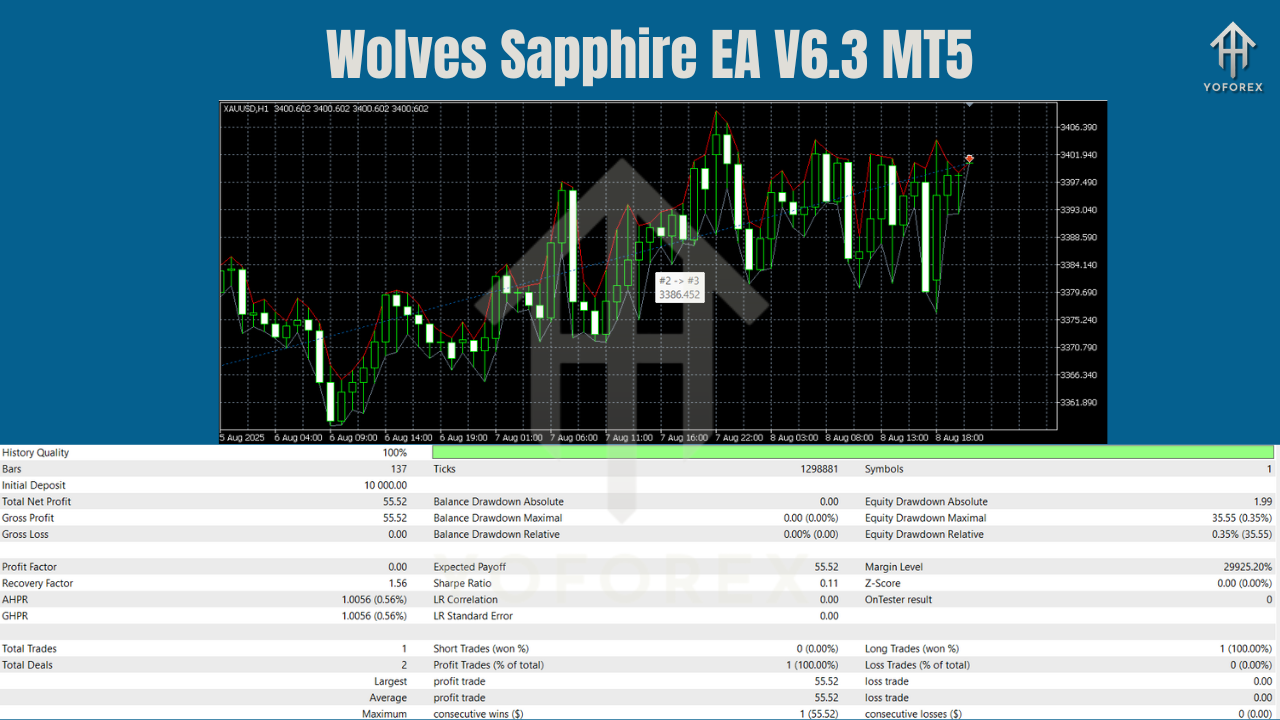
The Wolves Sapphire EA V6.3 MT5 has undergone extensive backtesting across a variety of major forex pairs. Here’s what the results show:
- EURUSD and GBPUSD Performance: Backtests demonstrate that the EA is highly effective in trending markets, with significant profits from both trend-following and breakout strategies.
- Drawdown Control: The non-martingale risk management system ensures that the EA limits drawdowns even during periods of market turbulence.
- Consistent Profitability: The EA consistently provided profitable trades with controlled risk, confirming its effectiveness in both volatile and stable market conditions.
Practical Examples Using Wolves Sapphire EA V6.3 MT5
Example 1: Trend Following on EURUSD H1
- Context: EURUSD is in a strong uptrend.
- Trigger: The EA detects a pullback within the trend and places a buy order.
- Exit: The trade is closed when the price hits the take-profit level or the stop-loss is hit.
Example 2: Breakout on GBPUSD M15
- Context: GBPUSD is consolidating in a narrow range.
- Trigger: The EA identifies a breakout as the price breaks above the resistance level.
- Exit: The trade is closed when the price hits the take-profit level or when the trend weakens.
Why Choose YoForex-Powered Tools?
At YoForex, we focus on providing tools that traders actually need. Our Wolves Sapphire EA V6.3 MT5 is designed to help you execute high-probability trades with non-martingale risk management and a flexible trading strategy. With our free access, responsive support, and continuous updates, you can trust that your trading tools will evolve alongside the market.
Support & Contact
Need help setting up or adjusting Wolves Sapphire EA V6.3? Reach out to us:
- WhatsApp: https://wa.me/+443300272265
- Telegram Group: https://t.me/yoforexrobot
We’re happy to help you optimize your settings and get the most out of the EA!
Call to Action
Ready to trade smarter with a non-martingale EA that follows trends and confirms breakouts? Download Wolves Sapphire EA V6.3 MT5 today and see how it can enhance your trading strategy.
YoForex – empowering traders worldwide, one free tool at a time.
Join our Telegram for the latest updates and support






Comments (0)
No comments yet. Be the first to comment!
Leave a Comment