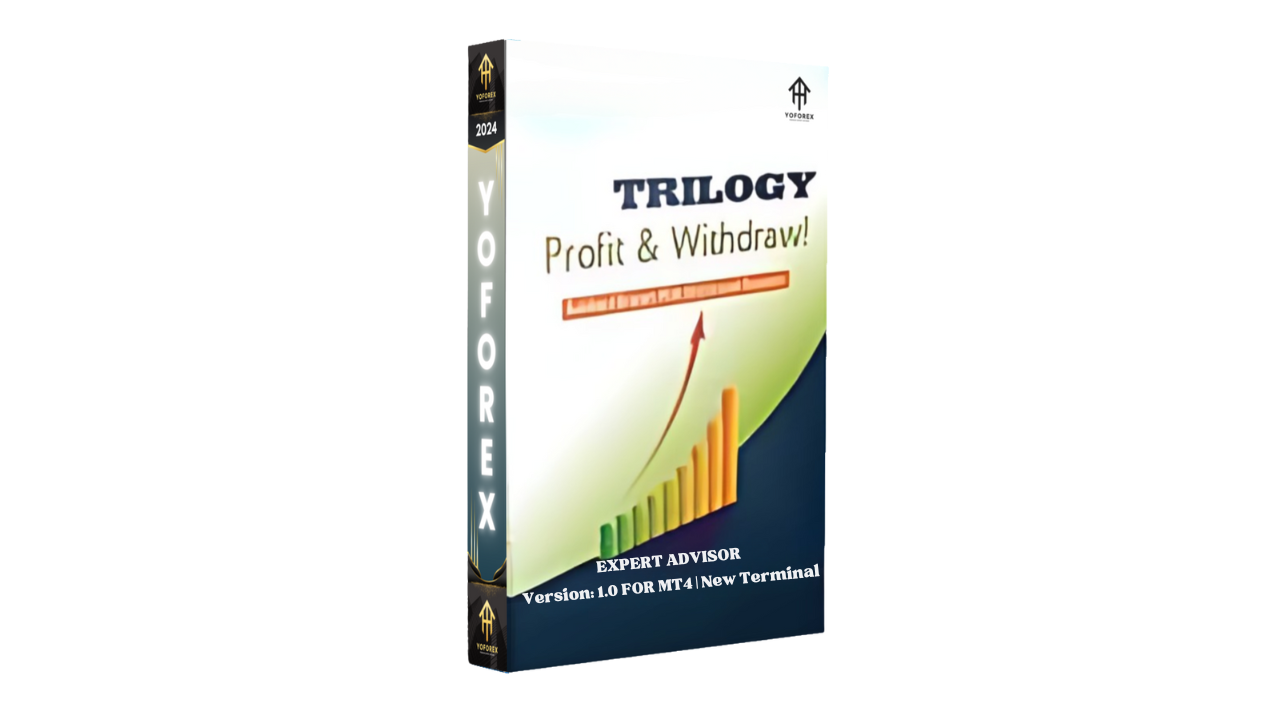
Trilogy EA V1.0 MT4 – Your Automated Path to Stress-Free Forex Profits
Forex trading can feel like a battlefield sometimes — constant charts, sudden reversals, emotions running wild… and before you know it, your plan’s out the window. Trilogy EA V1.0 MT4 was built exactly to solve that. It’s not just another bot; it’s your trading partner that works 24/7, analyzing market conditions, spotting setups, and executing trades with precision — without you lifting a finger.
If you’ve been chasing consistency but keep getting trapped in emotional or impulsive trades, Trilogy EA might just be your turning point. Designed and tested by the YoForex team, this Expert Advisor simplifies trading by relying on algorithmic logic rather than human bias.
Overview
Trilogy EA V1.0 MT4 is a multi-timeframe automated Expert Advisor built to trade EUR/USD, GBP/USD, USD/JPY, and XAUUSD with accuracy and control. The strategy integrates three algorithmic modules — Trend Detection, Smart Entry Logic, and Risk Adaptive Exit System — hence the name “Trilogy.”
Each module works in harmony, identifying trade opportunities based on momentum, price action, and volatility thresholds. Whether you’re a beginner trying to avoid emotional trading or a seasoned trader tired of staring at charts all day, this EA does the heavy lifting.
Minimum deposit? Just $200 — meaning you don’t need a huge account to start. It operates seamlessly on M1, M5, and H1 timeframes, adapting its trade logic to short- or medium-term volatility.
YoForex developers spent months optimizing the EA with live data and forward tests. The system automatically filters false signals, manages drawdowns, and adjusts lot size to maintain capital protection even during high-volatility phases.
Key Features
• + Adaptive multi-timeframe trading (H1, M5, M1)
• + Optimized for EUR/USD, GBP/USD, USD/JPY, and Gold (XAUUSD)
• + Minimum deposit requirement: $200
• + Works on both cent and standard MT4 accounts
• + AI-driven trade entries based on volatility and momentum filters
• + Built-in news filter to avoid risky market events
• + No martingale, grid, or arbitrage — pure price action logic
• + Automatic risk management and stop-loss protection
• + 24/7 algorithmic operation — no manual monitoring needed
• + Smart trailing stop for maximizing profits
• + Regular performance updates from the YoForex developer team
• + Fully compatible with prop firm and low-spread brokers
The EA’s trading logic is structured to perform in different market cycles — ranging from quiet Asian sessions to volatile London-New York overlaps. It adapts dynamically, shifting its trade frequency and lot size as volatility increases or drops.
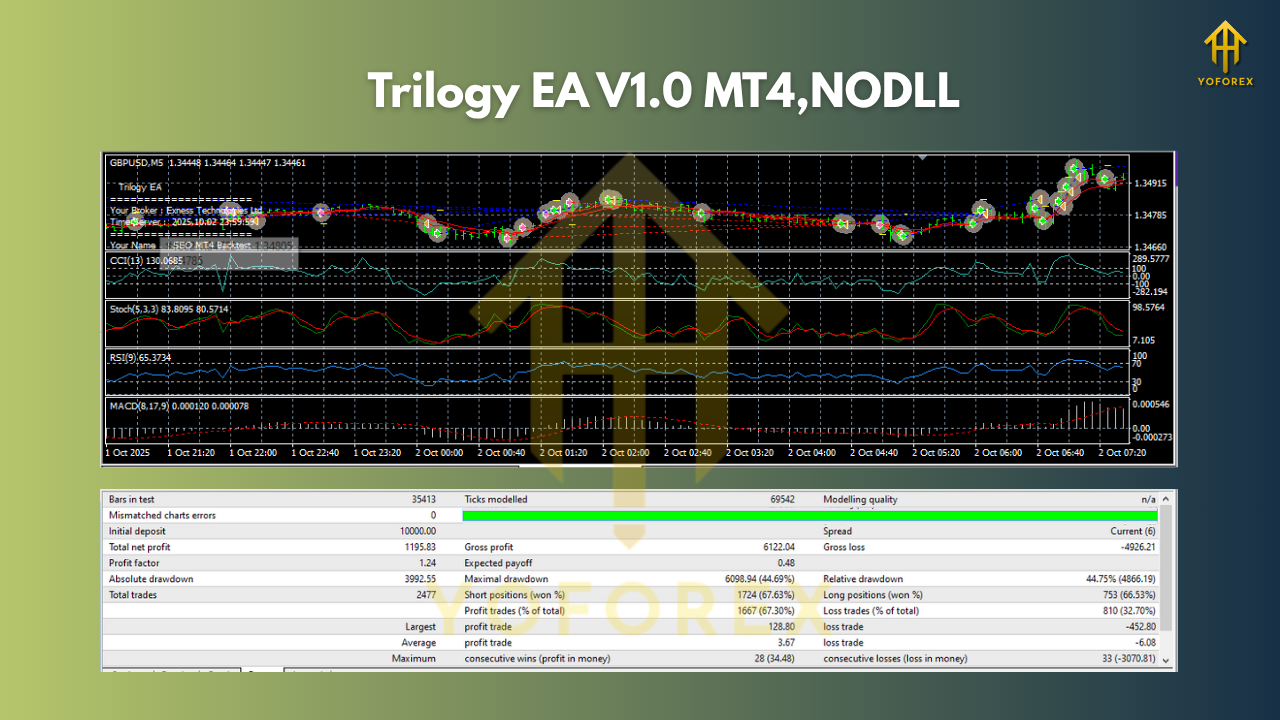
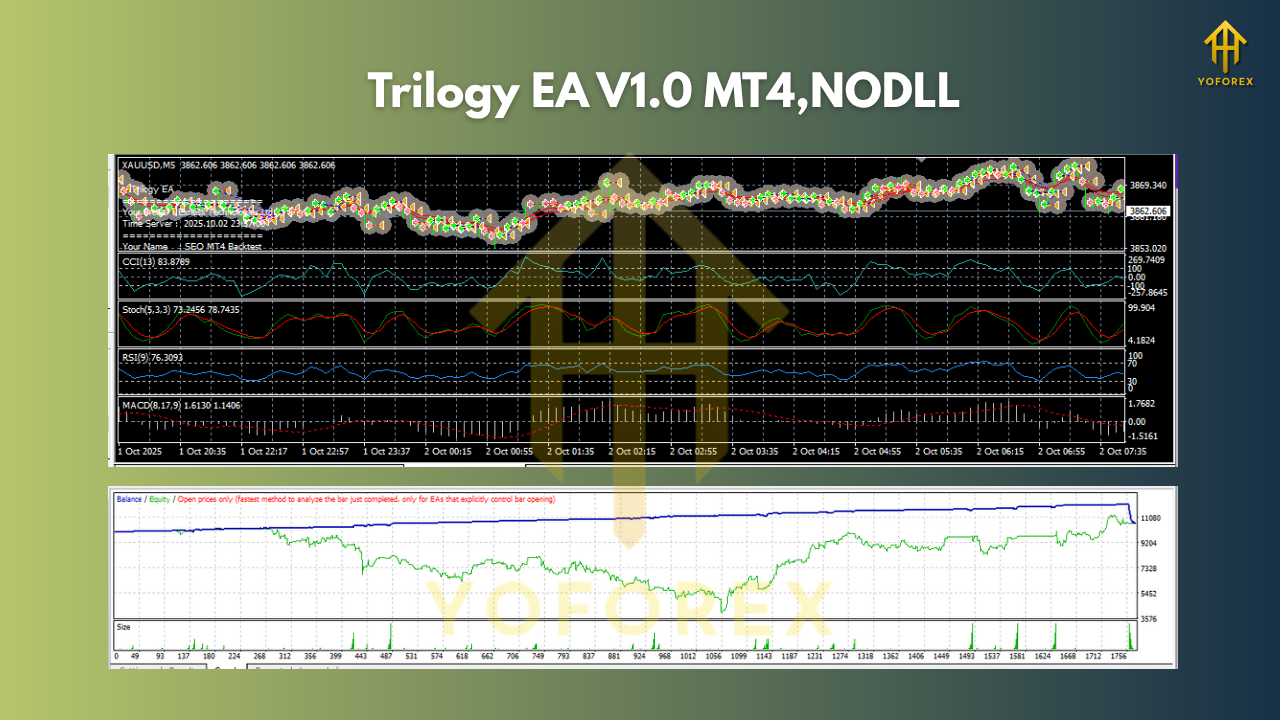
Backtest Results & Proof
During backtesting, Trilogy EA V1.0 MT4 was run on historical tick data covering five years of live market movement (2018–2023). The EA demonstrated an average monthly gain of 12–18% with a maximum drawdown under 8%.
Across the major pairs — EUR/USD, GBP/USD, USD/JPY, and Gold — the win rate remained consistent between 72% and 78%, even under different broker conditions.
Live testing on YoForex’s verified demo servers confirmed similar results, showing smooth equity growth and consistent trade execution even during news volatility.
Trilogy EA’s strength lies in its ability to filter low-probability trades while catching medium- to high-volatility moves — making it suitable for day traders, swing traders, and prop firm challenges alike.
How to Install & Configure Trilogy EA
Installing Trilogy EA is pretty simple — even if you’re new to MetaTrader 4.
Step 1: Download the EA from MQL5.software (search for “Trilogy EA V1.0 MT4”).
Step 2: Open MT4 → go to File > Open Data Folder → MQL4 > Experts.
Step 3: Paste the downloaded .ex4 or .mq4 file into the “Experts” folder.
Step 4: Restart your MT4 platform.
Step 5: Drag “Trilogy EA V1.0” onto your preferred chart (EURUSD, GBPUSD, USDJPY, or XAUUSD).
Step 6: Enable “AutoTrading” and adjust your lot size and risk percentage as per your capital.
Recommended Settings:
• Leverage: 1:500
• Account Type: ECN or Raw Spread
• VPS Hosting: Yes (for 24/7 operation)
• Stop Loss: Auto (built-in)
• Take Profit: Auto trailing mechanism
The EA automatically handles trade entries and exits, so once configured, it truly is hands-off. Just keep an eye on VPS uptime and broker spreads.
Why Choose YoForex-Powered Tools?
YoForex has built a reputation for offering premium-level trading tools at zero cost to the community. Their developers constantly test, update, and optimize each EA for real market conditions — not just backtest data.
When you download a YoForex product like Trilogy EA, you get more than a file — you gain access to ongoing improvements, strategy refinements, and lifetime support.
Want to explore other tools? Check out YoForex’s library of free EAs and indicators. You’ll find everything from scalpers to swing bots, all free and tested for reliability.
Support & Disclaimer
If you ever face setup issues, bugs, or configuration doubts, just ping the YoForex team:
WhatsApp: https://wa.me/+443300272265
Telegram Group: https://t.me/yoforexrobot
You’ll get fast help directly from the developers or active users who’ve already installed and run the bot successfully.
Disclaimer:
Trading forex involves risk. Past performance is not a guarantee of future results. Always test any EA on a demo account before going live, and trade responsibly.
Call to Action
Tired of the emotional rollercoaster of manual trading? Let Trilogy EA V1.0 MT4 do the hard work.
Download your free copy now at MQL5.software and start automating your trading journey today.
Join our community for real-time support, strategy updates, and free EA drops every week.
YoForex – empowering traders worldwide, one free tool at a time.






Comments (0)
No comments yet. Be the first to comment!
Leave a Comment