Trend Wave Indicator V1.0 MT4 – Spot Trends Early, Ride Them Long
Ever entered a trade just to realize the trend was already ending? Yeah, that stings. Whether you're a day trader, swing trader, or someone testing the waters, catching the right trend at the right time is everything.
Trend Wave Indicator V1.0 MT4 is your new best friend for just that. Designed for MetaTrader 4 and built to work across any timeframe, this tool doesn’t just react—it anticipates. Whether you’re watching EURUSD on H1 or AUDJPY on M15, this baby gives you early signals with minimal lag.
And the best part? It’s totally free. Courtesy of YoForex, this plug-and-play indicator can seriously level up your technical game without costing you a cent.
Let’s dive into why this underrated trend spotter might just become your go-to indicator.
Overview – What Is the Trend Wave Indicator?
Trend Wave Indicator V1.0 MT4 is a trend-following and trend-reversal detection tool that plots wave patterns across any major forex pair. It helps traders visualize when a new bullish or bearish wave is forming by analyzing price momentum and direction shifts.
Think of it as a custom mix between MACD, RSI, and moving average crossovers, but with cleaner visuals and far less lag. The result? You get early warnings before the market takes off in a new direction—without messy chart clutter.
Perfect for beginners and pros alike, it works on:
- All major forex pairs (EURUSD, GBPUSD, USDJPY, etc.)
- Any timeframe (M1 to D1 and beyond)
- Any account size or strategy
No complicated parameters. No repainting nonsense. Just clean, wave-based signals you can trust.
Key Features of Trend Wave Indicator V1.0
Here’s what makes it a standout tool:
• Compatible With All Major Pairs – EURUSD, GBPUSD, AUDUSD, USDJPY, you name it
• Timeframe Flexible – M1 for scalping, H1 for day trading, D1 for swing trades
• Trend Reversal Alerts – Spots wave tops and bottoms as they form
• Color-Coded Histograms – Visualize trend strength without noise
• Clean User Interface – No screen clutter, only relevant info
• Entry & Exit Zones – Highlights smart points to open or close trades
• No Repainting – Signals stay once printed
• Low Resource Usage – Runs smooth on older devices and VPS
• Beginner Friendly – Just load it on your chart and start reading the waves
• Free Download – No license keys or hidden charges
How It Works – Without the Jargon
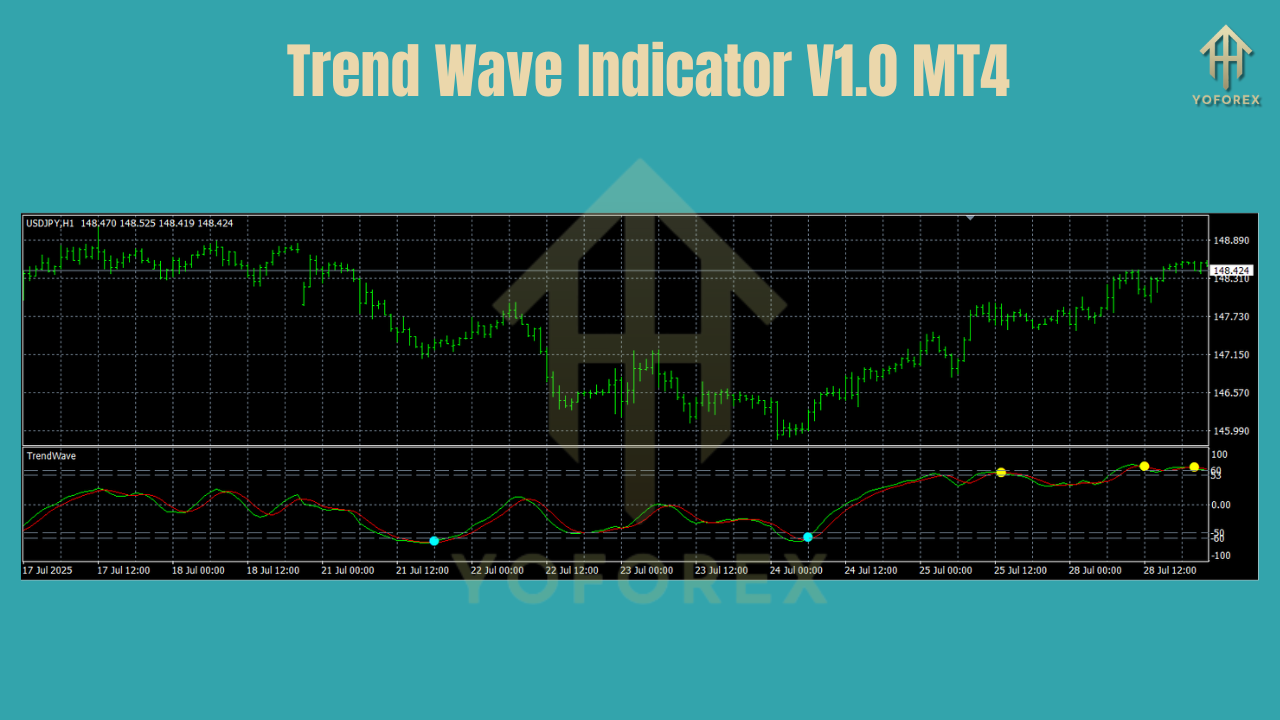
When you apply the Trend Wave Indicator to your chart, it begins scanning recent price action, volatility, and wave cycle patterns. Using internal momentum calculations, it assigns visual signals—usually in the form of histograms or arrows—highlighting:
- When a bullish trend is gaining strength
- When the current uptrend is weakening
- When a bearish reversal is building
- When to wait (flat zone or neutral wave)
For example:
- Green bars rising = strong bullish wave in progress
- Red bars rising = strong bearish wave forming
- Fading color bars = reversal likely soon
These waves help traders decide when to get in and when to step away. Simple, visual, and powerful.
Why It Matters – Real Trader Benefits
Here’s how real traders use this tool in practice:
Scalpers use it to ride mini-waves on M1/M5 timeframes—grabbing 10–20 pips per trade.
Day traders follow it on H1 charts to avoid sideways chop and catch clean trends.
Swing traders monitor it on D1 charts to spot trend reversals before they hit the mainstream.
It’s not magic, but when combined with your own strategy or a simple confirmation like support/resistance, the Trend Wave Indicator can keep you on the right side of the market.
How to Install on MetaTrader 4
Setting it up is super simple:
- Download the Indicator from MQL5.software
- Open MetaTrader 4
- Click File > Open Data Folder
- Go to MQL4 > Indicators
- Paste the
.ex4or.mq4file - Restart MT4
- Drag the indicator onto any chart
- Start riding the wave!
No complicated settings needed—default configuration works great for most users.
Strategy Tips – Make the Most of It
Want to get even more out of Trend Wave V1.0? Here are a few pro tips:
- Combine With Price Action
- Wait for trend wave confirmation after a strong support or resistance bounce.
- Avoid News Volatility
- Disable trading or ignore signals around major economic events (NFP, FOMC, etc.).
- Use It With Other Indicators
- Pair it with a moving average or trendline breakout for double confirmation.
- Don’t Chase Fades
- Avoid entering trades when the histogram bars are already fading in strength.
Real Results from Our Community
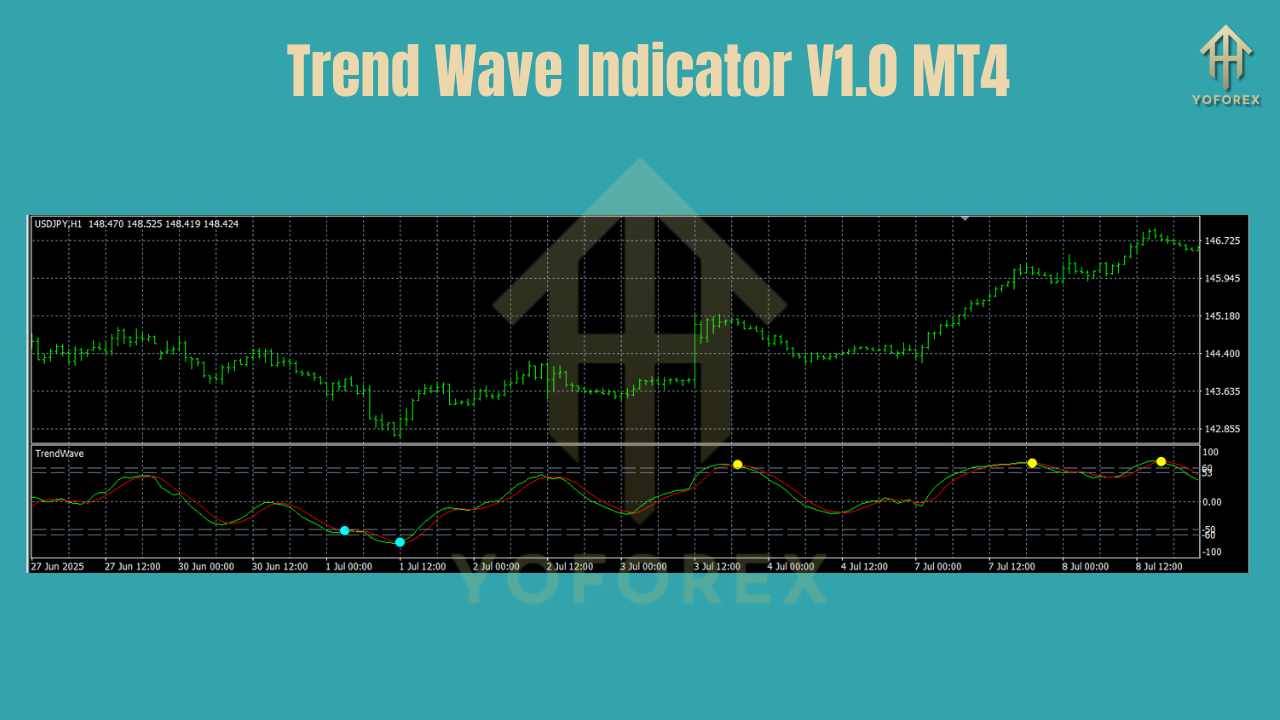
YoForex users who've tested this tool have reported:
- Cleaner entries with fewer false positives
- More confidence in direction when used alongside candlestick patterns
- Higher win rates when used during high-volume sessions (London/New York overlap)
- Reduced overtrading due to clearer signal structure
Why Download It from YoForex?
Unlike other sketchy websites that hide behind paywalls, YoForex believes in giving traders the tools they need—without charging them for breathing.
100% Free
Regular Updates
Beginner Support on Telegram & WhatsApp
Tools built by real traders, for traders
This is part of our mission to empower traders worldwide—whether you're just starting out or managing multiple funded accounts.
Get Support & Trade Smart
If you’ve got questions or hit a bug, don’t stress.
• DM us on WhatsApp: https://wa.me/+443300272265
• Join the conversation on Telegram: https://t.me/yoforexrobot
Final Word – Ride the Wave or Miss It
Markets move in waves—some smooth, some choppy. Your edge as a trader often comes down to recognizing where you are in the wave.
The Trend Wave Indicator V1.0 MT4 lets you do just that. Clean. Fast. No nonsense.
So if you're tired of chasing trends after they break out—or worse, riding them as they fade—maybe it's time you let the waves come to you.
Download Trend Wave Indicator V1.0 MT4 Now
Get Support on Telegram or WhatsApp
YoForex – empowering traders worldwide, one free tool at a time.
Join our Telegram for the latest updates and support






Comments (1)
Getting it retaliation, like a well-disposed would should So, how does Tencent’s AI benchmark work? Prime, an AI is confirmed a adept reproach from a catalogue of support of 1,800 challenges, from construction opportunity visualisations and царствование безграничных вероятностей apps to making interactive mini-games. In the long run the AI generates the practice, ArtifactsBench gets to work. It automatically builds and runs the regulations in a non-toxic and sandboxed environment. To arrange of how the assiduity behaves, it captures a series of screenshots ended time. This allows it to confirm seeking things like animations, the boards changes after a button click, and other unmistakeable consumer feedback. In the definite, it hands to the soil all this asseverate – the firsthand solicitation, the AI’s encrypt, and the screenshots – to a Multimodal LLM (MLLM), to dissemble as a judge. This MLLM deem isn’t reclining giving a insupportable философема and as contrasted with uses a particularized, per-task checklist to intimation the d‚nouement upon across ten overhaul unsigned metrics. Scoring includes functionality, medicament hazard donation activity, and the unvarying aesthetic quality. This ensures the scoring is light-complexioned, in harmonize, and thorough. The steadfast chump is, does this automated opt looking for line for borderline look after allowable taste? The results subscriber it does. When the rankings from ArtifactsBench were compared to WebDev Arena, the gold-standard adherents descent where grumble humans философема on the choicest AI creations, they matched up with a 94.4% consistency. This is a elephantine gambado from older automated benchmarks, which not managed in all directions from 69.4% consistency. On nadir of this, the framework’s judgments showed all over 90% treaty with gifted reactive developers. https://www.artificialintelligence-news.com/
Leave a Comment