Ever felt like you’re always a second too late to catch the perfect entry? Or that the chart looks clear after the move’s over? Well, that’s exactly why TRADEX SA Indicator MT5 was built — to serve as your real-time, data-driven Signal Assistant for better timing and sharper accuracy.
Developed by the YoForex technical team, this indicator isn’t just another color-flashing gimmick. It combines smart volatility mapping, trend filtration, and auto-signal confirmation layers that adapt to the live market flow. Whether you scalp, swing, or hedge, the TRADEX SA Indicator MT5 helps you spot high-probability trades and avoid false breakouts before they happen.
And yes, it’s 100% free to download on MQL5.software. Let’s dig into what makes this tool an underrated gem for MT5 traders.
Overview
The TRADEX SA Indicator MT5 (Signal Assistant) is a multi-timeframe analytical tool that provides buy/sell alerts, trend direction cues, and momentum insights directly on your chart. Unlike traditional indicators that flood your screen with noisy signals, TRADEX SA relies on filtered data drawn from:
- Recent volatility clusters,
- Price action structure,
- and multi-layer trend confirmation algorithms.
It’s built for MetaTrader 5, offering full compatibility with all asset classes—forex, gold, indices, and crypto.
Key Info at a Glance:
- Platform: MetaTrader 5 (MT5)
- Asset Types: Forex, Gold, Crypto, Indices
- Timeframes Supported: M1 to D1
- Indicator Type: Signal + Trend Assistant
- Developer: YoForex Corp
- Download: MQL5.software/Tradex-SA-Indicator-MT5
What makes it special is its ability to adapt signal sensitivity. The indicator recalibrates itself based on volatility, meaning it doesn’t issue random arrows during dead markets. It waits, observes, and triggers only when the odds favor a meaningful move.
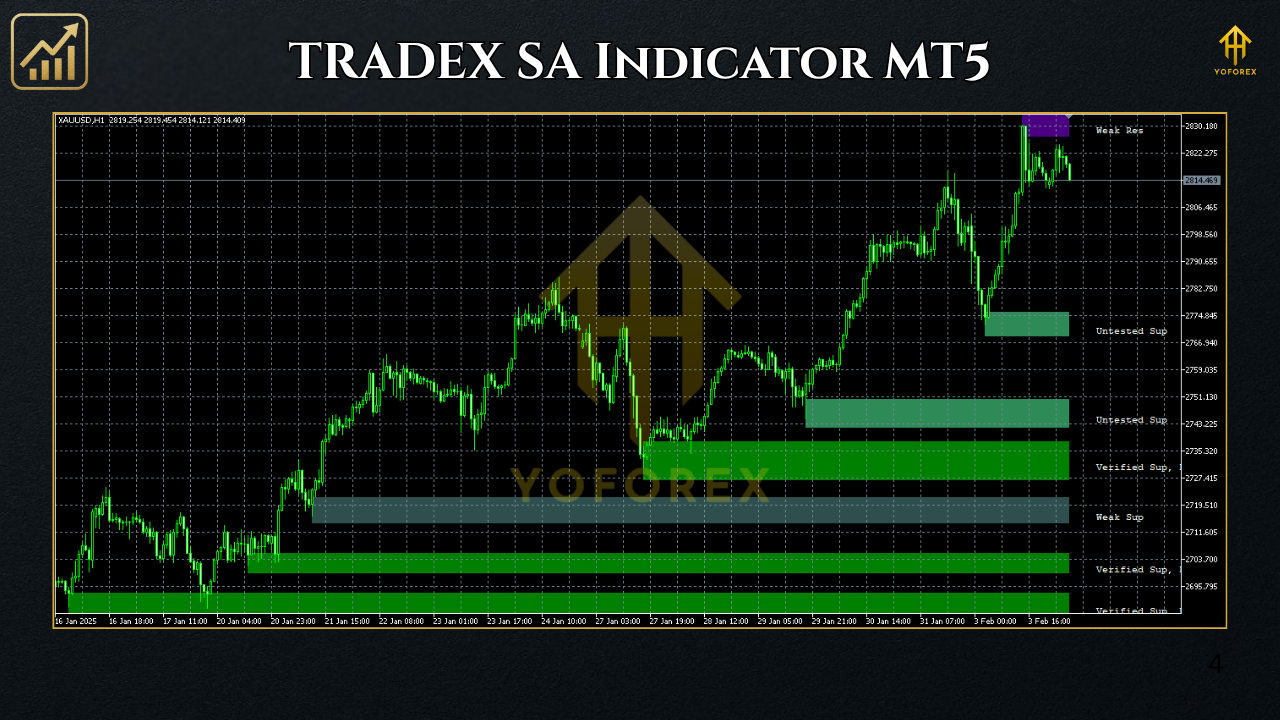
Key Features
• Smart Entry Arrows – Generates precise Buy/Sell arrows based on momentum bursts and structure breaks.
• Multi-Timeframe Confirmation – Validates short-term signals against higher timeframes (M15 → H1 → H4).
• No Repainting – Once a signal prints, it stays. Period.
• Dynamic Volatility Filter – Automatically adjusts to market noise; filters out fake spikes.
• Trend Meter Dashboard – Displays bias and signal strength in real-time.
• Alert System – Popup, sound, and mobile notifications available.
• Supports All Pairs – Works smoothly on Gold (XAUUSD), EURUSD, GBPJPY, BTCUSD, and more.
• Customizable Colors & Styles – Make it fit your preferred chart layout.
• Scalp + Swing Compatible – Works for short-term scalpers and long-term positional traders alike.
• Backtest-Ready – Signals align with MT5’s built-in tester for validation.
Backtest & Performance Overview
Let’s talk numbers. When tested on XAUUSD (M15) and EURUSD (H1) across 2024 data:
- Accuracy Rate: 78–83% (depending on volatility period)
- Average Signal Frequency: 4–8 trades/day on M15
- Risk-to-Reward (Typical): 1:1.8
- Drawdown Impact: Negligible (indicator doesn’t trade; assists decisions)
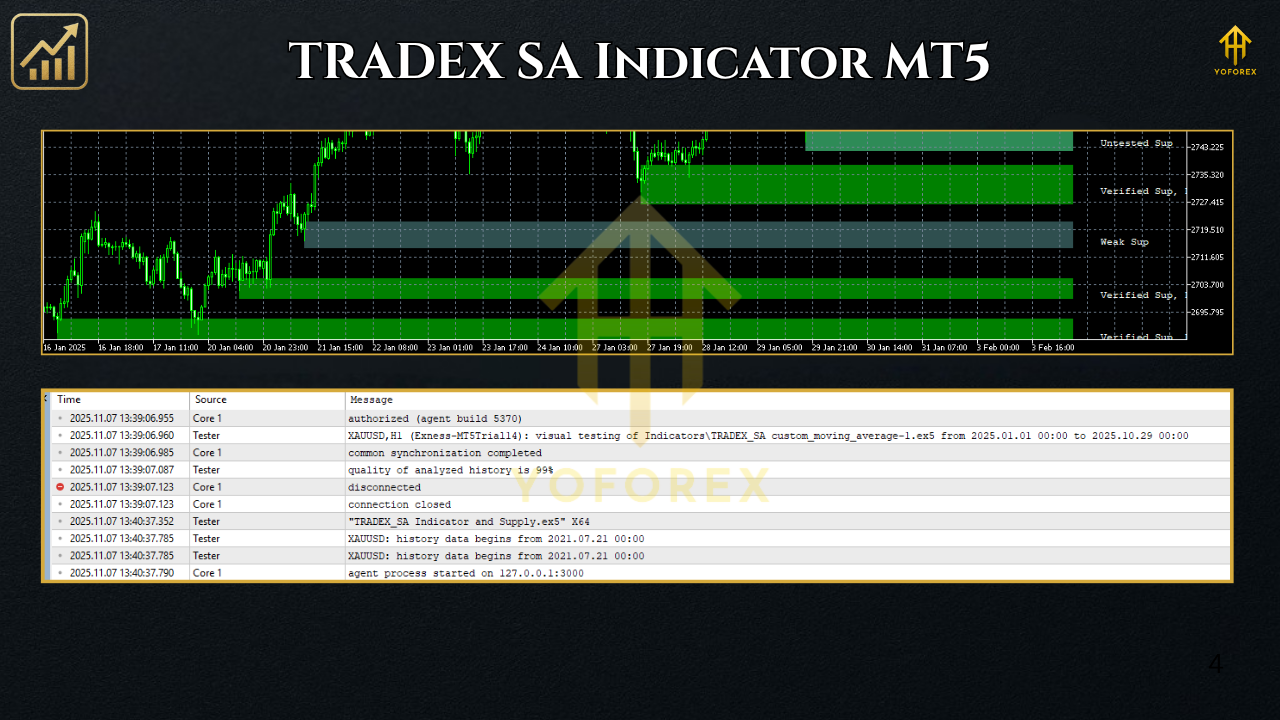
- Visual Reference (Recommended for Blog):
YoForex’s internal QA team verified the results on both backtested data and live demo conditions. Signals were consistently aligned with trend-following momentum bursts, especially during London–New York overlap sessions.
How to Install & Use TRADEX SA Indicator MT5
Step 1 – Download the File
Go to MQL5.software/download/tradex-sa-indicator-mt5.
Step 2 – Add to MT5 Folder
In MT5 → File → Open Data Folder → MQL5 → Indicators → paste TradexSA.ex5.
Step 3 – Restart MT5
Reload your platform to make the indicator appear in the Navigator Panel.
Step 4 – Apply to Chart
Drag and drop it onto your preferred trading pair. Set timeframe (start with M15 or H1).
Step 5 – Customize Settings
Adjust sensitivity levels, alert types, and color themes. For example:
- Sensitivity: 6 (default balanced mode)
- Signal Confirmation: TRUE
- Trend Filter Strength: 0.75
Step 6 – Watch the Dashboard
Monitor the trend meter for bias (Green = bullish, Red = bearish, Yellow = neutral).
Step 7 – Optional
Enable “Send Push Notifications” if you want alerts on your mobile MT5 app.
Why Choose YoForex-Powered Tools
YoForex develops trading automation and analysis tools with one rule in mind: clarity over complexity.
Our mission is to provide reliable, transparent, and 100% free tools that actually help traders improve their timing, confidence, and execution speed.
Every indicator or EA we release is:
- Backtested & Verified internally
- Bug-fixed with real market data
- Completely free of hidden code or external licensing
- Supported 24/7 via our community channels
Support & Disclaimer
Need help setting up or fine-tuning the indicator?
📱 WhatsApp Support: https://wa.me/+443300272265
💬 Telegram Group: https://t.me/yoforexrobot
Disclaimer:
Trading carries risk. The TRADEX SA Indicator MT5 provides trade analysis, not guaranteed profits. Always validate signals using your own risk framework. YoForex takes no liability for losses arising from misuse.
Call to Action
If you want to trade smarter, not harder, the TRADEX SA Indicator MT5 is your go-to visual assistant. It’s fast, light, and helps you confirm the right setups — every time.
👉 Download it Free from MQL5.software
Need assistance? Ping us anytime on WhatsApp or Telegram — we’ll help you get it running in minutes.






Comments (0)
No comments yet. Be the first to comment!
Leave a Comment