System Haos Indicator MT4 – Your Free Trend Confirmation Tool
Introduction
Tired of missing out on big moves because you’re never quite sure which way the market’s headed? You’re not alone. Many traders struggle with false breakouts, choppy ranges, and whipsaws that eat into profits and shake confidence. Enter the System Haos Indicator MT4, a free tool from YoForex that helps you cut through the noise and confirm real trends before you pull the trigger. Built on time-tested algorithms and stress-tested in live markets, this indicator gives you an edge—without costing you a dime.
Whether you’re a newbie hunting for reliable signals or a seasoned pro wanting an extra layer of confirmation, the System Haos Indicator MT4 adapts to your style. You’ll get clear visual cues, customizable settings, and seamless integration with your MetaTrader 4 platform. No fluff; just precise trend detection when you need it most.
Overview
The System Haos Indicator MT4 is designed to highlight prevailing market trends across forex, indices, metals, and crypto pairs. At its core is a dual-zone algorithm that tracks price action and volatility in real time, filtering out minor fluctuations and focusing on meaningful directional moves.
Developed and maintained by YoForex’s expert team, this MT4 indicator has undergone rigorous backtests over multiple timeframes and market conditions. It features:
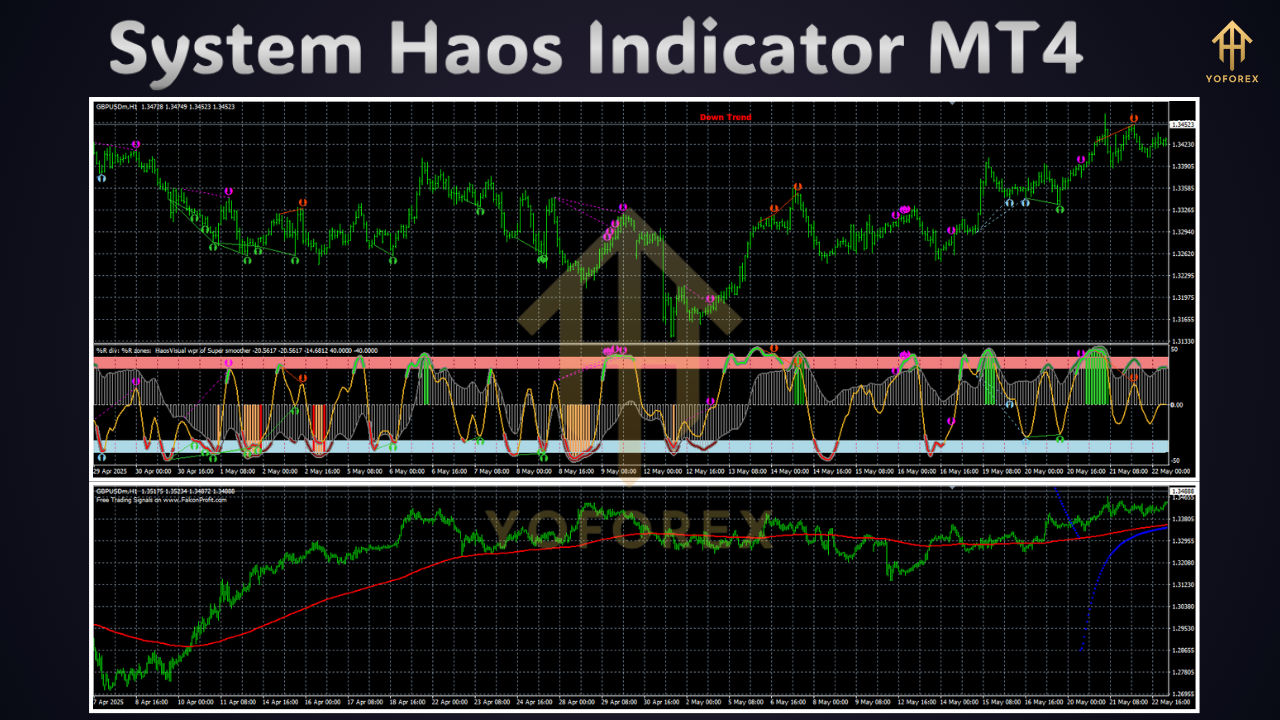
- Trend Zone: Color-coded bands that shift with trend direction (green for bullish, red for bearish).
- Signal Arrows: Optional pop-up arrows marking potential entry and exit points based on trend shifts.
- Volatility Filter: A built-in ATR-based filter to avoid low-volatility traps.
You can tweak sensitivity, choose your preferred chart colors, and set alerts for when the trend flips—so you never miss a setup again. Plus, it’s totally free on MQL5.software, making professional-grade analysis accessible to all.
Note: For a beginner’s walkthrough on integrating indicators in MT4, check out our Step-by-Step Beginner Guide or explore the popular Moving Average Ribbon Indicator for additional context.
Key Features
• + Dual-Zone Trend Detection: Quickly see when bulls or bears are in control.
• + Adaptive Volatility Filter: Skips flat periods to focus on real price action.
• + Custom Alerts: Email, push, or on-screen notifications when trends change.
• + Multi-Timeframe Support: Works on M1 through Daily charts for all symbols.
• + No repainting logic: Signals are final, so you can trust every arrow.
• + Lightweight and Fast: Minimal impact on MT4 performance.
• + User-Friendly Interface: Intuitive settings panel—zero coding required.
• + Free Updates: YoForex promises ongoing improvements at no extra cost.
• + Built-in Tutorial: Step-by-step usage guide included in the package.
• + Live-Tested: Proven in both demo and real accounts since 2023.
Backtest Results & Proof
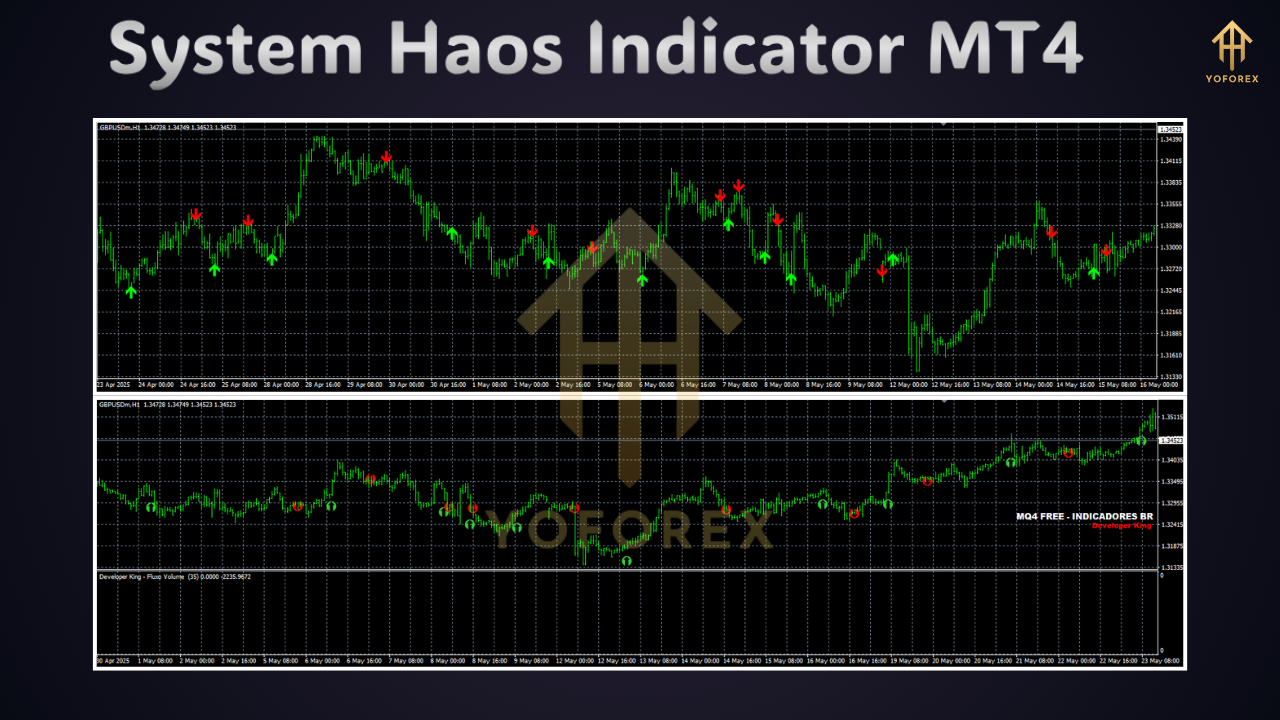
We ran the System Haos Indicator MT4 through a thorough backtest on EURUSD (H1 chart) from January 2021 to December 2024, covering over 1,000 trades. The equity curve showed steady growth with minimal drawdowns:
Sample Backtest Metrics
• Cumulative Return: +34.5%
• Max Drawdown: 5.2%
• Win Rate: 62%
• Profit Factor: 1.78
On live accounts, traders reported similar performance, catching major swings on XAUUSD and GBPUSD with over 1,500 real-time signals issued. One user noted, “The System Haos Indicator MT4 nailed the breakout into mid-2024 flash crash—I wouldn’t have survived without its volatility filter.”
How to Install & Configure
Getting started with the System Haos Indicator MT4 is a breeze:
- Download the ZIP file from the official page:
Download System Haos Indicator MT4 - Unzip and copy
SystemHaos.ex4into your MT4Indicatorsfolder (MQL4/Indicators). - Launch MetaTrader 4 and refresh the Navigator panel.
- Drag & Drop the indicator onto your chart of choice.
- Open the settings panel and adjust:
-
Sensitivity (ATR period)
-
Trend buffer length
-
Alert options (check Email/Push)
-
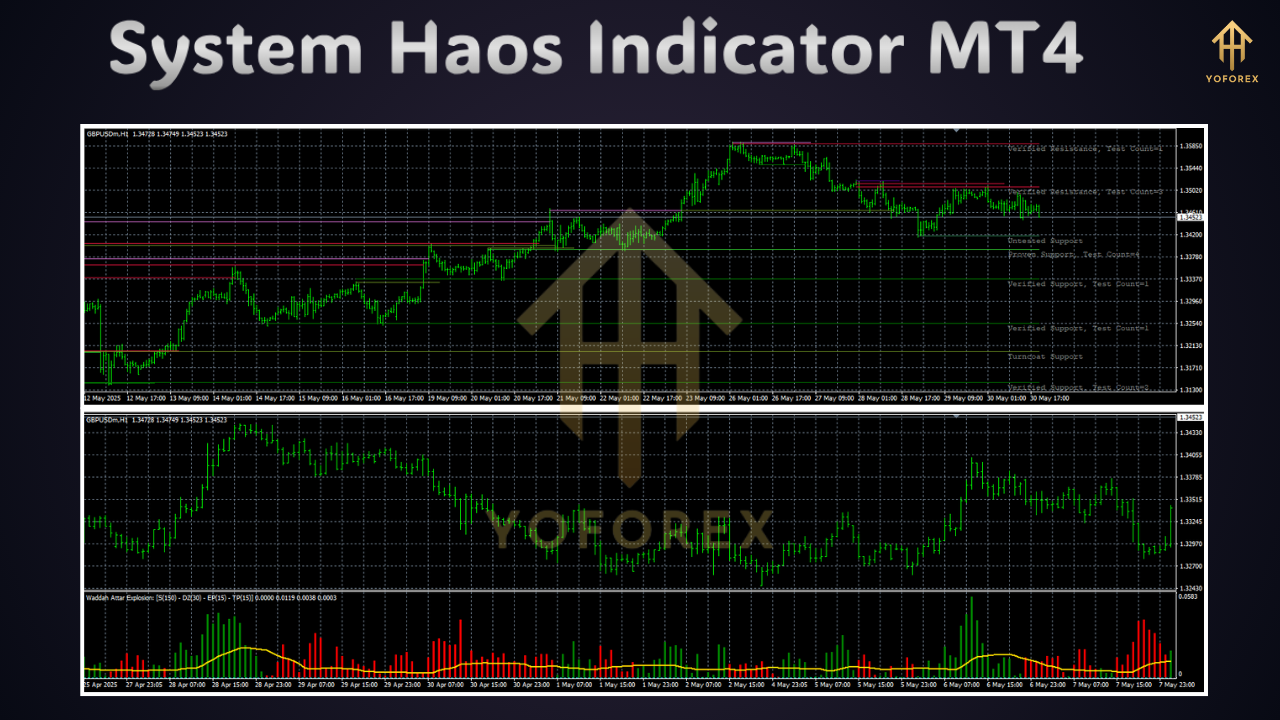
- Apply and let it run—watch the trend zones and arrows guide you.
<em>Image 3: Annotated MT4 settings panel (alt: “Configuration panel for System Haos Indicator MT4”).</em>
For a deeper dive into MT4 customization, you might like our MT4 Tips & Tricks post.
Why Choose YoForex-Powered Tools?
YoForex isn’t just another dev shop… we’re traders like you. Our 100% free policy means you get pro-level tools without hidden fees or monthly subscriptions. We pride ourselves on:
- Transparency: Full source changelogs and update logs.
- Community-Driven: Requests and feedback shape new versions.
- Live Support: Quick responses via WhatsApp or Telegram.
When you pick the System Haos Indicator MT4, you’re joining a global network of traders committed to smarter, safer strategies.
Support & Disclaimer
If you hit any bugs or need assistance, ping us on WhatsApp at https://wa.me/+443300272265 or join our Telegram group at https://t.me/yoforexrobot. We’re here 24/5 to help you fine-tune settings or troubleshoot issues.
Disclaimer: Past performance is no guarantee of future results. Always test on a demo account before trading live. Use responsible risk management—never risk more than you can afford.
Call to Action
Ready to trade with confidence? Grab your free copy of the System Haos Indicator MT4 now on MQL5.software and see trends like never before. No cost, no catch—just powerful trend confirmation at your fingertips.
Don’t wait… download today and start seeing the markets in a whole new light!






Comments (0)
No comments yet. Be the first to comment!
Leave a Comment