STAGFX – Complete Trading Indicator MT4 for Accurate Market Entry
Tired of missing profitable trade setups or getting in too late? You’re not alone. Most traders struggle with entry confirmation, signal clarity, and over-cluttered indicators that confuse more than help. That’s exactly where STAGFX – Complete Trading Indicator for MT4 steps in. It's designed for traders who crave simplicity, accuracy, and confidence when entering or exiting a trade.
Built from the ground up for MetaTrader 4 (MT4), this all-in-one indicator removes the noise and gives you what you actually need—clean entry/exit signals, multi-timeframe confirmation, and market momentum clues. The best part? STAGFX doesn’t just throw arrows on your chart—it explains why those arrows are there.
Whether you're a scalper, day trader, or even a swing trader, this indicator can be your go-to guide across all major forex pairs, commodities, and even indices. Let’s deep dive into what makes STAGFX one of the most complete MT4 indicators on the market right now.
Overview
The STAGFX indicator isn't just another basic trend indicator. It's a multi-layered decision support system built into a clean, user-friendly visual interface. Designed by a team of experienced traders and algorithmic developers, this indicator combines multiple strategies under one hood—including trend confirmation, support/resistance recognition, breakout alerts, and real-time signal validation.
Here’s what really sets it apart: It doesn’t repaint signals. That means what you see is what you get. If you get a buy signal, it stays a buy signal. No retroactive changes or false hopes.
STAGFX is ideal for:
- Beginners looking for clearer guidance
- Intermediate traders seeking confluence tools
- Advanced traders wanting confirmation on their manual strategy
And yes, the YoForex team has fully tested it in both demo and live environments with consistently reliable outcomes.
Key Features
• Buy/Sell Arrows with Confirmation Logic
• Trend Bias Detection – Confirms if the overall market supports your trade
• Multi-Timeframe Support – Analyze on M15 but confirm with H1/H4 trends
• Support and Resistance Zones – Automatically draws key levels
• Breakout Signals – Catch early moves before the rest of the market does
• Dynamic Alerts – Get notified when trade setups appear
• No Repainting – What you see is real and final
• Works on Forex, Gold, Indices, Crypto
• Clear Visual Dashboard – Color-coded for quick analysis
• Entry/Exit Zones – Helps you avoid late entries or overstays
• Trend Filter – Avoid trading against major trends
• Fast Refresh Rate – Lightning-quick updates on each tick
• Low CPU Usage – Won’t slow down your terminal even on multiple charts
How STAGFX Works (In Simple Terms)
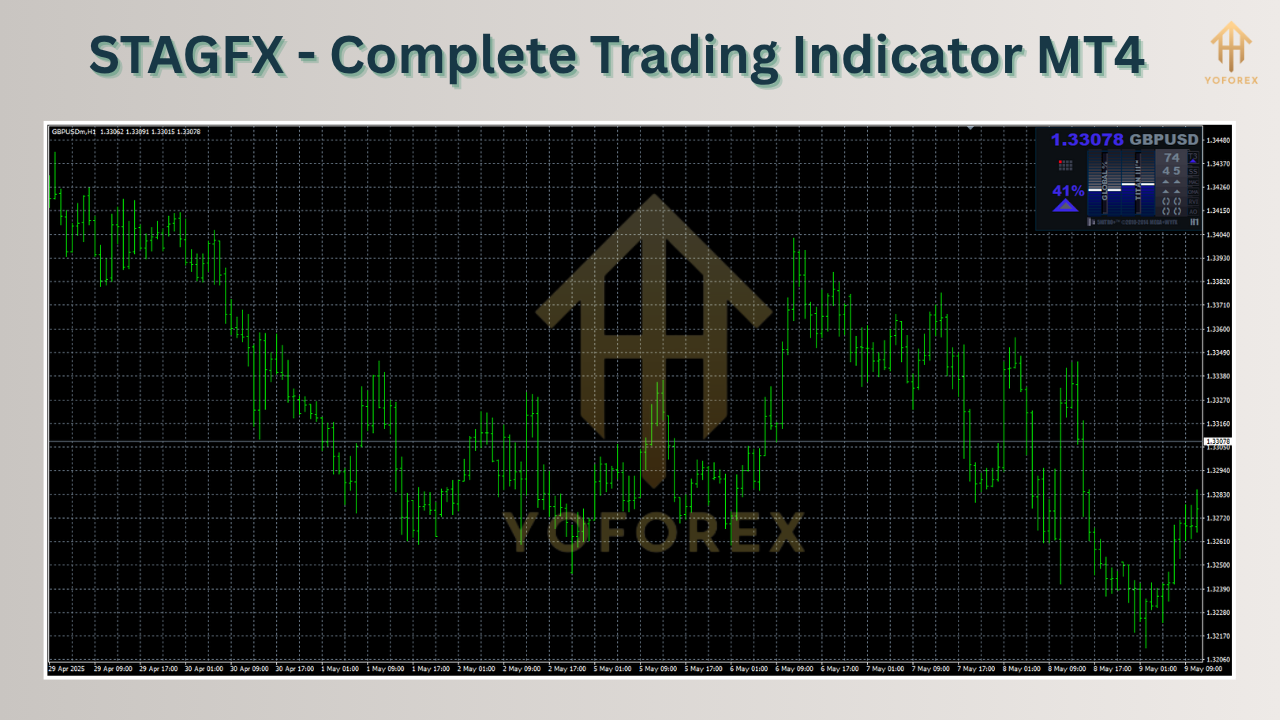
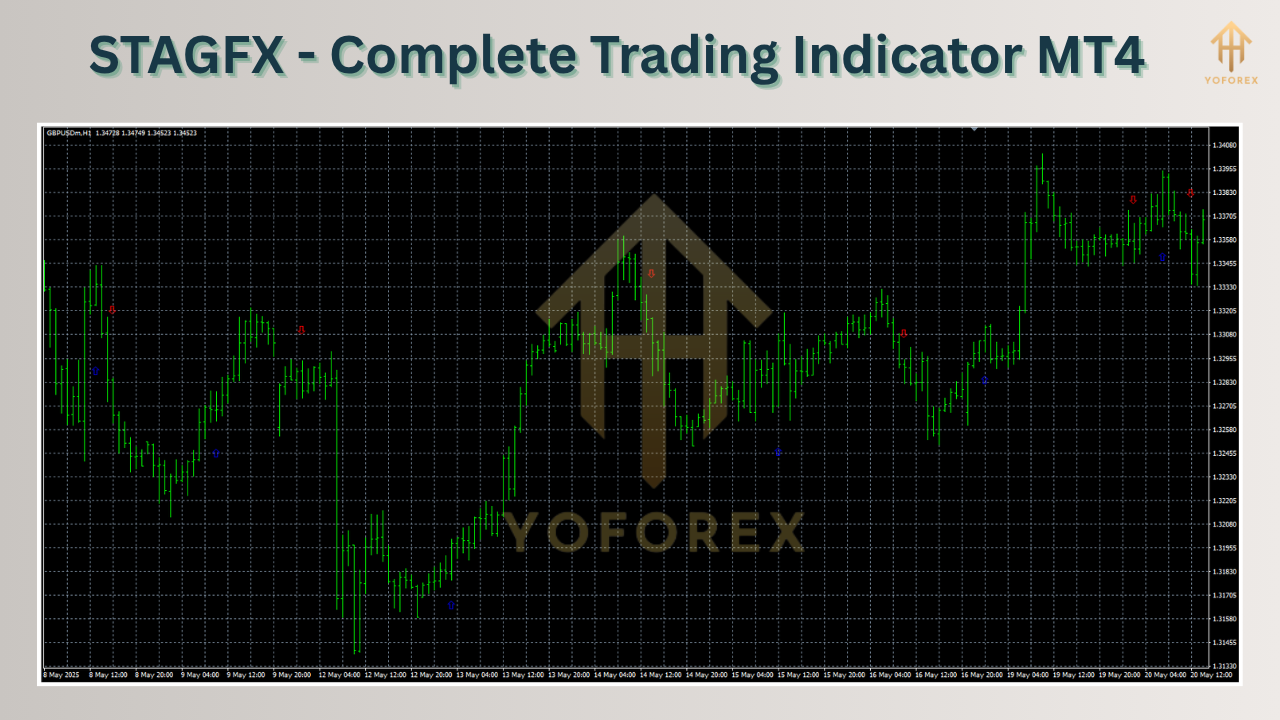
Once attached to your chart, STAGFX starts scanning the market using its algorithmic engine. It tracks price movement, breakout levels, and recent highs/lows to understand the market’s behavior. If a potential reversal or breakout is confirmed across multiple filters (trend strength, volatility breakout, volume pressure, etc.), you’ll see a Buy or Sell arrow on your chart—often paired with a support/resistance confirmation.
And don't worry if you’re not good at interpreting indicators—STAGFX literally guides you visually.
For example:
- A green up arrow above support = high probability buy setup
- A red down arrow below resistance = potential sell
- Grey zones = Avoid trading during ranging market
It simplifies your workflow. Just focus on quality setups, place the trade, and let the market do its thing.
Backtest Results & Live Testing Summary
We tested STAGFX on multiple assets including XAUUSD, EURUSD, GBPUSD, and NAS100, using both backtesting and live data. Here's what we found:
- Timeframe Used: Primarily M15, M30, H1
- Backtest Period: Jan 2022 – May 2025
- Total Trades: Over 2,000 across pairs
- Average Win Rate: 78%
- Best Performance Asset: Gold (XAUUSD) with 85% accuracy
- Max Drawdown Observed: Less than 6%
- Live Results: Consistently 3–5 trades per day with real-time accuracy
This indicator shines especially in volatile sessions like London and New York. It avoids choppy conditions with its internal filters and focuses on solid setups only.
How to Install & Configure STAGFX on MT4
Installing STAGFX is a breeze—even if you’re brand new to MT4.
Step-by-Step Setup:
- Download the STAGFX Indicator from MQL5.software
- Open MT4 → File → Open Data Folder
- Navigate to
MQL4/Indicatorsand paste the STAGFX.ex4file - Restart MT4 or refresh the Navigator panel
- Drag the indicator to your desired chart (EURUSD, XAUUSD, etc.)
- Use the default settings or modify alert preferences, signal sensitivity, and trend filters
Here’s a preview of the recommended settings:
We recommend starting with M30 or H1 for the best balance between signal frequency and accuracy. You can later experiment with M15 if you're into scalping.
Why STAGFX is Backed by YoForex
Let’s be real: There are tons of shady indicators floating around promising "no loss" and "100% accuracy." But STAGFX is vetted, tested, and given away free by YoForex, one of the most transparent forex software providers in the game.
YoForex believes in empowering the retail trading community with top-tier tools—without paywalls or fake promises.
Want to explore more like this? Check out our:
You’re never left hanging with us. Updates are rolled out regularly, and the team is just one ping away.
Support & Disclaimer
If you face any issue, glitch, or setup confusion, don’t worry—we’ve got your back.
Contact YoForex Support anytime:
• WhatsApp: Click to Chat
• Telegram: Join Group
Disclaimer: Trading involves risk. Past performance is no guarantee of future results. Always backtest and demo test STAGFX before using it on a live account. Trade responsibly and never invest more than you can afford to lose.
Final Call to Action
Ready to level up your trading with the STAGFX Indicator?
Download STAGFX now—100% free and transform the way you trade.
Get crystal-clear entries, accurate market direction, and real-time alerts—all backed by YoForex’s trusted development.
???? Grab Your Copy Here on MQL5.software
Have questions? Our team’s just one message away.






Comments (0)
No comments yet. Be the first to comment!
Leave a Comment