RCS System Indicator MT4: A Comprehensive Forex Trading Guide
In the fast‑paced world of forex trading, having a reliable method for identifying high‑probability setups and managing risk is crucial. The RCS System Indicator for MetaTrader 4 (MT4) combines multiple analytical elements into one cohesive tool, allowing traders to focus on opportunities that meet strict volatility, trend, and momentum criteria. Whether you’re a beginner seeking clear signals or an experienced trader aiming to remove emotional bias, this guide will walk you through every aspect of the RCS System Indicator MT4—from installation and core mechanics to strategy implementation, optimization, and best practices.
What Is the RCS System Indicator MT4?
The RCS System Indicator MT4 is a custom script designed to integrate three critical components of technical analysis into a unified signal generator. “RCS” stands for:
- Range Analysis: Measures market volatility to filter out low‑movement periods.
- Confirmation: Uses moving averages or ATR‑based filters to verify trend direction.
- Signal: Produces precise entry and exit arrows when both range and trend conditions align.
By consolidating these elements, the indicator reduces noise and highlights only those trading opportunities where volatility, trend direction, and momentum converge.
Key Features
-
Multi‑Timeframe Support
-
Compatible with any MT4 timeframe (M1 through D1).
-
Scalpers can use lower timeframes; swing traders can apply it to H4 or daily charts.
-
-
Customizable Moving Averages
-
Choose SMA, EMA, or WMA for trend confirmation.
-
Adjust periods to match each currency pair’s behavior.
-
-
Volatility Filter with ATR
-
Calculates the Average True Range (ATR) over a user‑defined period.
-
Signals only when ATR exceeds a set threshold, avoiding choppy, low‑volatility markets.
-
-
Visual Signal Arrows
-
Buy and sell arrows appear directly on the chart at bar close.
-
Eliminates manual cross‑referencing of multiple indicators.
-
-
Built‑In Alerts
-
Pop‑up, email, and push notifications for new signals.
-
Ensures you never miss a trade opportunity.
-
-
Risk Management Overlays
-
Optional automatic stop‑loss and take‑profit suggestions based on recent swing points or fixed pip distances.
-
Streamlines order placement directly from the chart.
-
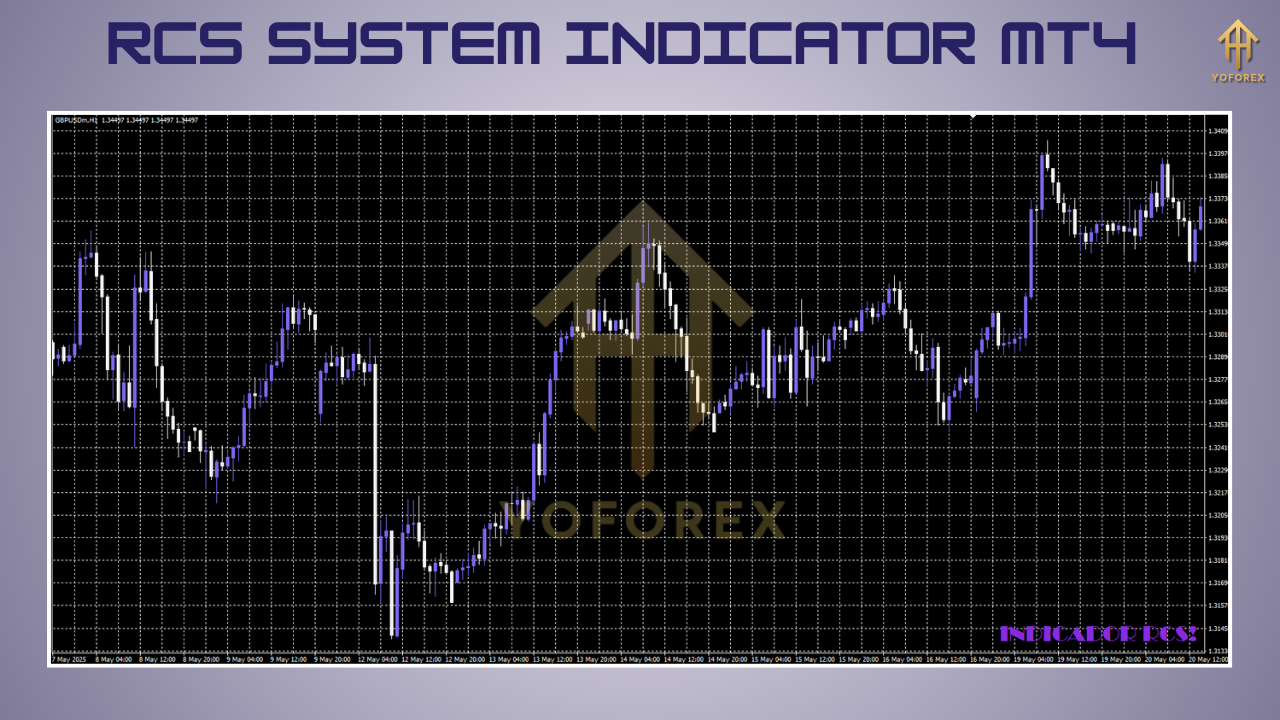
Installation and Setup
-
Obtain the Indicator File
-
Download
RCS_System_Indicator.ex4from your trusted vendor or source.
-
-
Copy to MT4 Folder
-
In MT4: File → Open Data Folder → MQL4 → Indicators.
-
Paste the
.ex4file into this directory.
-
-
Restart MetaTrader 4
-
Close and reopen the MT4 terminal to load new indicators.
-
-
Attach to Chart
-
In the Navigator panel under “Indicators,” locate RCS System Indicator MT4.
-
Drag it onto your desired currency pair’s chart.
-
-
Configure Input Parameters
-
Set your preferred MA type, MA period, ATR period, volatility threshold, and alert preferences.
-
Click OK to apply.
-
-
Save Your Template
-
Right‑click on the chart and select Template → Save Template, naming it (e.g.,
RCS_Template) for quick reuse across multiple charts.
-
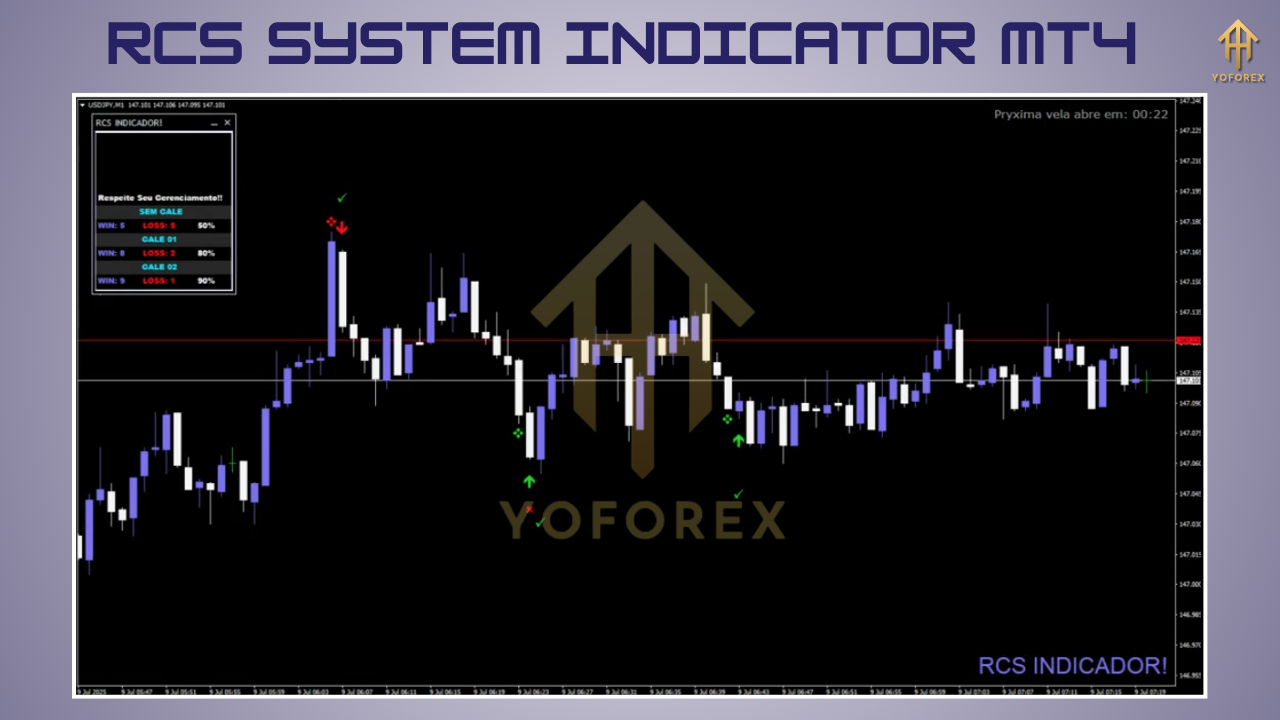
How the RCS System Indicator Works
-
Range Measurement (R)
-
Calculates ATR over a user‑defined period (commonly 14).
-
Compares current ATR to a threshold (e.g., 1.5× the ATR average) to ensure sufficient volatility.
-
-
Trend Confirmation (C)
-
Applies a moving average (SMA/EMA/WMA) to determine trend direction.
-
Bullish trend: price remains above the MA line.
-
Bearish trend: price remains below the MA line.
-
-
Signal Generation (S)
-
Triggers a buy signal when both ATR and MA conditions align with bullish momentum (optionally confirmed by RSI or MACD).
-
Triggers a sell signal under the opposite conditions.
-
Draws arrows on the chart at the bar close that meets all criteria.
-
This three‑step process ensures each trade is backed by volatility, trend, and momentum analysis, minimizing false breakouts and whipsaws.
Trading Strategies Using the RCS System
1. Scalping on Lower Timeframes (M1–M15)
- Settings: ATR period 7–10; MA period 20–30.
- Session Focus: Trade only during London–New York overlap for maximum liquidity.
- Risk Parameters:
-
Stop‑loss: 5–10 pips.
-
Take‑profit: 10–15 pips.
-
- Execution: Enter on the arrow signal; exit when price hits your TP/SL or on opposite signal.
2. Day Trading on M30–H1 Charts
- Settings: ATR(14); MA(50).
- News Filtering: Only take trades around high‑impact news releases for heightened volatility.
- Risk Parameters:
-
Stop‑loss: recent swing high/low.
-
Take‑profit: next support/resistance level.
-
- Execution: Combine RCS arrow with candlestick confirmation (e.g., engulfing patterns).
3. Swing Trading on H4–D1 Timeframes
- Settings: ATR(20); MA(100).
- Holding Period: 1–3 days.
- Risk Parameters:
-
Use a trailing stop to lock in profits as the trend unfolds.
-
- Execution:
-
-
Confirm daily‑chart trend first.
-
Use Fibonacci retracement levels to identify optimal entries after pullbacks.
-
Across all strategies, always trade with the signal direction, not against it, and adhere to consistent position sizing.
Backtesting and Performance Analysis
- Historical Data Quality: Use at least two years of reliable tick or high‑quality minute data.
- MT4 Strategy Tester:
-
If an EA version is provided, select it directly.
-
Otherwise, visually backtest by scrolling through charts.
-
- Key Metrics:
-
Win Rate: Percentage of winning trades.
-
Risk‑Reward Ratio: Average profit vs. average loss.
-
Max Drawdown: Largest equity decline.
-
Profit Factor: Gross profit ÷ gross loss (aim for >1.5).
-
- Documentation: Record your findings in a spreadsheet to compare settings—ATR thresholds, MA periods, etc.—and refine parameters for each pair.
Risk Management and Best Practices
- Limit Risk per Trade: 1–2% of account balance.
- Mandatory Stop‑Loss Orders: Use chart structure or ATR multiples.
- Position Sizing: Calculate lot size based on distance to stop‑loss.
- Avoid Overtrading: Follow signals only; do not chase the market.
- Diversify Across Pairs: Trade correlated and non‑correlated pairs to spread risk.
- Maintain a Trading Journal: Log entry/exit, rationale, and outcome. Review weekly to identify strengths and weaknesses.
Tips for Optimization
-
Adjust Volatility Thresholds:
-
Lower ATR filter in quiet markets; raise it during choppy periods.
-
-
Fine‑Tune MA Periods:
-
Backtest both shorter and longer periods to find the “sweet spot” per currency pair.
-
-
Add Momentum Confirmation:
-
Use RSI(14) to filter: only take buy arrows when RSI >50, sell when RSI <50.
-
-
Higher‑Timeframe Confirmation:
-
For scalping, ensure the daily chart’s trend aligns with lower‑timeframe signals.
-
-
Regular Re‑Optimization:
-
Market dynamics change—reassess settings every quarter.
-
Conclusion
The RCS System Indicator MT4 is a powerful, all‑in‑one solution that blends volatility analysis, trend filtering, and precise entry signals. By following a structured approach—installing correctly, understanding its three‑step logic, employing robust trading strategies, and adhering to strict risk management—you can harness its full potential. Regular backtesting and optimization ensure the indicator remains effective across varying market conditions. Embrace the RCS System as the backbone of your trading plan, and trade with greater confidence and consistency.






Comments (0)
No comments yet. Be the first to comment!
Leave a Comment