Still guessing if a trend is strong or fizzling out?
We’ve all been there… you enter a trade thinking it’s a breakout, but bam—it reverses. Then you wait for confirmation, only to miss the move completely.
That’s exactly where the QQE Weighted Oscillator Indicator for MT5 comes in clutch. This isn’t your typical RSI or MACD—it’s a next-level oscillator built for serious trend confirmation and momentum reading.
And of course, it’s free. Straight from the YoForex toolbox.
Overview – What Is the QQE Weighted Oscillator?
QQE stands for Quantitative Qualitative Estimation, but don’t let the fancy name scare you.
This Weighted Oscillator version for MetaTrader 5 is an advanced twist on the classic QQE indicator. It combines smoothed RSI with moving average filters to provide cleaner, more actionable signals for both trend-followers and reversal traders.
When the oscillator crosses a baseline or flips direction, it signals momentum shifts—giving you a solid heads-up before the market moves.
It’s best used on M15 to H4 timeframes, across any pair (forex, indices, crypto—you name it).
Key Features of QQE Weighted Oscillator Indicator MT5
- • Combines RSI + EMA smoothing for refined signals
- • Weighted logic reduces lag & noise
- • Perfect for trend continuation & reversal strategies
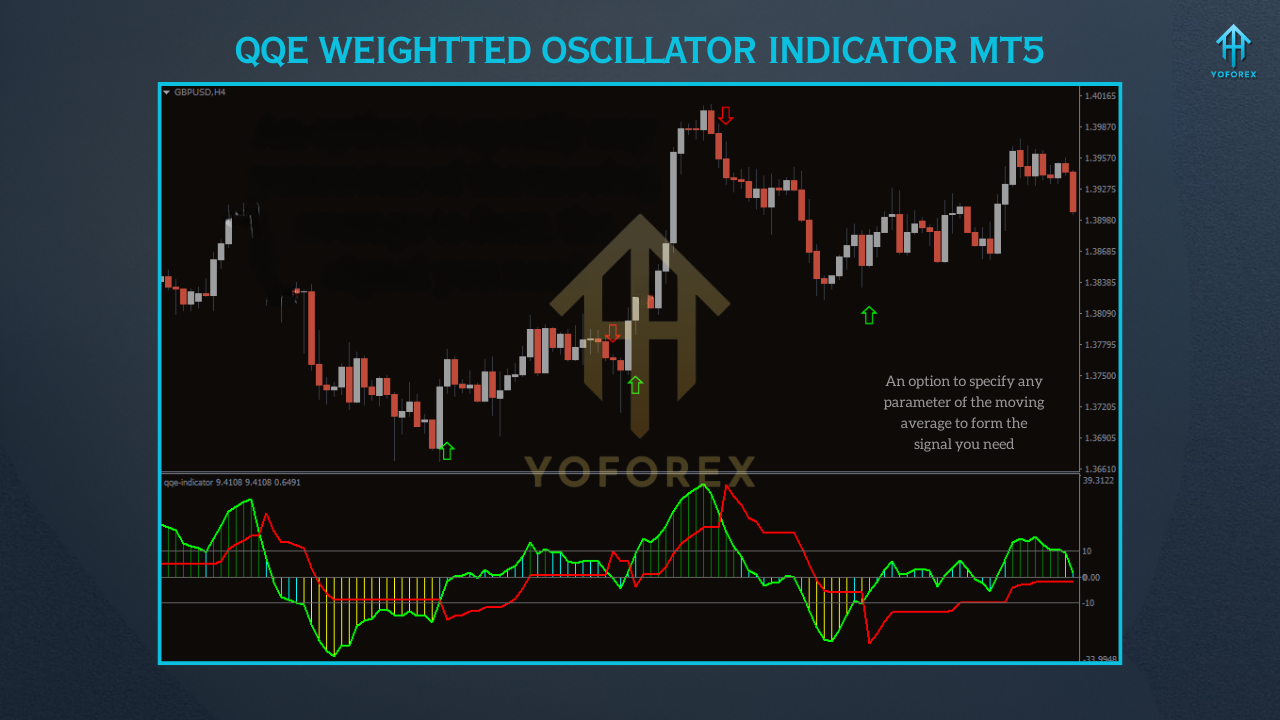
- • Clear cross-line alerts and histogram shifts
- • Multi-timeframe compatible (M15–H4)
- • Works on any instrument (forex, gold, indices, crypto)
- • Easy-to-read oscillator line with signal dots
- • Non-repainting, real-time accuracy
- • Customizable sensitivity and levels
- • Lightweight, won’t slow down MT5
- • Ideal for scalpers, intraday and swing traders
- • FREE for all YoForex users
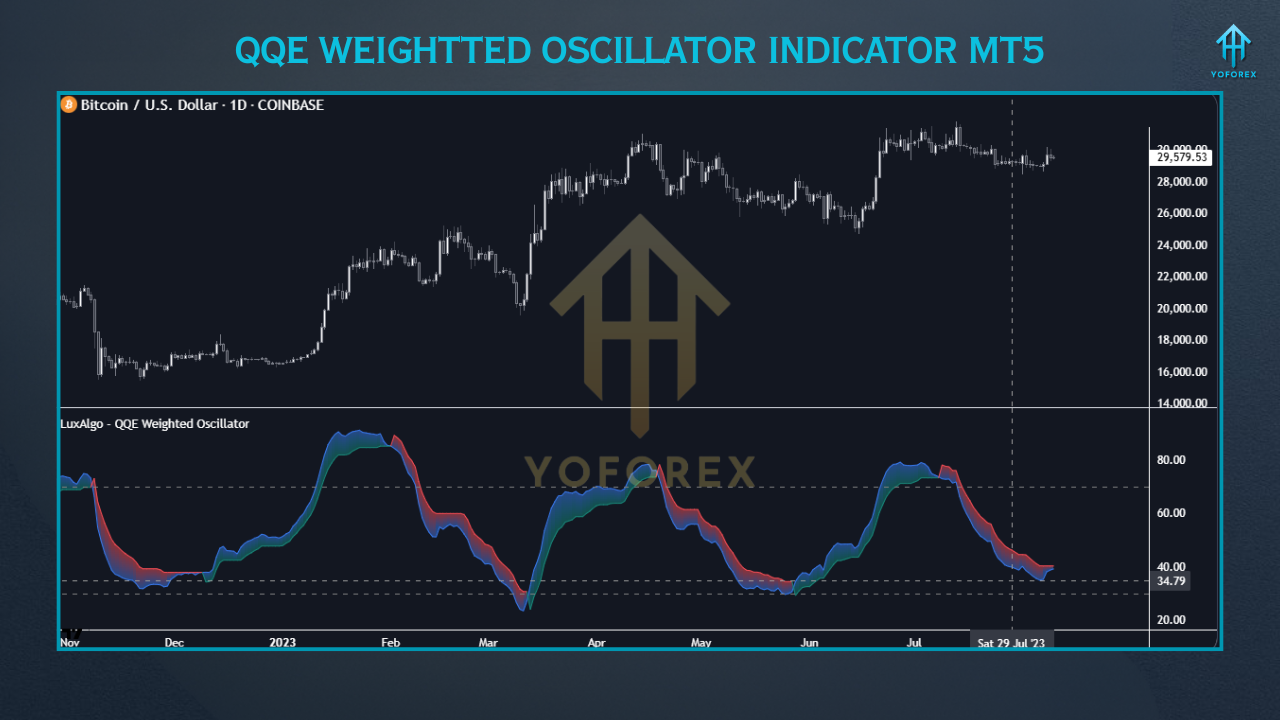
Use Cases & Performance Tips
Let’s be real: no single indicator can predict the market 100%. But the QQE Weighted Oscillator gives you an edge—especially when paired with your current system.
- Scalpers use the fast signal line cross to jump into small moves
- Swing traders wait for sustained histogram changes as confirmation
- EA users integrate it as a filter to avoid overtrading
- Trend followers combine it with Moving Averages or Bollinger Bands for added confirmation
How to Install the QQE Weighted Oscillator on MT5
- Download the
.ex5file from MQL5.software - Open MT5 →
File > Open Data Folder > MQL5 > Indicators - Paste the file into the Indicators folder
- Restart MetaTrader 5
- In the Navigator, drag QQE Weighted Oscillator onto your chart
- Customize input settings if needed (signal period, color, levels)
- You’re ready to roll!
Why Use YoForex-Powered Tools?
- Verified in real market conditions
- Built by pro traders and AI engineers
- Constantly updated for accuracy and bug fixes
- Always 100% free, no hidden upsells
- Supported via Telegram and WhatsApp






Comments (0)
No comments yet. Be the first to comment!
Leave a Comment