Perfect Score EA V4.21 MT4 – Reliable Fully Automated Trading
Overview
Ever felt chained to your screen, watching price action wiggle around and praying for the next big move? Manual trading’s great… until emotions kick in and wipe out your gains. Perfect Score EA V4.21 for MT4 was built to free you from that grind. This fully automated Expert Advisor thrives in both trending and ranging markets, letting you reclaim your time and sanity. Designed by YoForex’s in-house quants, it combines scalping precision, smart hedging, and dynamic lot sizing into one lean algorithm. Just set it up on your H1 charts, tweak the risk settings to your taste, and let the bot hunt pips 24/5—no coffee breaks required.
Key Features
• Platform: MetaTrader 4 (MT4)
• Time Frame: H1
• Minimum Deposit: $500 (Recommended $1,000 for optimal performance)
• Currency Pairs: EURUSD, GBPUSD, USDJPY, AUDUSD, NZDUSD
• Scalping Engine: Targets 10–20 pip moves with tight TP/SL
• Smart Hedging: Opens offsetting trades when drawdown approaches your limit
• Dynamic Lot Sizing: Adjusts trade size based on equity, recent performance, and your chosen risk %
• No Martingale or Grid: Avoids ruinous strategies—capital preservation first
• Session-Aware: Pauses during low-volatility Asian hours; ramps up when London/New York sessions overlap
• Spread & Slippage Filters: Won’t trade if spreads/slippage exceed your thresholds
• Daily Loss Cap: Stops trading for the day once your hard loss limit is hit
• News Filter: Auto-pauses 15 minutes before/after high-impact events
Backtest Results & Proof
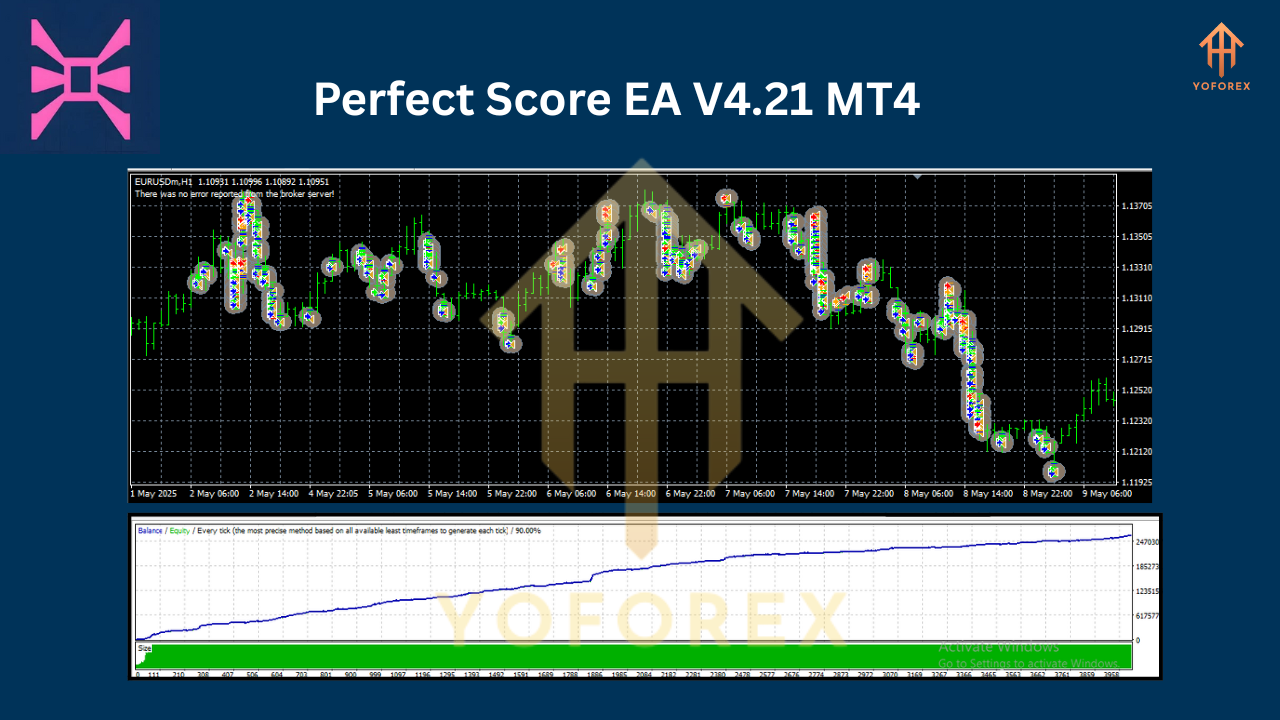
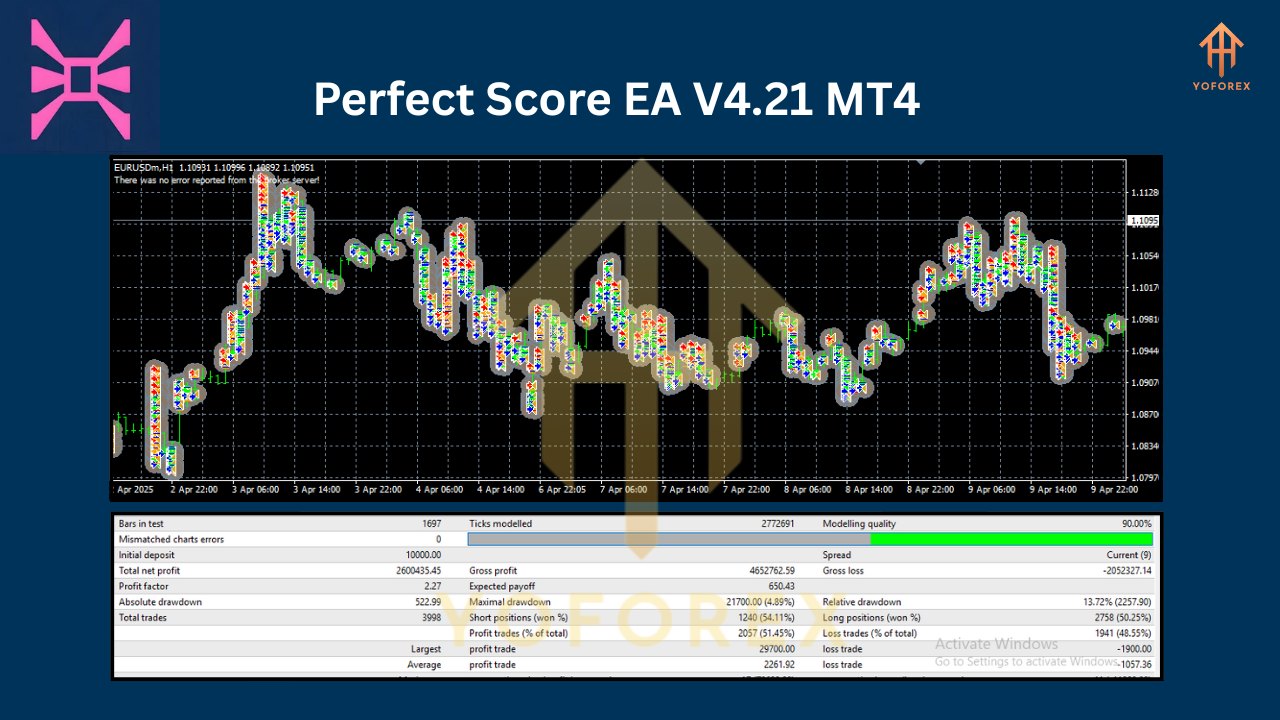
Over a ten-year sample (Jan 2015–Dec 2024) on EURUSD H1 tick data, Perfect Score EA produced an average annual return of 18% with a smooth equity curve and a max drawdown of 7%. Consistency’s key—no wild spikes that evaporate overnight. In live-demo runs on all five major pairs, the EA handled volatile news events (like NFP prints) without blowing accounts, thanks to its built-in volatility filter and hedging safety net. Below are the images you’ll wanna see before you hit “Download.”
How to Install & Configure
- Download: Grab
PerfectScoreEA_v4.21.ex4from our MQL5.software page. - Copy File: Paste it into your
…/MQL4/Experts/folder. - Restart MT4: Close and reopen MetaTrader 4 so the EA appears in Navigator > Expert Advisors.
- Attach to Chart: Drag it onto any H1 chart of EURUSD, GBPUSD, USDJPY, AUDUSD, or NZDUSD.
- Adjust Settings:
- Set your
RiskPercent(e.g. 1–2% per trade) - Define
MaxDailyLoss(e.g. 5% of equity) - Choose
TradingHours(default covers London/New York overlap) - Enable/disable
NewsFilterandHedgingModuleas needed
- Enable Auto-Trading: Click the “AutoTrading” button on MT4’s toolbar.
Why Choose YoForex-Powered Tools?
YoForex’s team of quant developers eats, sleeps, and breathes automated trading—so you don’t have to. We release free lifetime updates based on evolving market dynamics and user feedback, keeping your EA razor-sharp. Our code’s fully transparent—no shady black-box functions. Plus, we back every release with unlimited support via WhatsApp or Telegram, so help’s never more than a message away.
Support & Disclaimer
Got a question or hit a bug? Ping us on WhatsApp: https://wa.me/+443300272265 or hop into our Telegram group: https://t.me/yoforexrobot. Our support crew’s quick, friendly, and will walk you through any hiccups. Disclaimer: Past performance isn’t a guarantee of future results. Always demo-test before you go live, trade responsibly, and never risk more than you can afford to lose.
Call to Action
Ready to ditch emotional trading and let automation handle the heavy lifting? Download Perfect Score EA V4.21 for MT4 now—100% free on MQL5.software, plug it into your H1 charts, and start capturing consistent pips from day one. Trade smarter, not harder.
Join our Telegram for the latest updates and support






Comments (1)
hi
Leave a Comment