Ever jumped into a trade only to watch it reverse as soon as you pulled the trigger? Frustrating, right? Most traders burn capital coz they chase breakouts or fade moves without knowing where the real turning points lie. That’s where the 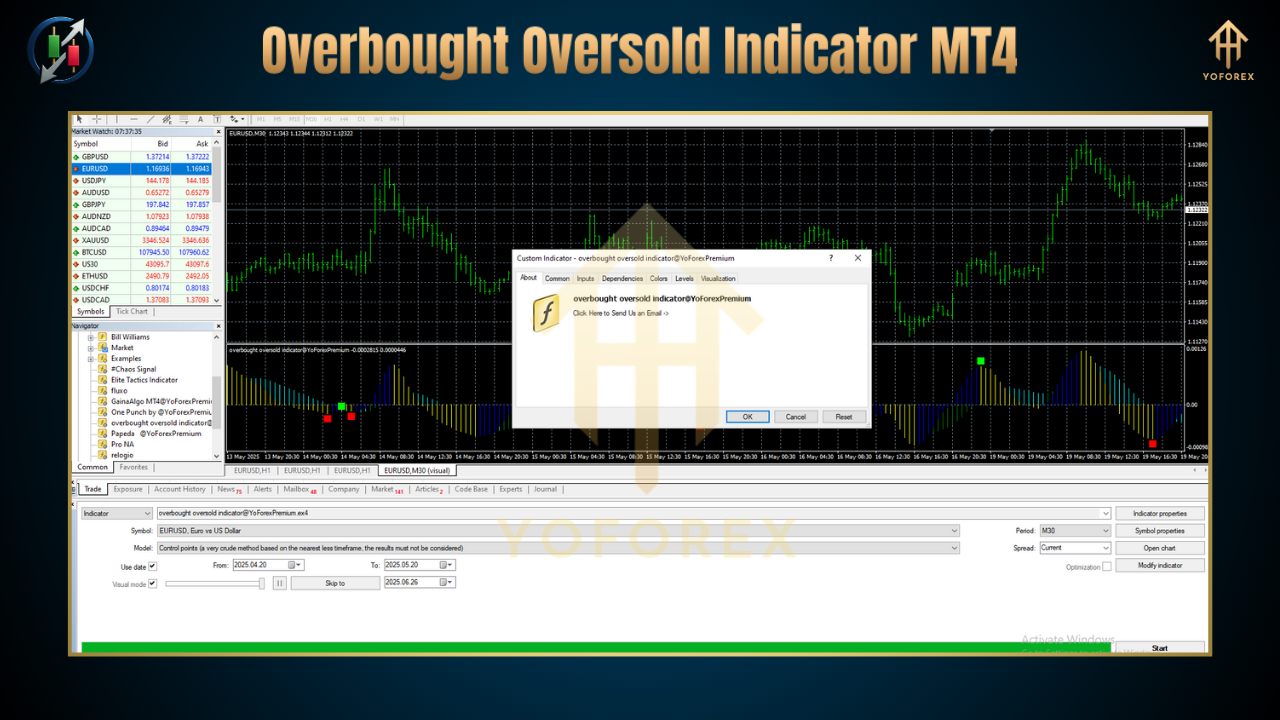
comes in. This free YoForex-powered tool plots dynamic overbought and oversold zones, helping you spot when the market is ripe for a reversal—or ready to keep trending. In this post, you’ll discover how to harness these zones to improve your entry precision, manage risk, and boost your consistency—no guesswork, no FOMO.
Overview
The Overbought Oversold Indicator MT4 is a custom oscillator plugin that calculates momentum extremes on any symbol or timeframe. Built by the YoForex team and extensively back-tested on hundreds of currency pairs, it highlights periods when price is either “too high” (overbought) or “too low” (oversold) relative to recent market action. Here’s why it’s a game-changer:
-
Dynamic Zones: Unlike fixed-level tools, the indicator adapts to current volatility—so you’re not stuck with static 70/30 lines that work some days but bomb others.
-
Multi-Timeframe Ready: Use it on M1, H4, Daily—or all at once—to align your entries with big-picture momentum.
-
Visual Alerts: Optional pop-ups and email notifications ensure you never miss a prime reversal setup.
Whether you’re a scalper chasing quick 5–10 pip moves or a swing trader holding for days, the Overbought Oversold Indicator MT4 gives you a clear, visual edge. If you’re new to custom indicators, start with our Beginner’s Guide to MT4 Indicators to get familiar with installation and chart basics.
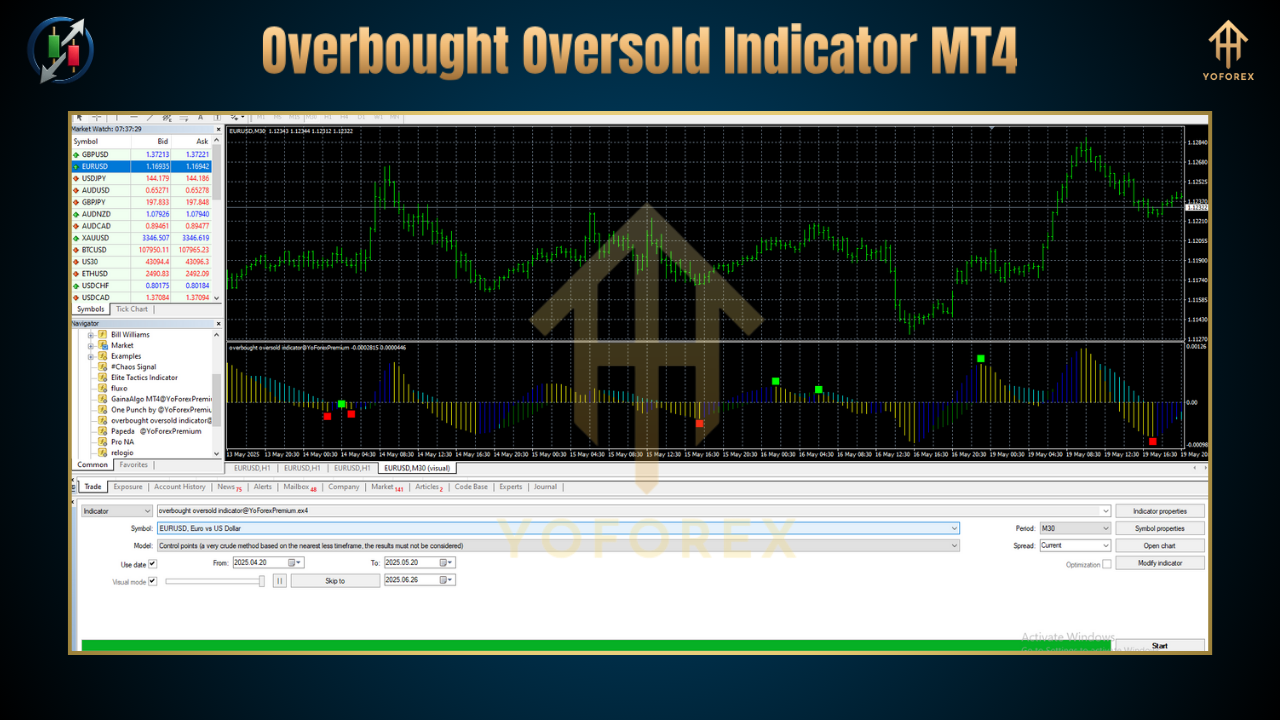
Key Features
• Adaptive Thresholds – Automatically adjusts overbought/oversold levels based on recent ATR readings.
• Multi-Timeframe Support – Plot zones from higher timeframes directly on your current chart.
• Custom Alerts – Push, email, or pop-up alerts when price enters extreme zones.
• Histogram & Line Modes – Choose your preferred visualization: classic histogram or clean line display.
• Built-in Smoothing – Optional moving average filter reduces noise for clearer signals.
• Session Filters – Restrict signals to London/New York sessions only—avoid whipsaws during low liquidity.
• Exportable Data – Log overbought/oversold events to CSV for offline analysis.
• Fully Free & Open-Source – Grab it at no cost and tweak the MQL4 code to suit your style.
How It Works
-
Calculating Extremes
-
The indicator computes a normalized momentum oscillator (e.g., RSI derivative) over a user-defined lookback period.
-
It then applies an ATR-based multiplier to set dynamic overbought/oversold bands.
-
-
Detecting Reversals
-
When the oscillator breaches the upper band, price is considered “overbought”—a potential sell zone.
-
Breach of the lower band flags “oversold” conditions—possible buy setups.
-
-
Filtering False Signals
-
Enable smoothing to filter out fleeting spikes that often result in fakeouts.
-
Use the session filter to ignore extremes outside major forex trading hours.
-
-
Multi-Timeframe Confirmation
-
Activate MT4’s built-in multi-timeframe mode: see the Daily overbought zone while you trade on H1.
-
Align smaller timeframe entries with higher-timeframe extremes to avoid “fighting the trend.”
-
By fusing momentum and volatility, the Overbought Oversold Indicator MT4 delivers signals that respect both price action and market context.
How to Install & Configure
-
Download
-
Get the indicator from MQL5.software:
Download URL: https://mql5.software/overbought-oversold-indicator-mt4
-
-
Copy to MT4
-
Paste
OverboughtOversold.ex4into your…\MQL4\Indicators\folder.
-
-
Restart MT4
-
Close and re-open your MetaTrader 4 platform—your indicator will now appear under “Custom Indicators.”
-
-
Attach to Chart
-
Drag it onto any chart. In the Inputs tab, set:
-
Lookback Period: 14 (default)
-
ATR Multiplier: 1.5 (adjust for sensitivity)
-
Session Filter: “London, New York” or “All”
-
Alert Type: “Popup + Email” (optional)
-
-
-
Recommended Settings Screenshot
(Image 1: Annotated settings panel for Overbought Oversold Indicator MT4)
Got questions installing? Ping our WhatsApp support: https://wa.me/+443300272265 or join the Telegram group: https://t.me/yoforexrobot.
Tips & Best Practices
1. Combine with Price Action
Don’t blindly sell every overbought reading—wait for a bearish reversal candle pattern (e.g., shooting star) near the zone. The same goes for buying oversold.
2. Use in Trending Markets
In strong trends, extremes can stay overbought/oversold for a long time. Lean on multi-timeframe confirmation: only fade at extremes on a lower timeframe if the higher timeframe shows exhaustion.
3. Backtest Your Settings
Export signals to CSV and test on 3–6 months of historical data. Tweak ATR multiplier and lookback to fit your preferred timeframe.
4. Avoid Low-Vol Times
Disable signals during the Asian New Year holiday or major news releases to dodge whipsaws.
5. Manage Risk with S/R Levels
Set stop losses just beyond the nearest support/resistance—never gamble on extremes alone.
Why Choose YoForex-Powered Tools?
YoForex Corp is committed to delivering top-tier trading tools—completely free. Our indicators are:
-
Back-Tested & Verified – Rigorous testing across multiple pairs and timeframes.
-
Open Source – Full MQL4 code available to customize.
-
Regularly Updated – We listen to user feedback and roll out improvements monthly.
-
Community-Driven – Join thousands of traders in our Telegram room to share tweaks and strategies.
Learn more about us on the YoForex About Page.
Support & Disclaimer
If you hit any bug or need tweaking help, reach out via WhatsApp (https://wa.me/+443300272265) or Telegram (https://t.me/yoforexrobot).
Disclaimer: Past performance is not a guarantee of future results. Indicators provide probabilities, not certainties. Always trade responsibly, use demo accounts to test strategies, and never risk more than you can afford to lose.
Call to Action
Ready to stop guessing and start trading smarter? Download the Overbought Oversold Indicator MT4 now—totally free—on MQL5.software and start nailing your entries today. With YoForex’s unlimited support on WhatsApp and Telegram, you’ve got nothing to lose… except missed opportunities!
Thanks for the visit ...
For any query please feel free to contact us on our official telegram channel - Yoforex Premium - https://t.me/+V6Nr5sRZVr4xYzdl






Comments (0)
No comments yet. Be the first to comment!
Leave a Comment