
Mercurial Arrows Indicator V1.10 MT5 – Accurate Buy/Sell Signal Tool for Smarter Trading
Ever found yourself second-guessing trade entries and exits? You’re not alone… traders often struggle to catch the right moment to enter or leave a trade. That’s exactly where the Mercurial Arrows Indicator V1.10 MT5 comes in.
This smart technical analysis tool is designed for MetaTrader 5 and provides clear, visual buy/sell arrows directly on your price chart. Whether you’re a beginner who needs guidance or a seasoned trader looking to fine-tune entries, this indicator aims to make your decision-making faster and more accurate.
In this blog, we’ll break down what it does, its key features, how it works, and why it might be a game-changer for your trading strategy.
Overview of the Mercurial Arrows Indicator
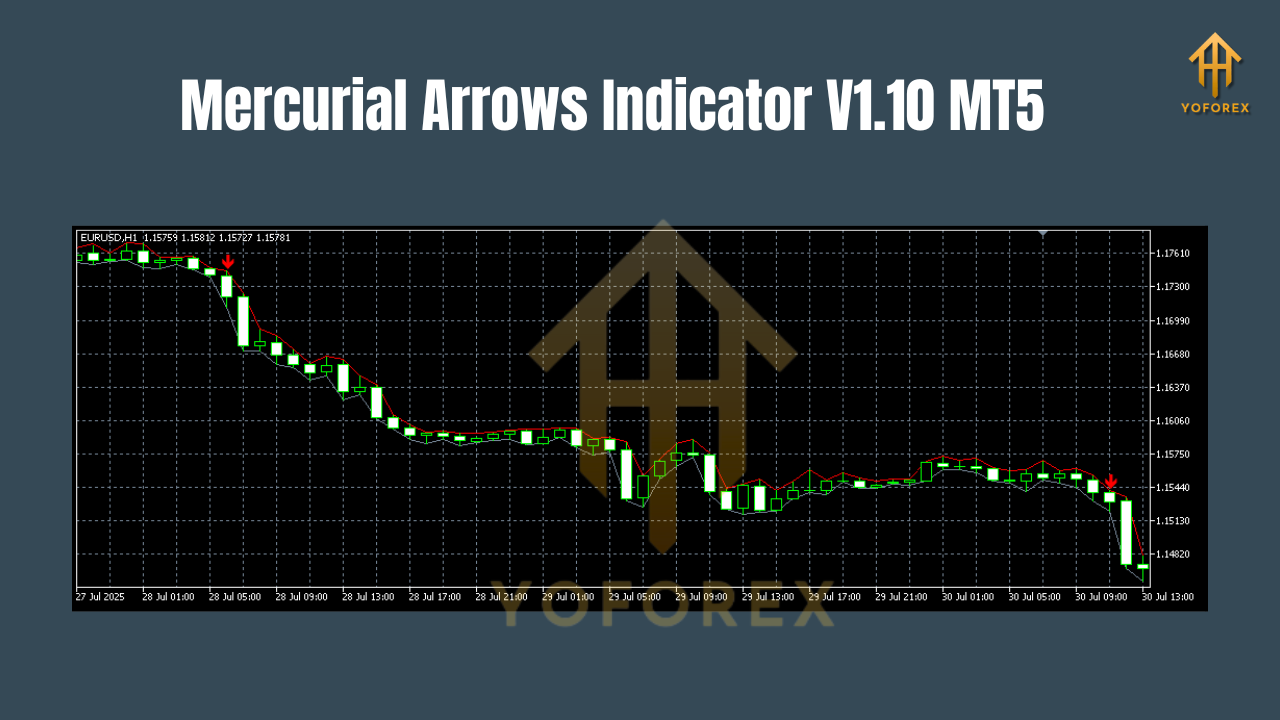
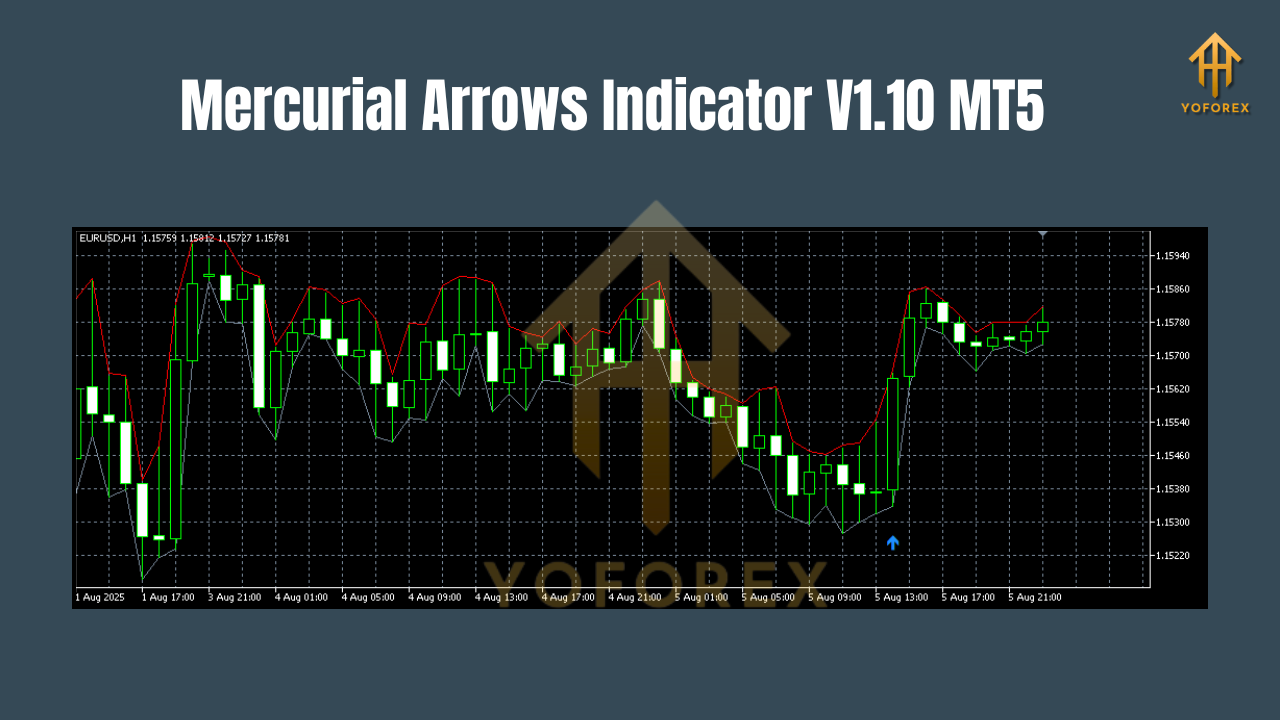
The Mercurial Arrows Indicator V1.10 is essentially a trend-based signal generator. It scans the market in real-time, detects specific conditions that signal a probable trend reversal or continuation, and then plots arrows to suggest an entry point.
- Buy arrows indicate a potential upward price move.
- Sell arrows signal a likely downward movement.
Because it’s visually straightforward, traders don’t have to interpret complex indicator windows or juggle multiple signals — it’s all right there on the chart.
The beauty of this tool is that it works on any timeframe and with multiple currency pairs, so you can adapt it to your style — whether you scalp the 1-minute chart or swing trade the daily timeframe.
Key Features of Mercurial Arrows Indicator V1.10 MT5
Here’s what makes it stand out:
- Clear Buy/Sell Arrows – Visual signals plotted directly on your chart for easy trade entries.
- Multi-Timeframe Compatibility – Works on M1, M5, M15, H1, H4, and D1.
- Multi-Currency Support – Use it for Forex, indices, commodities, and even crypto.
- No Redraw – Once a signal is given, it stays fixed (no repainting), ensuring reliability.
- Customizable Settings – Adjust sensitivity, arrow color, and alert preferences.
- Sound & Popup Alerts – Get notified instantly when a trade setup appears.
- Low-Lag Calculation – Processes market data quickly, even on volatile pairs.
- Trend Confirmation Logic – Filters out weak signals to avoid false entries.
- Beginner-Friendly – Minimal setup, plug-and-play on MT5.
- Lightweight – Doesn’t slow down your trading platform.
How It Works
The Mercurial Arrows Indicator uses market momentum analysis and trend detection algorithms to evaluate price action. It typically considers a mix of:
- Moving averages for trend direction
- Volatility filters to avoid choppy markets
- Price action triggers for accurate entry
Once these conditions align, the indicator plots an arrow.
Example:
- If the market shows bullish momentum after a consolidation period, a blue or green arrow (buy signal) will appear.
- If bearish momentum is detected after an overbought spike, a red arrow (sell signal) will be plotted.
Best Timeframes & Pairs
One of the strengths of this indicator is flexibility.
- Scalpers: Use M1 or M5 for quick in-and-out trades.
- Day traders: M15 or H1 for more stable setups.
- Swing traders: H4 or D1 to capture longer-term trends.
As for pairs, you can apply it to:
- Major forex pairs (EURUSD, GBPUSD, USDJPY)
- Crosses (EURAUD, GBPJPY)
- Gold (XAUUSD), Silver (XAGUSD)
- Indices and Crypto (BTCUSD, NAS100)
Trading Tips for Using Mercurial Arrows
- Confirm with another tool – Combine with RSI, MACD, or moving averages for higher accuracy.
- Avoid high-impact news times – The market can spike unpredictably.
- Use proper stop-loss and take-profit levels – Never rely solely on indicator signals without risk management.
- Backtest before live use – Test it on historical data to understand how it performs in different market conditions.
Advantages of Mercurial Arrows Indicator
- Saves time by simplifying market analysis.
- Improves accuracy for entries/exits.
- Reduces emotional trading — you trade based on signals, not gut feeling.
- Adaptable to any market or trading style.
How to Install the Mercurial Arrows Indicator on MT5
- Download the indicator from a trusted source like MQL5.software.
- Open your MT5 platform.
- Go to
File→Open Data Folder. - Navigate to
MQL5→Indicatorsfolder. - Paste the Mercurial Arrows Indicator V1.10.ex5 file.
- Restart MT5.
- Go to
Navigator→ drag the indicator onto your desired chart. - Adjust settings to your preference.
Why Choose YoForex-Powered Tools?
YoForex has a track record of providing high-quality, well-tested trading tools — and the Mercurial Arrows Indicator fits that standard perfectly. The brand ensures that all tools are optimized for real trading conditions, backed by regular updates, and made available for free to help traders grow.
Check out more free tools on YoForex’s MQL5 software collection.
Support & Disclaimer
Need help setting it up? Contact YoForex directly:
- WhatsApp: Click here
- Telegram Group: Join here
Disclaimer: Trading involves risk. Past performance is not a guarantee of future results. Always test on a demo account before live trading.
Call to Action
If you want clear, no-nonsense buy/sell signals to boost your trading accuracy, the Mercurial Arrows Indicator V1.10 MT5 is worth a try.
Download it today, test it out, and start trading with more confidence.
Join our Telegram for the latest updates and support






Comments (0)
No comments yet. Be the first to comment!
Leave a Comment