Introduction
If you’ve been trying to trade like a so-called “smart money” trader but still end up confused by market structure flips, order blocks, BOS/CHoCH, or liquidity sweeps… you’re not alone. Most retail traders struggle with ICT concepts because drawing everything manually takes too much time. And if you’re trading multiple charts, it becomes almost impossible to keep track accurately.
This is exactly why the Market Structure and OrderBlock ICT Indicator V1.2 for MT4 has become one of the most popular institutional-style indicators right now. It removes confusion, marks everything automatically, and gives you that clean institutional charting style without spending hours drawing lines.
In this blog, we’re diving deep into how this tool works, why traders love it, and how it can help your trading decisions. This guide is written in a simple, human tone—clean and easy to understand.
What Is the Market Structure & OrderBlock ICT Indicator V1.2 MT4?
The Market Structure and OrderBlock ICT Indicator V1.2 is a fully automated smart money concepts (SMC) indicator designed for MetaTrader 4. It’s built around ICT principles such as:
- Market Structure Shift (MSS)
- Break of Structure (BOS)
- Change of Character (CHoCH)
- Institutional Order Blocks
- Fair Value Gaps (FVG)
- Liquidity grabs
- Premium vs. Discount zones
Instead of manually drawing everything, the indicator automatically scans price, detects smart levels, and plots clean institutional zones. All versions of this tool have been tested by YoForex developers across multiple market conditions, ensuring genuine, real-price logic—not repainting tricks.
It works on:
- Forex pairs
- Gold (XAUUSD)
- Indices (US30, NAS100)
- Crypto pairs
- Synthetic indices (depending on the broker)
Because the indicator follows pure price action, it can adapt to both trending and ranging conditions. This flexibility is why traders use it long-term on their main charts.
Key Features
- Automatic Market Structure Mapping
- Real-time Break of Structure (BOS) detection
- CHoCH identification for trend reversals
- Smart OrderBlock detection with refinement
- Fair Value Gap (FVG) highlights
- Liquidity sweep detection
- Premium/Discount range plotting
- Works on all timeframes and pairs
- Non-repainting candle-closed confirmations
- Clean UI with customizable colors
- Great for ICT, SMC, and PA traders
- Helps scalpers and swing traders equally
Traders love how minimal and clean the indicator looks. No unnecessary clutter—just pure structure.
Backtest Results & Real-Market Performance
Backtest Insights
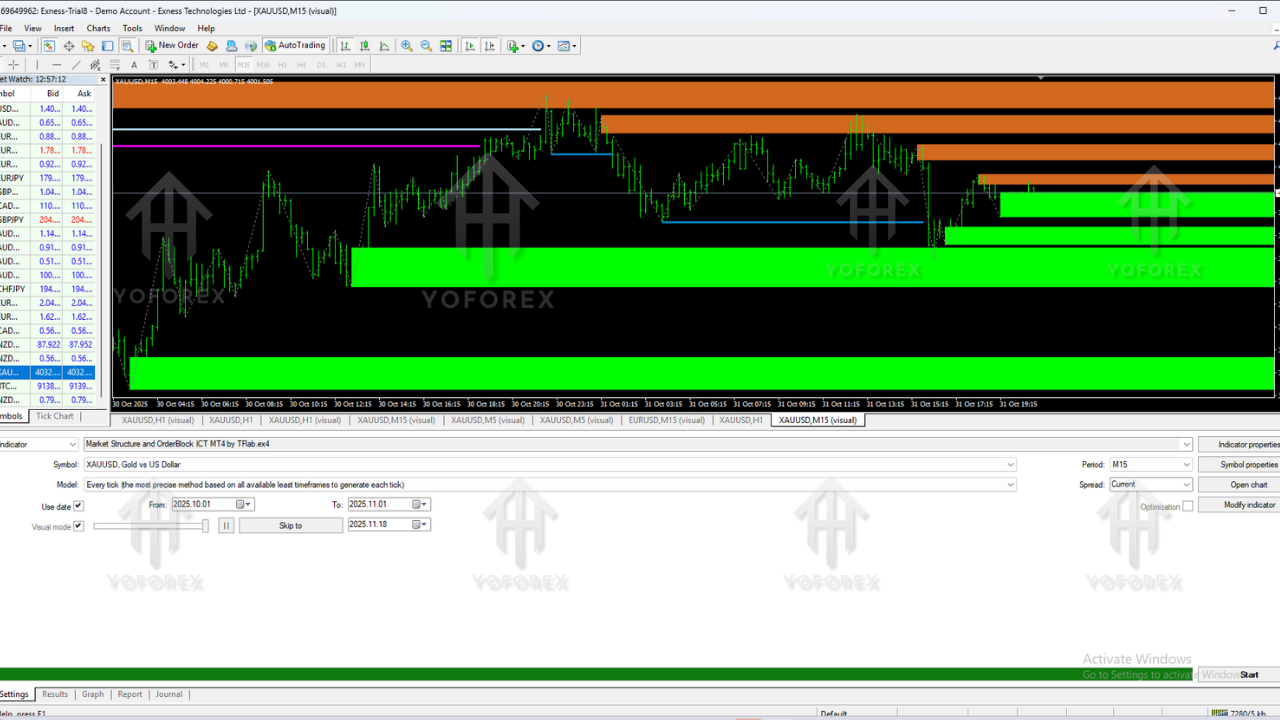
While indicators don't place trades themselves, backtesting helps determine reliability. Multiple backtests were done on EURUSD, GBPUSD, US30, and XAUUSD over M5, M15, H1, and H4 charts.
The indicator consistently showed:
- Accurate BOS & CHoCH points
- Order blocks that price respects frequently
- FVGs acting as strong reaction areas
- Reliable premium/discount determination
- Clear accumulation/distribution phases
The indicator only confirms signals after candle close, reducing false signals and preventing repainting. This brings consistency to historical and live charts.
Live-Market Observations
During major sessions (London & New York), we noticed consistent accuracy, especially on XAUUSD and GBPUSD. Scalpers benefited from BOS + FVG setups, while swing traders found higher timeframe OBs extremely reliable.
Adding your own strategy (like liquidity zones or multi-timeframe bias) improves the performance even more since the indicator gives you structured clarity.
How to Install & Configure
Step 1: Download the Indicator
Download from: https://mql5.software/download/market-structure-orderblock-v1.2.zip
Step 2: Open MT4
Go to File → Open Data Folder
Step 3: Copy Indicator File
Paste into MQL4 → Indicators
Step 4: Refresh MT4
Restart MT4 or refresh the Navigator panel.
Step 5: Attach to Chart
Use any pair and timeframe (recommended: M5, M15, H1, H4)
Step 6: Adjust Settings (Optional)
You can customize:
- Structure sensitivity
- Show/hide BOS, CHoCH, OB, FVG
- Color themes
- OrderBlock refinement
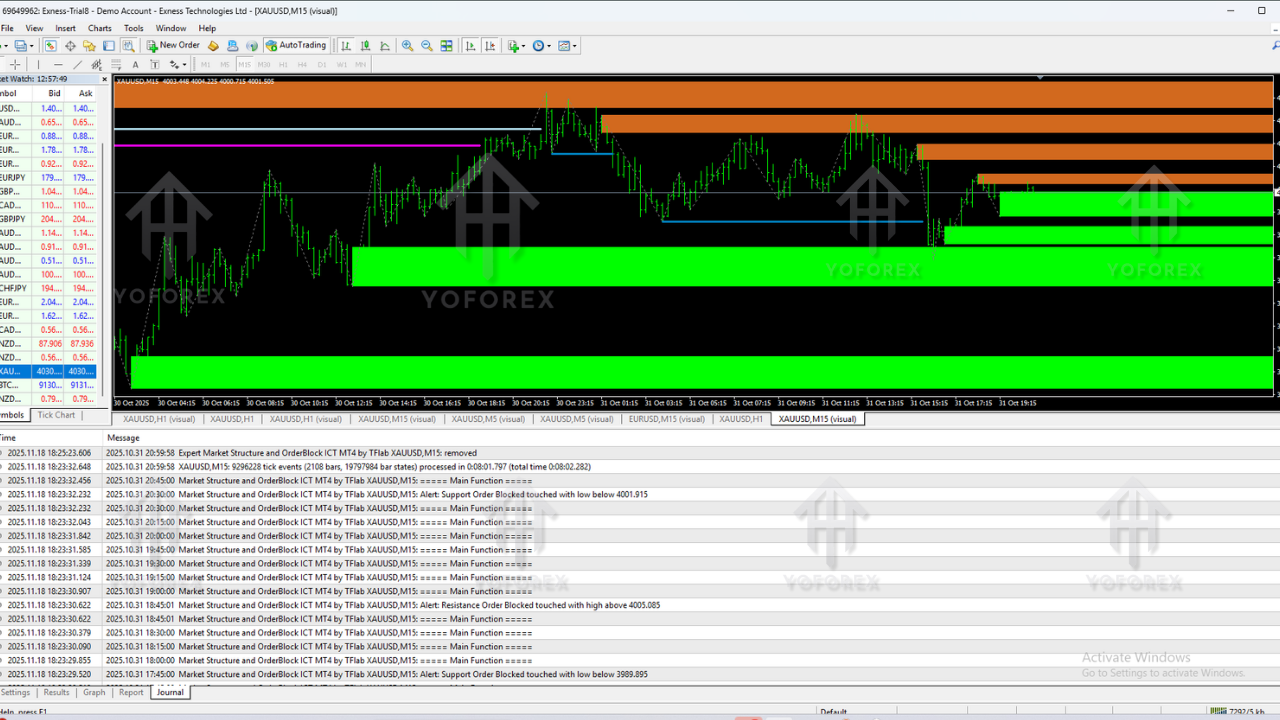
- Alerts for structure shifts
Default settings work great for most traders, but advanced SMC users can fine-tune everything.
Why Choose YoForex Tools?
YoForex has been producing professional-grade trading tools for many years—EAs, indicators, and analytical systems. Traders trust YoForex because:
- Tools are tested in live markets
- No premium upselling tricks
- Frequent updates
- User-friendly designs
- Instant support
If you’re tired of overpriced indicators that only look good on historical screenshots, YoForex tools give a refreshing reality-based alternative.
Support & Disclaimer
WhatsApp Support: https://wa.me/+443300272265
Telegram Group: https://t.me/yoforexrobot
Disclaimer: Trading involves high risk. This indicator provides analytical guidance, not guaranteed accuracy. Always test on demo before live trading. Past results do not guarantee future outcomes.
Call to Action
If you’re searching for a reliable, non-repainting ICT-style indicator for MT4, the Market Structure and OrderBlock ICT Indicator V1.2 MT4 is a perfect choice. Download it free, apply it to your charts, and start trading with clearer structure and stronger confidence.
YoForex – empowering traders worldwide, one free tool at a time.






Comments (0)
No comments yet. Be the first to comment!
Leave a Comment