Hilo Indicator V3.1 MT5 – Full Review & Trader’s Guide
If you’ve been trading forex for a while, you’ve probably felt that frustration of second-guessing a trend… you know, those moments where the chart looks bullish but suddenly rolls over, or when you think a reversal is coming but price keeps pushing. The Hilo Indicator V3.1 MT5 is essentially built to cut down that noise. It’s a trend-following indicator that simplifies your view with clean bullish and bearish signals shown using dynamic lines right on the chart.
This version of the HiLo indicator is especially popular because of how sensitive it is to trend direction. On pairs like AUDUSD (H1 timeframe), it instantly shows whether price is pushing upward or downward by placing a blue line below price during bullish conditions and placing a red (or bearish) line above price when the market shifts downward. Simple visual logic, but surprisingly powerful when combined with proper execution.
In this article, we’ll walk through everything—how the Hilo Indicator V3.1 MT5 works, why traders like it, strengths, limitations, and how you might use it inside your strategy. And yep… YoForex’s team has tested it thoroughly, so you’ll get practical insights rather than fluffy theory.
Introduction – Why Trend Indicators Still Matter
A lot of traders jump straight into complicated tools, multi-filtered EAs, custom oscillators, and fancy scripts… but at the end of the day, the market still moves in trends. The right trend indicator can save you from entering bad positions and protect you from being stuck in sideways noise. That’s why the Hilo Indicator V3.1 MT5 still holds weight.
Instead of overloading your chart, it places a clean, easy-to-see line and shifts its position based on price momentum. You won’t get overwhelmed with small whipsaw signals. For beginners, it’s easy to follow; for experienced traders, it’s a useful confirmation tool that can add structure to trend-based systems like breakout trading, swing continuation setups, pullback entries, or even scalping momentum.
What Exactly Is Hilo Indicator V3.1 MT5?
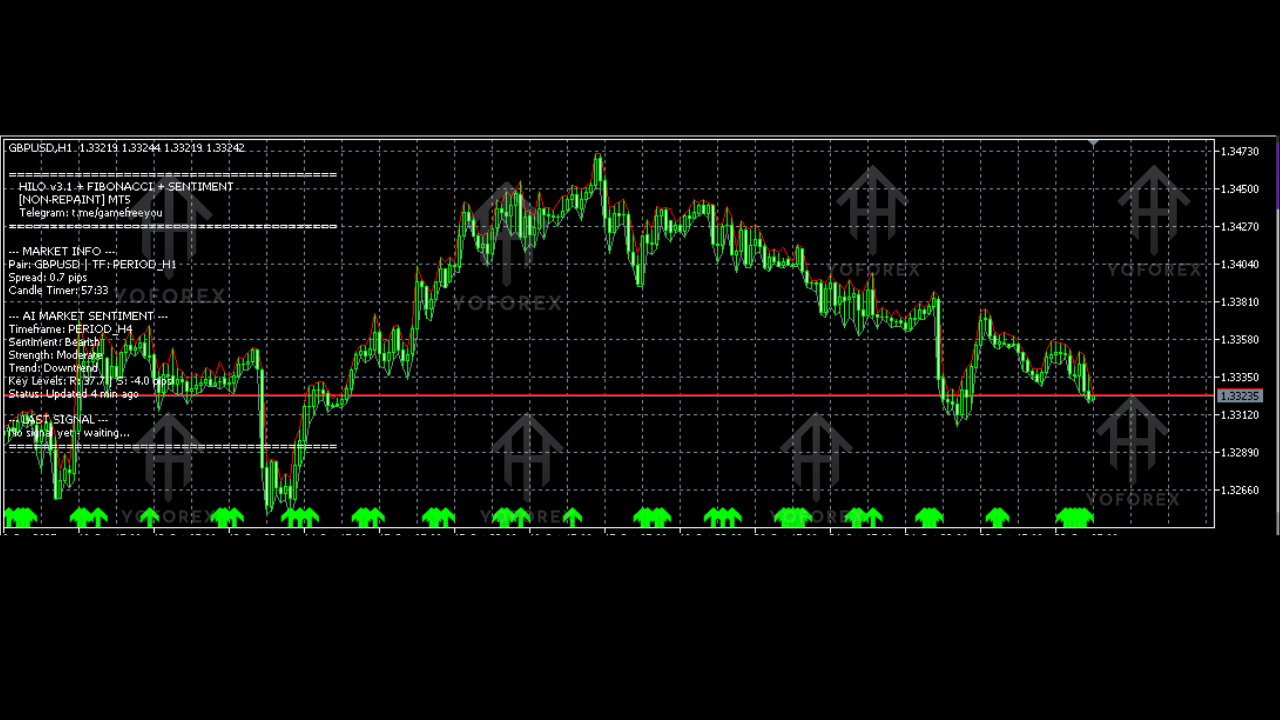
The Hilo Indicator V3.1 is a trend-following technical tool designed for MetaTrader 5. It reads price movements bar-by-bar and determines whether the market is trending up or trending down. Based on that calculation, it plots:
- Blue line below price – bullish trend or upward movement
- Red/colored line above price – bearish trend or downward pressure
This behavior helps traders visually identify when a trend is continuing, slowing down, or potentially reversing. Since it works on all timeframes—from M1 to H4 and even daily—it gives traders flexibility in how they want to operate. However, many find the H1 timeframe, especially on pairs like AUDUSD, to offer the smoothest and most reliable signals.
One cool thing? The indicator is extremely responsive but not overly noisy. This balance helps traders catch early shifts without constantly being shaken out by minor retracements.
How the Indicator Behaves on AUDUSD (H1)
When applied to the AUDUSD H1 timeframe, the Hilo Indicator V3.1 exhibits a clean transition between bullish and bearish trends:
- When AUDUSD starts generating higher highs and the bullish momentum strengthens, the line instantly moves below price, confirming an uptrend.
- When the pair enters a correction or bearish phase, the line smoothly switches above price, signaling caution or possible short entries.
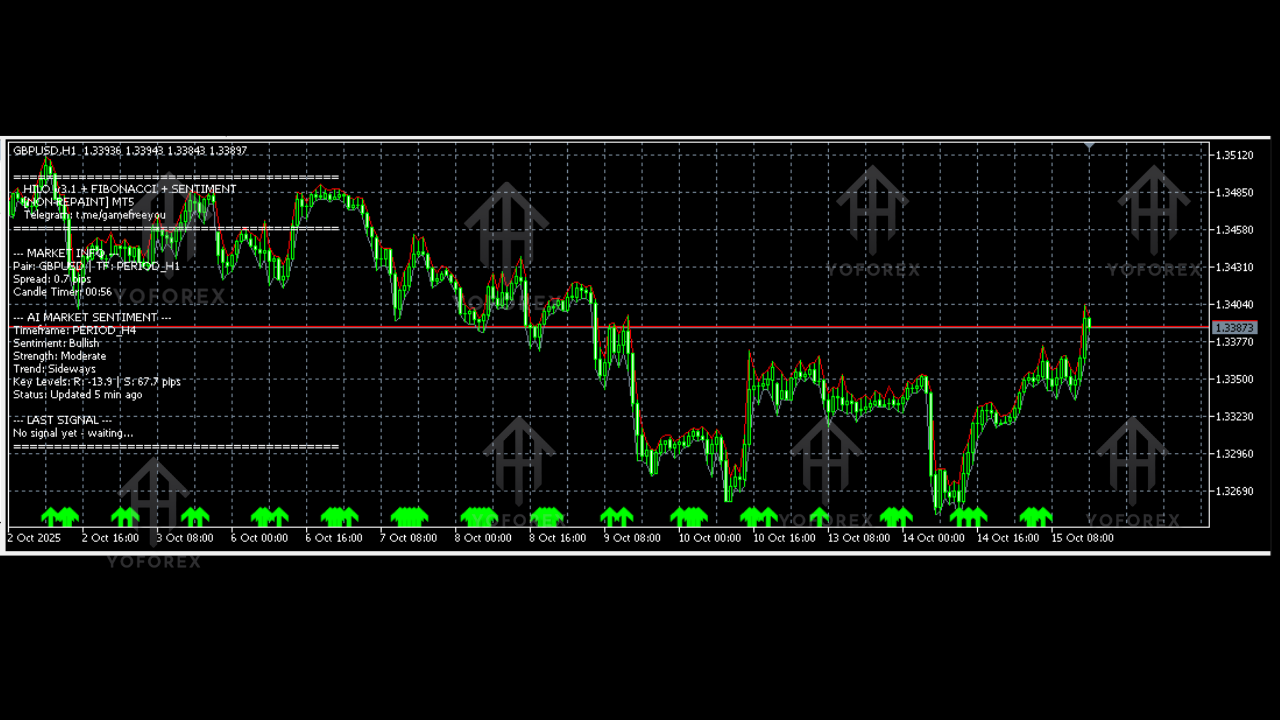
- During sideways markets, the indicator still follows price but tends to change position more often—which is normal, since no trend indicator performs perfectly in consolidation.
This sensitivity is what makes the indicator so popular with traders who want straightforward directional confirmation. No overthinking. No “maybe it’s bullish, maybe bearish.” Just direction.
Why Traders Prefer Hilo Indicator V3.1 MT5
Here are the core advantages that make this indicator stand out in the MT5 ecosystem:
1. Clean Visual Trend Mapping
Price above line = uptrend
Price below line = downtrend
This alone reduces confusion and keeps your decision-making simple.
2. Works on All Forex Pairs
Whether you trade majors, minors, metals, or crypto CFDs, the indicator adapts smoothly.
3. Great for New Traders
You don’t need advanced market knowledge to interpret its signals. Even newbies can pick up the logic within minutes.
4. Lightweight & Fast
No lag, no heavy CPU load, no freezing. Works smoothly even on older computers or VPS setups.
5. Ideal for Multiple Trading Styles
• Trend trading
• Swing trading
• Pullback entries
• Scalping
• Breakout confirmation
• Trend continuation setups
6. Reduces Emotional Conflicts
When you visually see the trend, it’s harder to convince yourself to take the wrong trade.
7. Compatible With Other Indicators
Many traders combine it with RSI, Stochastics, MACD, or Supply-Demand tools.
8. Suitable for MT5 Strategy Builders
Developers often use HiLo logic for building EAs because trends are easy to detect programmatically.
How to Use Hilo Indicator V3.1 in Real Trading
1. Confirm Trend Direction
If price is above the blue line, only look for buy setups.
If price is below the bearish line, only look for sell setups.
Avoid countertrend trades unless you’re highly skilled.
2. Combine With Support and Resistance
Use HiLo as the directional filter and zones/levels as entry triggers.
3. Use During High Liquidity Hours
The indicator performs best during sessions where the market trends naturally—London and New York.
4. Spot Reversals Early
When the line flips side, it often signals a potential shift in trend direction.
5. Add a Secondary Confirmation
Such as:
• Candle patterns (engulfing, pin bar)
• Moving average crossover
• Break of structure
Strengths & Limitations
Strengths
• Highly accurate in trending markets
• Very beginner-friendly
• Eliminates guesswork
• Easy chart interpretation
• Works across all asset classes
Limitations
• Not ideal in ranging markets (frequent flips)
• Should be used with confirmation tools
• Late entries possible in very fast markets
No indicator is perfect, but HiLo V3.1 is strong enough to build a solid trading plan.
Installation & Setup Guide
Using this indicator is extremely simple:
- Download the Hilo Indicator V3.1 MT5
- Open MT5
- Go to File → Open Data Folder
- Navigate to MQL5 → Indicators
- Paste the file
- Restart MT5
- Attach the indicator to the chart
- Select timeframe (H1 recommended for AUDUSD)
- Apply your preferences like line color or thickness
Within seconds you’ll see the trend line appear—blue for bullish, red or bearish line above price for downward movements.
Pro Tips for Better Accuracy
• Use larger timeframes (H1, H4, D1) for cleaner signals.
• Combine with volume indicators for momentum.
• Avoid trading during major news spikes.
• Let the trend breathe—don’t panic if price touches the line.
• Use trailing stop-losses during strong trends.
Conclusion – Is Hilo Indicator V3.1 MT5 Worth Using?
Absolutely. The Hilo Indicator V3.1 MT5 is one of those simple but powerful trend tools that traders love because it removes market confusion. Whether you’re a beginner learning how trends work or an advanced swing trader looking for confirmation, this indicator fits easily into your workflow.
Its ability to clearly display trend direction on the AUDUSD H1 chart (and many other pairs) makes trading more structured, disciplined, and visually intuitive. With strong sensitivity and minimal lag, this tool gives you the clarity you need to make better decisions—even if the market gets messy sometimes.






Comments (0)
No comments yet. Be the first to comment!
Leave a Comment