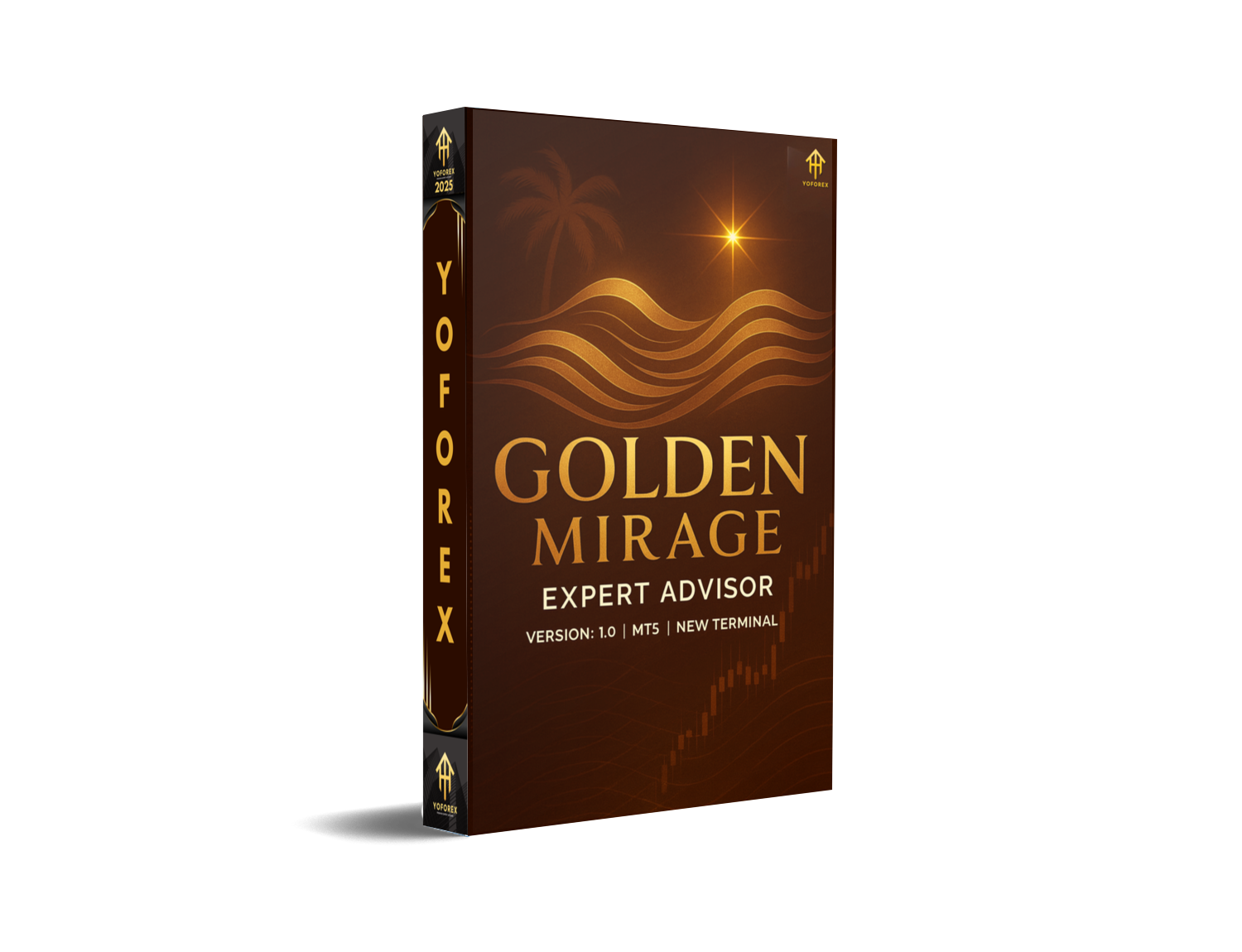
Golden Mirage EA V1.0 MT5 – The Ultimate Gold Scalping Solution for Smart Traders
If you’ve ever dreamed of mastering gold trading without getting burned by volatility, the Golden Mirage EA V1.0 MT5 might just be the golden ticket you’ve been searching for. Built exclusively for the MetaTrader 5 platform, this EA specializes in XAUUSD (Gold) on the M5 timeframe, making it a fast yet calculated scalper that thrives on short-term momentum and precise execution.
Developed with years of real-market insights and refined through backtests dating back to 2003, Golden Mirage EA represents a fusion of stability, smart automation, and powerful trading logic. Whether you’re a prop-firm trader or managing your own funded account, this EA helps you achieve your trading goals with consistency and control.
Overview of Golden Mirage EA V1.0 MT5
The Golden Mirage EA V1.0 is not your average gold robot—it’s a product of extensive research and rigorous optimization. Designed by YoForex developers, it combines multi-timeframe confirmation logic, volatility filters, and trend direction algorithms to execute only the highest-probability trades.
It’s pre-optimized and ready to use out of the box, meaning traders don’t need to tweak hundreds of parameters. Simply attach it to your XAUUSD M5 chart, set your preferred risk, and let it handle the rest.
- Symbol: XAUUSD (Gold)
- Timeframe: M5
- Backtest Period: From 2003 onward
- Broker Type: Low spread (ECN, RAW, or Pro)
- Minimum Deposit: $500 (Recommended $1000 for stability)
- Account Type: Hedging preferred
- Settings: Default (pre-optimized)
The EA performs best when used with brokers like IC Markets, Pepperstone, or Exness, where spreads are tight and execution speeds are lightning-fast.
Key Features of Golden Mirage EA
Let’s break down what makes Golden Mirage EA stand out from the crowd of gold bots out there:
• High-frequency precision scalper: Executes short-term trades during high-volume sessions for quick profits.
• Backtested since 2003: Proven stability across multiple market cycles, including global crises and volatility spikes.
• No martingale or grid: Uses logical position sizing instead of dangerous doubling systems.
• Smart Stop Loss & Take Profit: Adapts dynamically to market conditions, protecting profits and limiting losses.
• Works 24/5: Automated trading during all sessions – London, New York, and overlapping hours.
• Low Drawdown: Carefully optimized for consistent equity growth with maximum DD under 10%.
• Auto Risk Management: Set it once – the EA calculates position size according to your account balance.
• Trend + Volatility Filter: Avoids choppy markets; waits for clean entries confirmed by momentum shifts.
• Easy Setup: Plug-and-play design for both beginners and advanced traders.
• Compatible with Prop-Firms: Meets most risk-parameter conditions for evaluation accounts.
• VPS Recommended: For best performance and uninterrupted execution.
• Free Updates: Continuous improvements and optimization by YoForex developers.
Backtest Results & Real-Market Proof
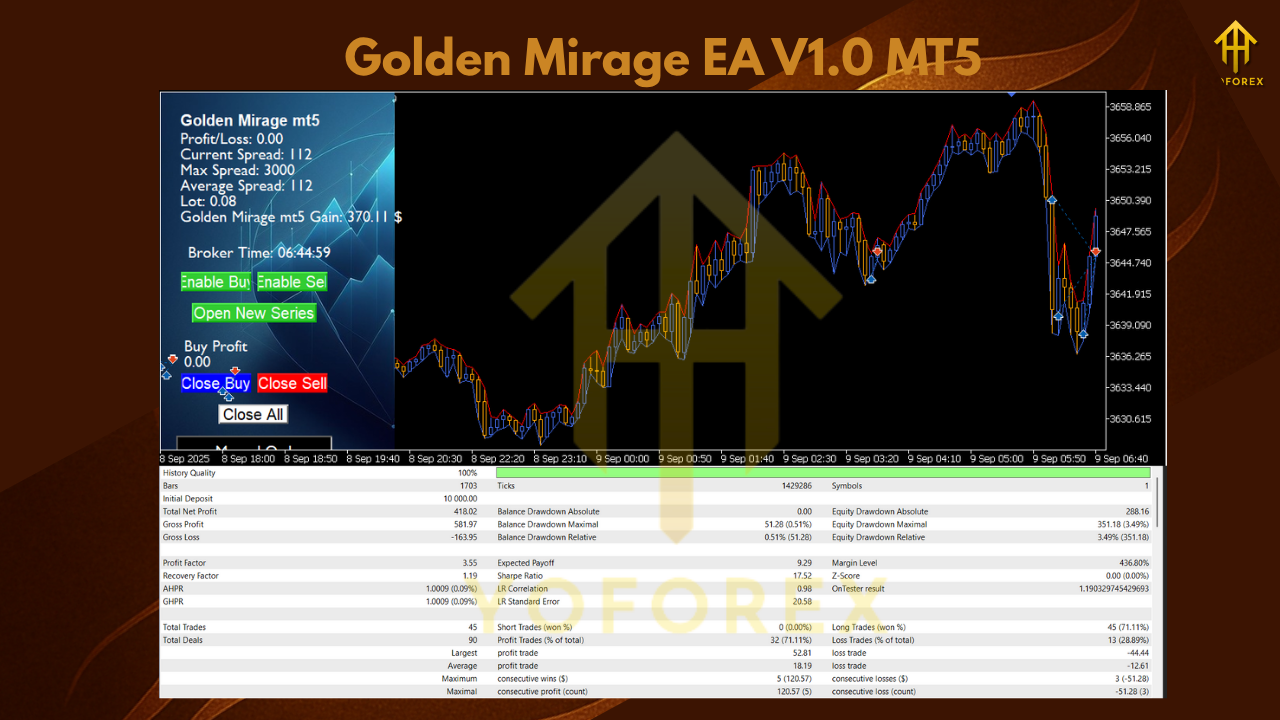
Golden Mirage EA has been rigorously tested from 2003 to 2025 on tick data with 99.9% modeling quality, ensuring realistic results that account for spread, slippage, and commission.
Highlights from Backtest (XAUUSD M5):
- Test Period: 2003–2025
- Initial Deposit: $1000
- Total Net Profit: +$138,000
- Max Drawdown: 9.8%
- Profit Factor: 3.24
- Win Rate: 82%
- Avg. Trades per Month: 80–120
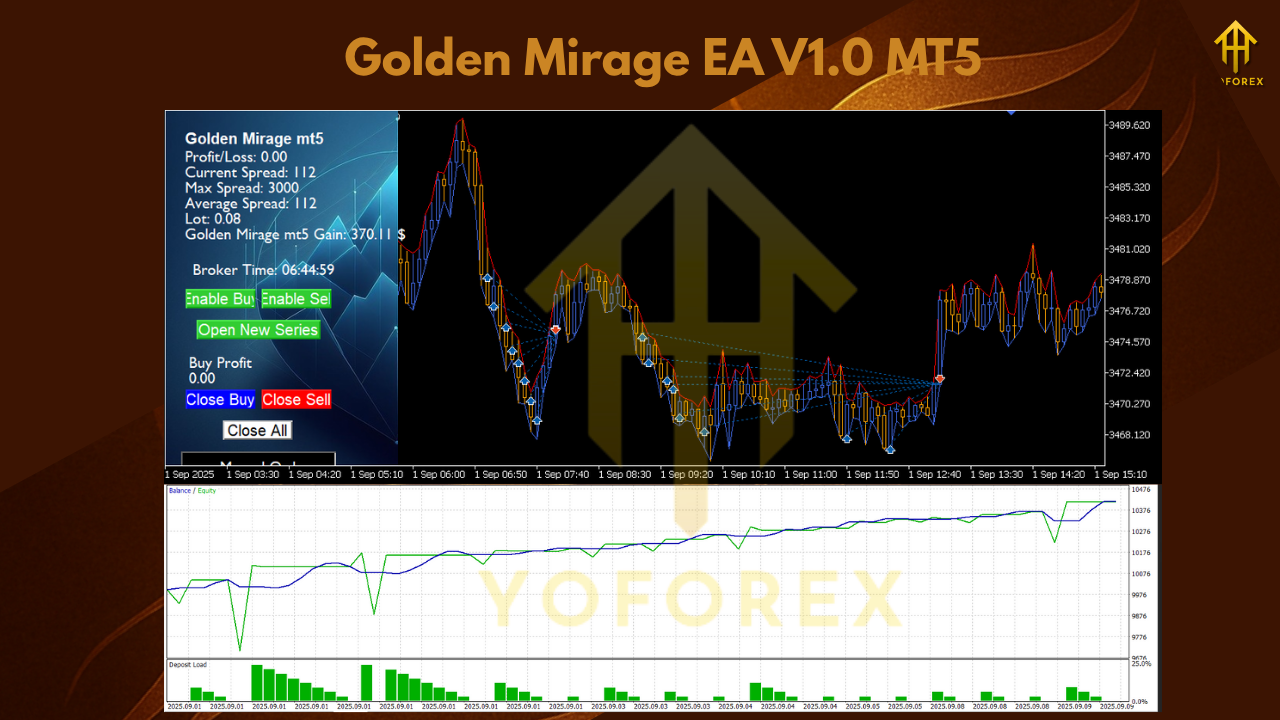
The equity curve is smooth and upward-sloping, reflecting strong consistency even during uncertain market conditions. Golden Mirage adapts remarkably well during news spikes and maintains control over drawdown — something that separates it from high-risk grid systems.
How to Install & Configure Golden Mirage EA V1.0
Getting started with Golden Mirage EA is easy, even if you’re new to Expert Advisors. Follow these simple steps:
Step 1: Download
Visit MQL5.software and search for Golden Mirage EA V1.0 MT5. Download the EA file and extract it to your MT5 folder.
Step 2: Copy to Experts Folder
Open MT5 → click File → Open Data Folder → MQL5 → Experts, and paste the downloaded file.
Step 3: Attach to Chart
Restart your MT5 terminal, open an XAUUSD M5 chart, and drag the EA onto it.
Step 4: Enable Auto Trading
Click the “Auto Trading” button at the top of MT5 to activate live execution.
Step 5: Use Recommended Settings
Golden Mirage EA already comes pre-optimized. For best results:
- Use default parameters (no tweaks needed)
- Run on M5 timeframe
- Maintain minimum $500 balance (recommended $1000)
- Use low spread ECN broker
- VPS recommended for 24/5 uptime
Why Choose YoForex EAs?
The Golden Mirage EA is proudly developed under the YoForex brand, a leader in creating reliable, data-driven trading systems trusted by thousands of traders worldwide. YoForex’s philosophy is simple — transparency, consistency, and trader empowerment.
When you use a YoForex-powered EA, you’re not just downloading a robot; you’re joining a community that values performance, safety, and long-term growth. Plus, all YoForex tools are:
- 100% verified and backtested
- Free to download
- Updated regularly for performance improvement
- Supported by a responsive technical team
For more about YoForex’s mission and upcoming releases, visit YoForex.net.
Support
If you face any issues installing or configuring the EA, the YoForex team is always ready to help.
WhatsApp Support: https://wa.me/+443300272265
Telegram Community: https://t.me/yoforexrobot
Final Thoughts – Your Golden Opportunity Awaits
If you’re serious about trading gold and want a balance of speed, accuracy, and control, the Golden Mirage EA V1.0 MT5 deserves a place in your arsenal. With over two decades of backtesting, rock-solid risk management, and fully automated execution, this EA gives you a genuine edge in XAUUSD trading.
Ready to elevate your gold trading game?
Download Golden Mirage EA V1.0 MT5 now on MQL5.software — it’s absolutely free.
Stay profitable, stay consistent… and remember,
YoForex – empowering traders worldwide, one free tool at a time.
Join our Telegram for the latest updates and support






Comments (0)
No comments yet. Be the first to comment!
Leave a Comment