Gold News and Swing Trading EA V1.0 MT5 – Dual-Mode Robot for High-Impact Events & Calm Trends
Tired of bots that claim to “do it all” and then blow up on CPI day? Same. Gold News and Swing Trading EA V1.0 MT5 takes the opposite path: it splits your approach into two clean, rule-driven modes—News Trading (M1) for those big New York moves during specific high-impact events, and Swing Trading (H4/D1) for structured, lower-frequency plays in normal market conditions. No martingale, no pending traps; the EA uses market orders after confirmations, fixed SL/TP, and a sensible time filter aligned to US market hours. It’s crafted by the YoForex team to be practical, prop-friendly, and honestly… less stressful to live with.
If you’re sick of wrestling with settings every other hour, this EA’s “two-brains in one” design will feel like a breath of fresh air. You get a rapid, event-only model for NFP/FOMC/ISM—and a slow, thoughtful swing model that thrives on H4 and Daily charts. And yeah, there’s a big bold caveat up front (coz transparency): don’t run the M1 news mode outside those few specific New York events… it’ll probably lose. When markets are normal, the EA’s swing side is your best friend.
Overview
Gold News and Swing Trading EA V1.0 MT5 is exactly what the name says: a dual-mode Expert Advisor that’s purpose-built for gold when the tape gets spicy and when it calms down. Rather than cramming every condition into one messy logic path, the EA gives you two separate, optimized operating styles:
- News Trading Mode (M1):
Designed only for New York session on very specific high-impact events: NFP, FOMC, ISM. The EA opens market orders after internal confirmations; no buy/sell limits are placed. It uses fixed SL/TP, and trailing stop is intentionally discouraged—volatility spikes during news will often tag a trailing stop before the real move resumes. - Swing Trading Mode (H4/D1):
For normal days, you flip to H4 or Daily and let the EA find cleaner, higher-quality setups. No restriction on economic events here; the logic assumes a calmer, structured market. By default, it trades during the New York session window, but there’s a time filter you should map to your broker’s server time (please adjust once—then you’re set).
A few infrastructure notes because they matter: best results come with ECN / low-spread brokers (especially for the M1 news model), and we strongly recommend VPS hosting to minimize latency. Only fixed lot size is supported in news mode (auto-lot is disabled by design), keeping risk math brutally simple when seconds count.
The big promise: clarity of use. News = M1 during NFP/FOMC/ISM on NY session. Everything else = swing mode, H4/D1. Clean lines.
Key Features
• Two Optimized Modes in One EA — M1 News Trading (NY session; NFP/FOMC/ISM) and H4/D1 Swing Trading for normal conditions.
• Market Orders Only — No buy/sell limits; orders are placed after confirmations for cleaner execution.
• Fixed SL/TP by Design — Reduces decision fatigue; consistent risk packet per trade.
• No Trailing for News — Intentionally disabled (recommended) during events to avoid whipsaw stop-outs.
• Fixed Lot Size for News — Keeps risk sizing explicit when milliseconds matter; no auto-lot.
• Time Filter (Broker-Aligned) — Default targets New York session; you can remap to your broker’s server time.
• ECN / Low-Spread Friendly — Especially important for M1 executions.
• VPS-Ready — Built with low-latency execution in mind; deploy on a VPS close to your broker.
• Compatible With Your Workflow — Simple toggles between modes; no over-engineering, no martingale.
• YoForex Support & Updates — You get the community, the docs, and ongoing refinements.
Backtest Results & What To Expect
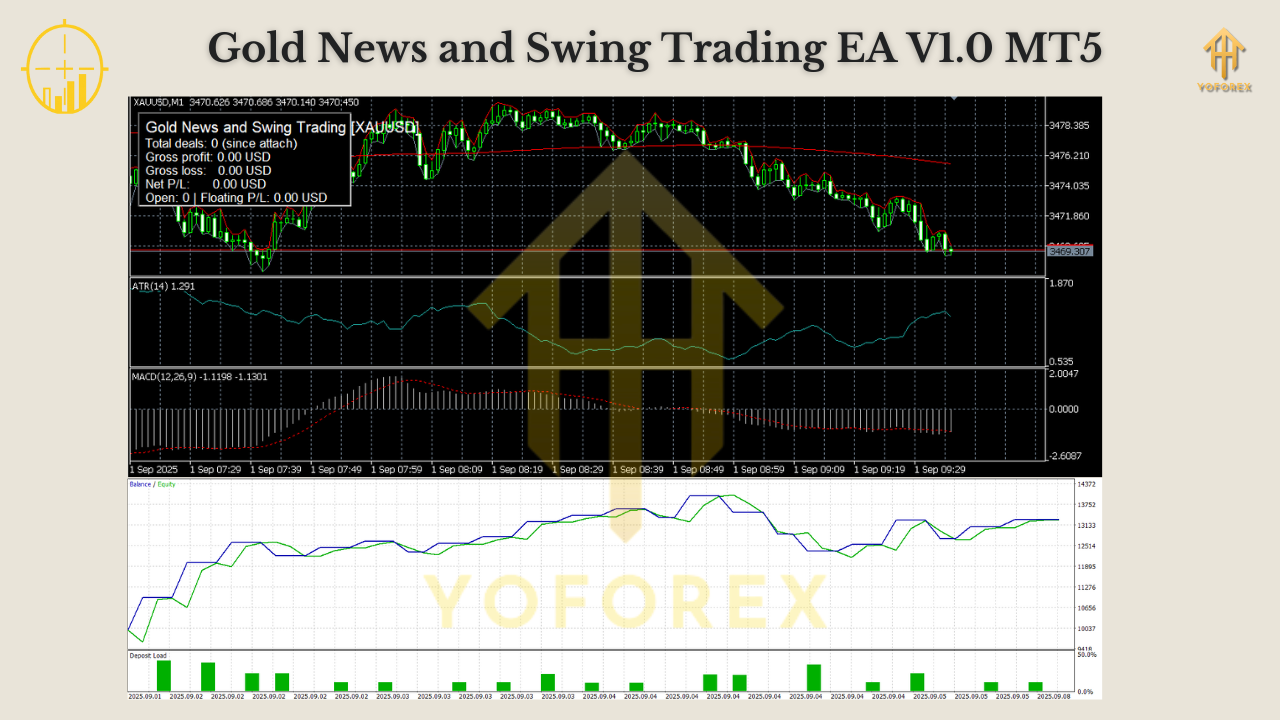
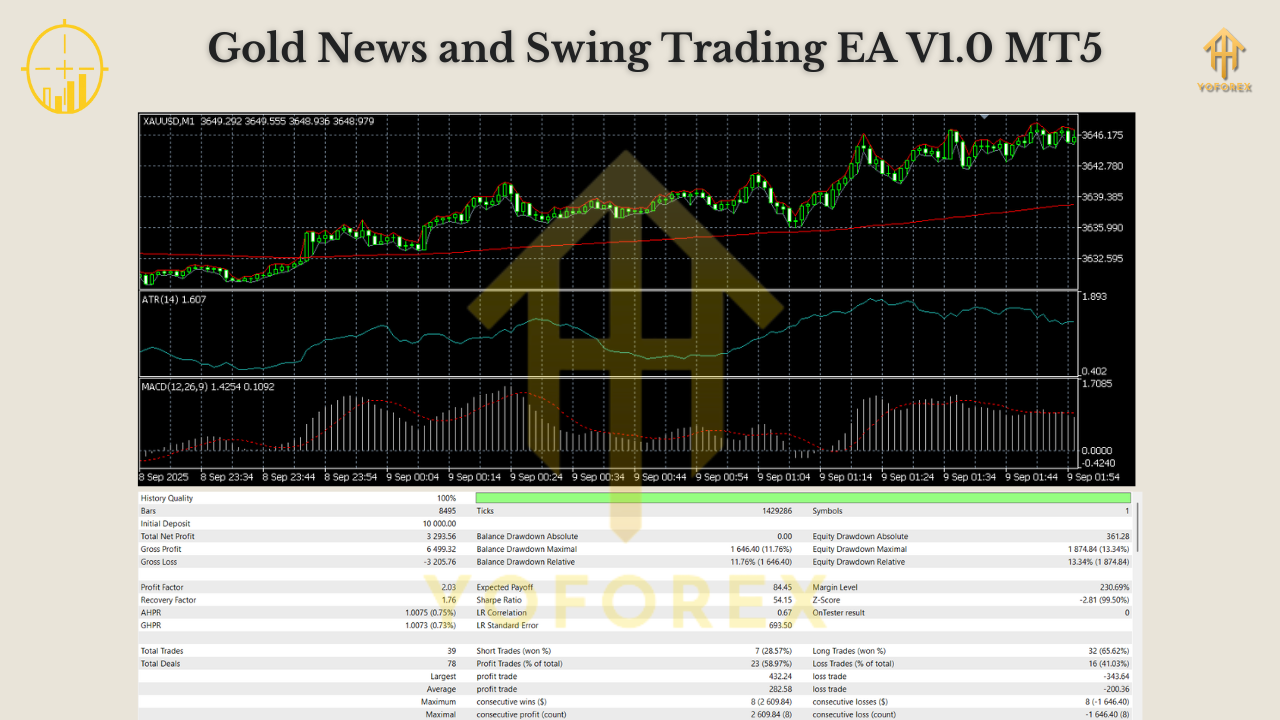
Let’s be real: M1 news trading and H4/D1 swing trading behave like different animals. Your equity curve will reflect that.
In News Mode (M1, New York session, NFP/FOMC/ISM only):
- Expect few trades—this is not a daily machine.
- Win/loss distribution can look lumpy: a couple of swift wins followed by stretches of waiting.
- Spreads and slippage around news matter; using an ECN/low-spread broker and VPS is a big deal.
- Because we avoid trailing during news, winner profiles are cleaner; losers are capped by fixed SL.
In Swing Mode (H4/D1, normal days):
- Expect fewer signals but higher quality when the US hours align with directional conviction.
- The equity curve tends to stair-step—flat during chop, upward during trend follow-through.
- The default New York time filter reduces overnight noise; adjust to your broker’s server offset once.
What not to do:
- Don’t run M1 news mode on CPI or GDP—this EA’s event model explicitly excludes them.
- Don’t enable trailing stop during news. You’ll often get clipped before the real move expands.
- Don’t try to “make it trade daily” in news mode. That’s not what it’s for.
News Trading Guidelines (M1 – New York Session Only)
- Timeframe: M1
- Session: New York session (set via time filter; adjust to broker server time)
- News to Trade: NFP, FOMC, ISM
- News NOT to Trade: CPI, GDP
- How It Trades: Apply the EA at NY open and let it do its job.
- Order Type: Market orders only after confirmations (no limit orders).
- Stops/Targets: Fixed SL/TP per trade.
- Trailing: Not recommended during news (whipsaws).
- Lot Sizing: Fixed lots only (auto-lot disabled).
- Broker Type: ECN / low-spread for best fills.
Swing Trading Guidelines (H4/D1 – Normal Market Conditions)
- Timeframes: H4 and Daily
- Session: Default filter is the New York session (again, adjust for your broker’s time zone).
- News Restrictions: None—swing logic is designed to handle regular macro flow.
- Behavior: Slower pace, fewer trades, higher selectivity. Ideal when markets are not in “spike” mode.
When in doubt: news mode for NY NFP/FOMC/ISM; swing mode for everything else. Keep it simple.
How to Install & Configure
Step 1 — Download & File Placement
- Download Gold News and Swing Trading EA V1.0 MT5 from the link below.
- In MT5: File → Open Data Folder → MQL5 → Experts.
- Paste the .ex5 / .mq5 file into Experts. Restart MT5 or right-click Experts → Refresh.
Step 2 — Attach to Chart
- For News Trading: open your Gold chart on M1 (NY session).
- For Swing Trading: open H4 or Daily.
- Drag the EA to the chart → enable Algo Trading and Allow live trading.
Step 3 — Configure Time Filter (one-time mapping)
- In Inputs, set the New York session window to match your broker server time (e.g., if your broker is GMT+2, calculate the offset vs NY).
- Save as preset so you don’t redo it every time.
Step 4 — Risk & Lots
- News Mode: select fixed lot size (mandatory).
- Swing Mode: still recommend fixed lot for simplicity; keep risk per idea sane (e.g., 0.5%–1.0% of balance as a mental proxy).
Step 5 — VPS & Broker
- Use a VPS located near your broker; aim for <20 ms latency if possible.
- Prefer ECN / low-spread accounts—crucial for M1 fills.
Why Choose YoForex-Powered Tools?
Because YoForex builds trader-first automation rather than glossy brochures. We’re serious about clear rules, risk boundaries, and real-world execution. Gold News and Swing Trading EA V1.0 MT5 is a prime example: two distinct modes tuned to very different market states, without the gimmicks. Free access, frequent updates, and a community that actually tests stuff—this is how you grow consistency without paying silly subscription taxes.
Explore more on MQL5.software:
- Beginner Guide: Install an MT5 Expert Advisor
- Gold Trading EAs (Collection)
- News Trading EAs (Collection)
- Download: Gold News and Swing Trading EA V1.0 MT5
Support & Contact
Got a question about broker offsets or NY session mapping? Ping us—we’re around.
- WhatsApp: https://wa.me/+443300272265
- Telegram Group: https://t.me/yoforexrobot
We’ll help you validate the time filter, pick a low-spread broker, and sanity-check your event schedule. Don’t hesitate
Call to Action
Ready to run a split-brain plan—fast for news, calm for swings? Grab Gold News and Swing Trading EA V1.0 MT5 (free) on MQL5.software, set your New York time filter to your broker’s server, and test each mode exactly as described. If you need help, YoForex support is one message away on WhatsApp or Telegram.
YoForex – empowering traders worldwide, one free tool at a time.
Join our Telegram for the latest updates and support






Comments (0)
No comments yet. Be the first to comment!
Leave a Comment