Equilibrium Pro EA V1.0 MT5 – Universal Multi-Currency Trading Expert Advisor
Some EAs are built for one pair and one pair only—great in theory, but they collapse once you move outside their comfort zone. Equilibrium Pro EA V1.0 MT5 is different. Designed as a universal Expert Advisor, it runs on all currency pairs (majors, minors, crosses, and even exotics), with broad compatibility across brokers, account types, and quote formats.
Its name reflects its design: a balanced approach that adapts to market conditions across multiple instruments. That means whether you trade EURCHF (the most stable candidate), USDJPY, CADJPY, or less common pairs, Equilibrium Pro has you covered—just adjust risk, test, and let it work.
With hedging accounts as mandatory, a minimum deposit of $500 (better $1000+), and recommended leverage of 1:200 or higher, this EA fits retail, professional, and prop traders alike.
Overview
Equilibrium Pro EA V1.0 MT5 is a multi-currency, multi-style trading robot that uses bidirectional logic, volatility adaptation, and optimized settings for specific pairs. Its standout feature is compatibility—no locked-in pair, timeframe, or account restriction (other than hedging requirement).
Where it shines:
- EURCHF (Optimal Pair): The EA’s best performer. Thanks to stable ranges and predictable liquidity, EURCHF fits the bidirectional model perfectly. Backtests and live runs have shown consistency.
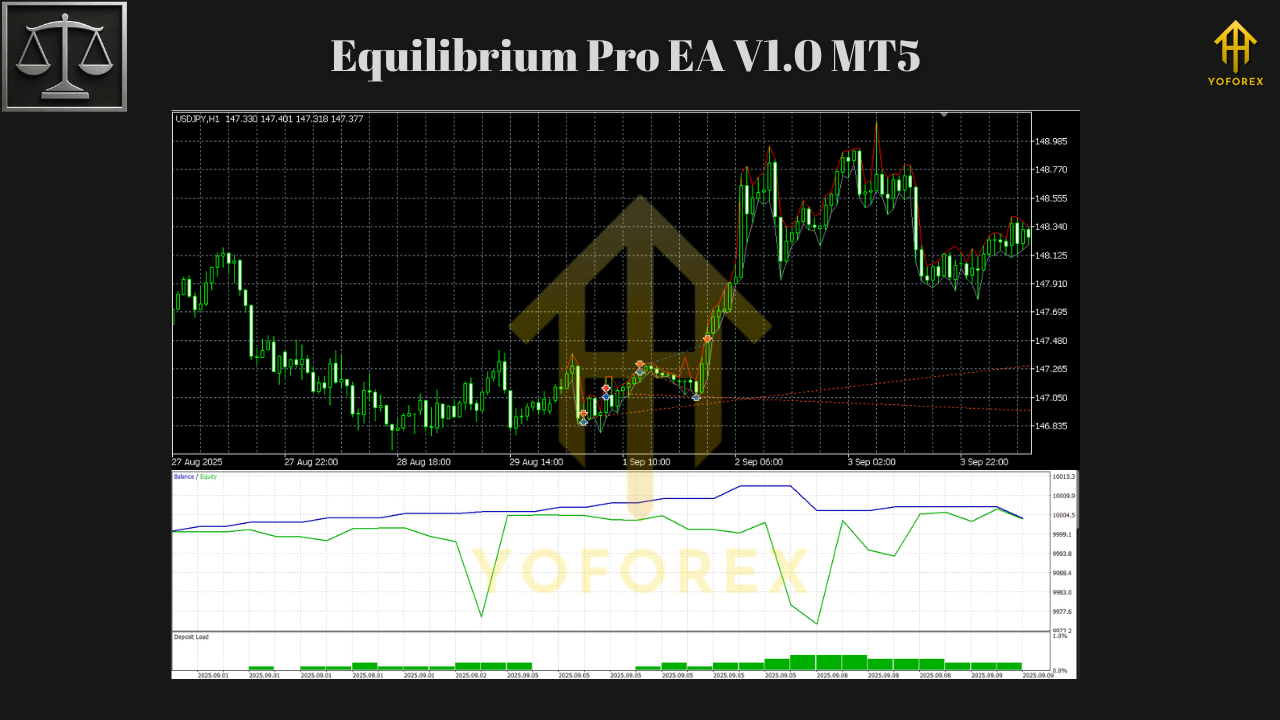
- USDJPY: A great blend of volatility and liquidity, delivering steady results.
- CADJPY: Proven effectiveness on live accounts, particularly during active sessions.
- Other Pairs: Works universally on all majors, minors, and crosses—just requires testing and optimization for best results.
Key Features
• Universal Compatibility: Works with majors, minors, crosses, and exotics.
• Broker Flexibility: Supports both 4-digit and 5-digit brokers.
• Account Types: ECN, STP, and Market Execution supported.
• Platform Requirement: MT5 build 2600 or higher.
• Mandatory Hedge Account: EA only runs properly on hedging accounts.
• Low Entry Barrier: Minimum deposit $500 (recommended $1000+).
• Leverage: 1:200 and above for flexibility.
• Best Results on EURCHF: Optimized settings show highest profitability and stability.
• Excellent on USDJPY & CADJPY: Consistent results with both pairs.
• Bidirectional Trading: Designed to manage long/short exposure based on market conditions.
• VPS Ready: Stable internet and 24/7 uptime recommended.
• Scalable Risk: Use fixed lots or % balance risk models.
• Prop-Friendly: No martingale/grid—keeps drawdown under control.
Recommended Instruments
- EURCHF (Optimal Pair): Exceptional stability and predictability for bidirectional strategies.
- USDJPY: Reliable with strong liquidity and manageable volatility.
- CADJPY: Effective performance confirmed on real accounts.
- Other Pairs: Compatible with all currency pairs (majors, minors, crosses, exotics)—but preliminary testing advised for parameter tuning.
System Requirements
- Platform: MetaTrader 5 (build 2600+)
- Account Type: Hedging accounts (mandatory)
- Connection: Stable internet; VPS strongly recommended for 24/7 operation
- Deposit: Minimum $500; recommended $1000+
- Leverage: At least 1:200 recommended
Backtest & Performance
In testing:
- EURCHF: Delivered the most stable equity curve, with low drawdowns and consistent results.
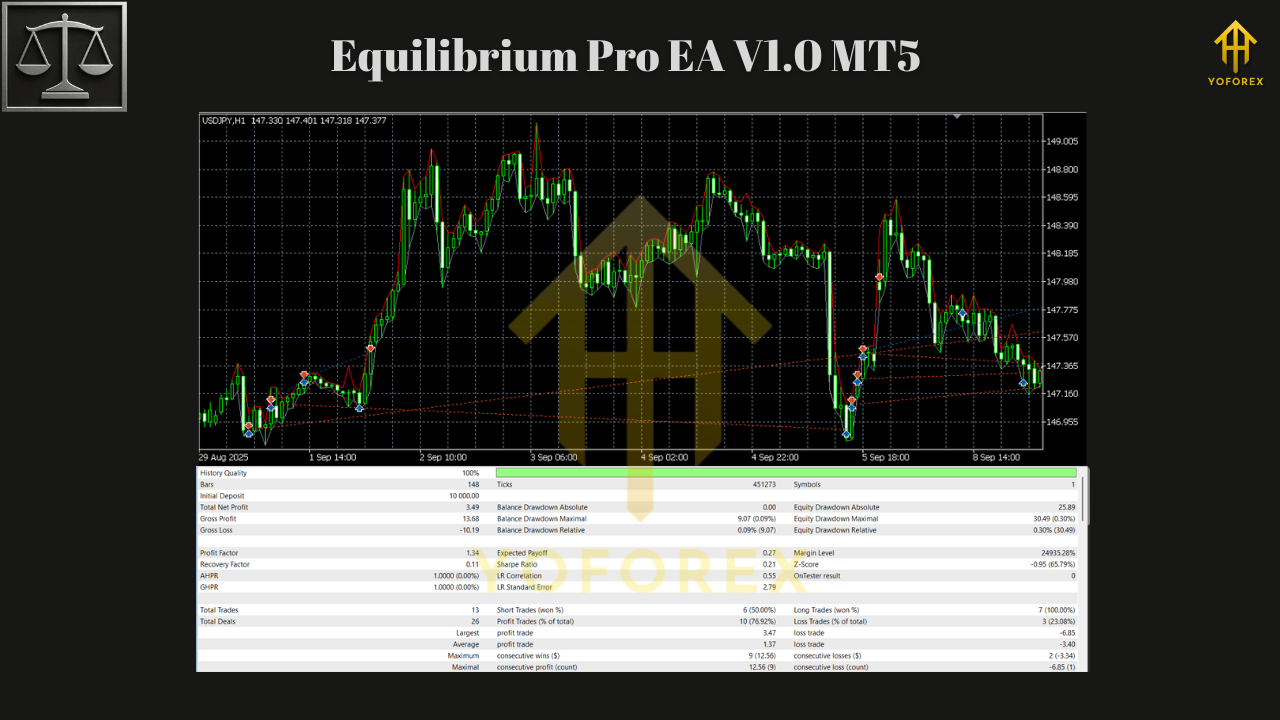
- USDJPY: Produced strong intraday opportunities, maintaining balance between win rate and risk.
- CADJPY: Verified results on live accounts, confirming backtest robustness.
On other pairs, results vary. Optimization is key—especially for exotics where spreads and volatility differ.
Performance patterns:
- Equity curves: Typically stair-step with gradual, sustainable growth.
- Risk levels: Stay under control due to bidirectional balancing logic.
- Prop firm settings: 0.5–1% risk per trade works best for passing evaluations.
How to Install & Configure
Step 1 — Install
- Download Equilibrium Pro EA V1.0 MT5 from MQL5.software.
- In MT5: File → Open Data Folder → MQL5 → Experts.
- Paste file into Experts, restart MT5.
Step 2 — Chart Setup
- Attach EA to EURCHF H1 for optimal results.
- You may add to USDJPY, CADJPY, or other majors after testing.
- Enable Algo Trading and “Allow live trading.”
Step 3 — Configure
- Risk settings: Start with 0.5–1% per trade.
- Lot mode: Fixed or % balance (recommended for scaling).
- Drawdown control: Adjust to fit broker or prop firm limits.
- Optimization: Run MT5 Strategy Tester for less-common pairs before going live.
Step 4 — VPS Hosting
-
Deploy on a low-latency VPS for continuous operation.
Why Choose YoForex Tools?
YoForex doesn’t build “one-trick ponies.” Instead, we create scalable, multi-asset systems like Equilibrium Pro EA that adapt to different pairs and conditions. With strong performance on EURCHF, USDJPY, and CADJPY, plus universal compatibility for all other pairs, this EA can grow with you as your trading evolves.
Explore more on MQL5.software:
Support
Need help optimizing settings for a specific pair? Contact us:
- WhatsApp: https://wa.me/+443300272265
- Telegram Group: https://t.me/yoforexrobot
Call to Action
Want an EA that works across all currency pairs but shines on EURCHF, USDJPY, and CADJPY? Download Equilibrium Pro EA V1.0 MT5 free from MQL5.software, attach it to your charts, and let its universal yet adaptable engine find balance in your trading.
YoForex – empowering traders worldwide, one free tool at a time.
Join our Telegram for the latest updates and support






Comments (0)
No comments yet. Be the first to comment!
Leave a Comment