⚡️Boost Your Trading Strategy with Deriv Business EA V2.0 MT5
In today's fast-moving financial markets, traders continuously seek tools to gain an edge. While still used frequently, manual trading is becoming more challenging as markets become more dynamic and complex. That's where automation comes in. One such automated solution designed for the Deriv platform is Deriv Business EA V2.0 MT5—an Expert Advisor made specifically for MetaTrader 5 users to trade synthetic indices and forex pairs with precision and minimal manual involvement.
In this blog post, we'll explore what makes Deriv Business EA V2.0 MT5 a valuable addition to your trading toolkit, including its unique capabilities, supported assets, performance, and how it’s helping both beginners and seasoned traders automate their strategies effectively.
What is Deriv Business EA V2.0 MT5?
Deriv Business EA V2.0 MT5 is a fully automated trading bot crafted for the Deriv trading ecosystem. Built for MetaTrader 5 (MT5), this EA is made to work with synthetic indices like Boom 1000, Crash 1000, Volatility Index 75 (VIX75), Step Index, and also supports Deriv’s forex pairings.
Unlike general EAs that often rely on outdated indicators or limited asset compatibility, this version is optimized to read the unique behavior of synthetic assets—assets that don’t follow standard market hours and have consistent volatility patterns. This EA helps traders enter and exit trades based on clear rules, minimizing emotional decision-making and improving consistency.
Key Features of Deriv Business EA V2.0 MT5
Here's a detailed look at why this EA stands out:
- Synthetic Index Optimization
Tailored for instruments such as Boom 1000, Crash 1000, VIX75, and Step Index. These assets have distinct volatility structures, and the EA is coded to identify their entry and exit points precisely. - Forex Pair Compatibility
Works well on selected forex pairs offered by Deriv, making it a versatile tool if you prefer switching between traditional currencies and synthetic assets. - No Martingale or Grid Strategy
Risk management is one of its strengths. Deriv Business EA avoids risky strategies like Martingale and Grid trading, focusing instead on trend confirmation and breakouts. - Customizable Settings
Users can adjust lot size, stop loss, take profit, trading sessions, and more. This flexibility allows both beginners and pros to customize it according to their account size and risk tolerance. - Low Drawdown
The algorithm avoids over-trading and uses tight stop-loss levels, which keeps drawdown under control—ideal for small accounts or funded challenges. - MT5 Build 2000+ Compatible
Compatible with the latest builds of MetaTrader 5, ensuring smooth performance without crashes or function errors. - Real-Time Signal Execution
The EA is designed to enter trades as soon as signals align. This ensures minimal slippage and better trade accuracy.
Why Use It on Deriv Platform?
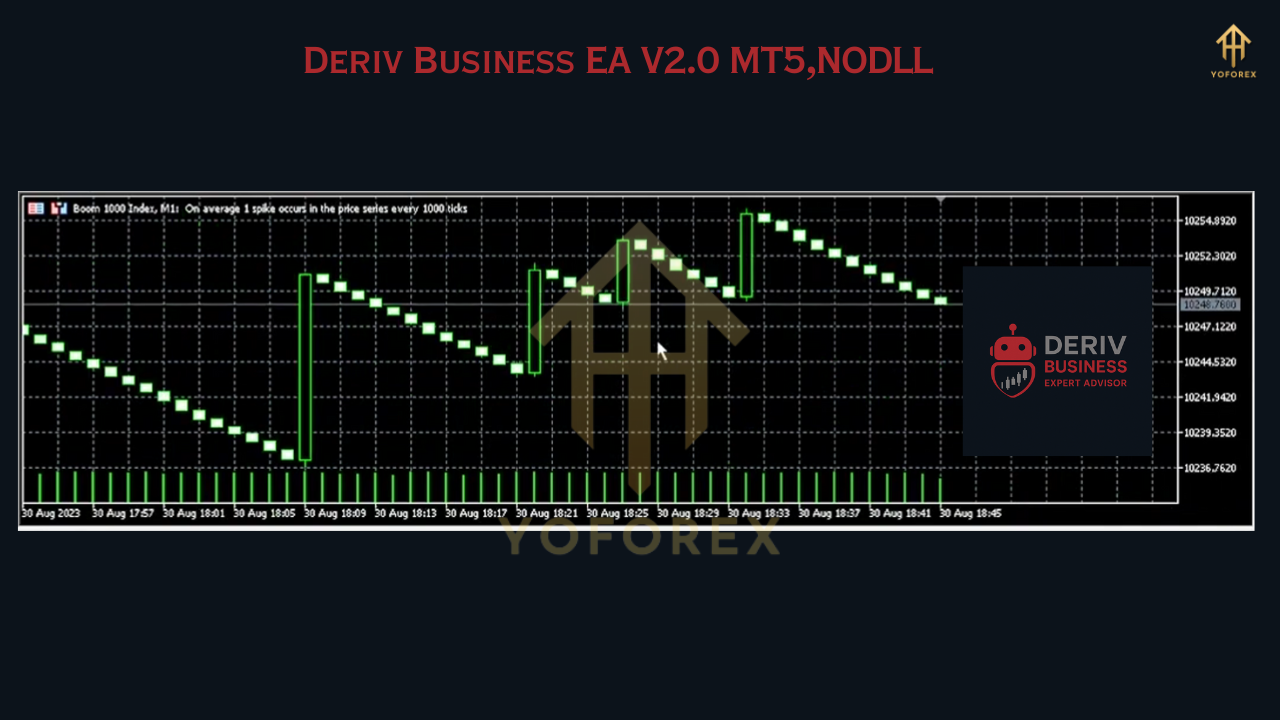
Deriv.com is known for its unique synthetic indices that operate 24/7, offering opportunities when other markets are closed. However, their behavior requires specialized trading logic. Most MT5 EAs are not optimized for these kinds of instruments.
Deriv Business EA V2.0 MT5 fills this gap perfectly by utilizing a custom-coded algorithm specifically built for the synthetic structure of these indices. If you're already trading on Deriv and having difficulties with timing or entries manually, this EA can be a strong solution to automate and streamline your strategy.
Supported Assets
Here are the main markets this EA supports:
- Boom 1000 Index
- Crash 1000 Index
- Volatility Index 75 (VIX75)
- Step Index
- Selected Deriv Forex Pairs
Each of these assets has different market conditions, but Deriv Business EA is pre-configured with optimal templates to get you started quickly.
Who Is It For?
Whether you're a new trader on Deriv trying to grow a small account or a more experienced trader looking to automate your strategy, this EA suits both ends of the spectrum.
- Beginners will find the user-friendly interface and presets useful for getting started without needing deep technical knowledge.
- Intermediate to Advanced traders can benefit from the customization options and integrate this EA into a wider automated system.
How to Use the EA
- Install MetaTrader 5 (MT5) from the Deriv official website.
- Log in with your Deriv MT5 account credentials.
- Download Deriv Business EA V2.0 MT5 from the link provided below.
- Copy the EA files into the MT5 “Experts” folder and restart the terminal.
- Attach the EA to the supported charts, such as VIX75 or Boom 1000.
- Adjust settings as per your capital and risk profile.
- Enable AutoTrading and let the EA do the work.
Performance Overview
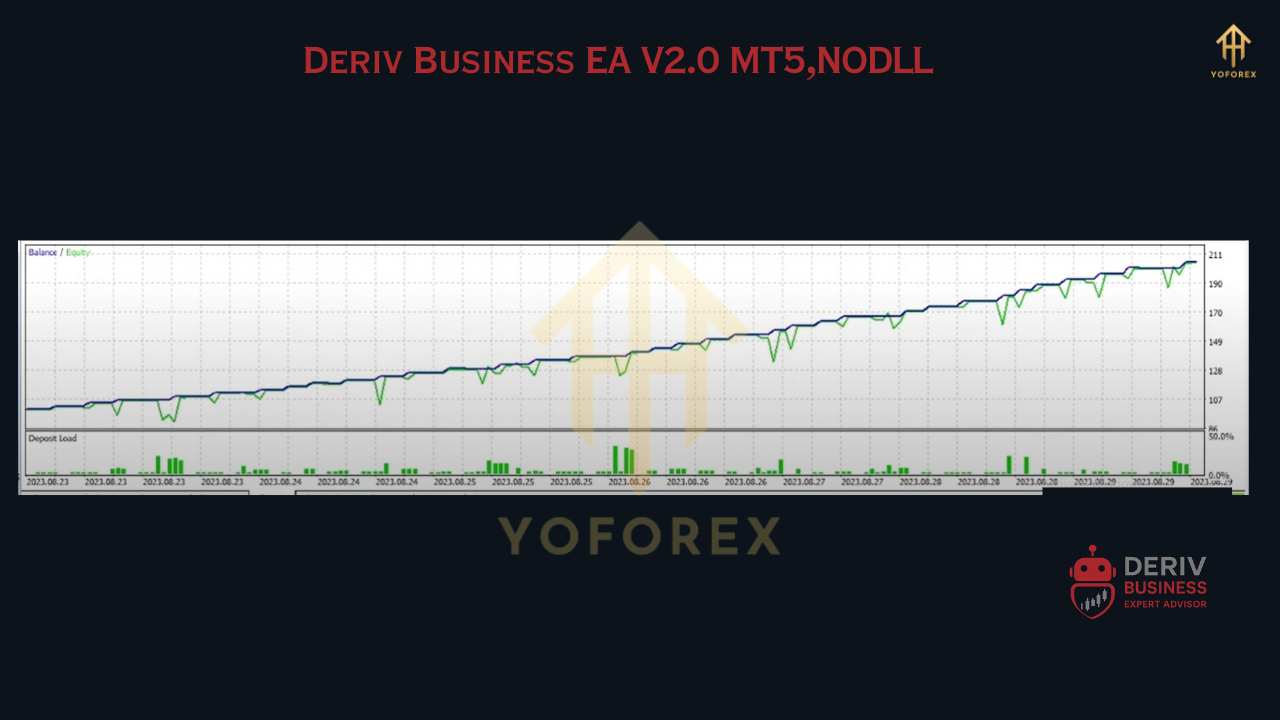
While actual performance will depend on your broker’s spreads, server latency, and market conditions, backtests and live testing suggest that Deriv Business EA V2.0 performs well in trending markets, particularly in VIX75 and Boom indices. It avoids counter-trend scalping and focuses more on trend-following and volatility breakout setups.
The low drawdown and fast execution make it a great choice for prop trading or those seeking funded accounts that demand strict risk management.
Download Now
Elevate your Deriv trading experience by downloading Deriv Business EA V2.0 MT5.
???? Download Link: DOWNLOAD NOW
Final Thoughts
In the constantly evolving world of automated trading, tools like Deriv Business EA V2.0 MT5 are crucial for maintaining consistency and reducing emotional trading. With tailored logic for Deriv’s synthetic instruments and compatibility with selected forex pairs, this EA is one of the most reliable options available for MT5 users today.
If you're just starting out or seeking a reliable trading partner, this EA can play a key role in improving your strategy.






Comments (2)
Hi
cant extract the file because it has the password on it !!!
Leave a Comment