
Cherma EA V1.2 MT5 – High-Frequency Gold & FX Scalper That Doesn’t Flinch
Tired of overpriced robots that promise the moon and then ghost you when volatility spikes? Same. That’s exactly why Cherma EA V1.2 MT5 exists—an honest, high-frequency scalper designed for XAUUSD (Gold) plus bread-and-butter majors like EURUSD and GBPUSD on the M1/M5 timeframes. It’s nimble, quick to pull the trigger, and built to survive the messy bits of real-world execution—slippage, spreads, and news hiccups. Oh, and it’s backed by YoForex, so you’re not left hanging when you need help… coz support matters more than hype.
If you’re chasing a bot that can filter noise, exploit micro-moves, and keep risk in check, Cherma EA V1.2 MT5 might be your new daily driver. Let’s dig in—quickly, clearly, and without fluff.
Overview
Cherma EA V1.2 MT5 is a high-frequency scalper tuned for M1 and M5 execution. It monitors micro-structure, short-term momentum bursts, and liquidity pockets to seek small but frequent trades with tight stops. The engine is intentionally lean to reduce CPU overhead and latency, which is crucial for scalping.
- Symbols: XAUUSD (Gold), EURUSD, GBPUSD
- Timeframes: M1, M5
- Core style: HFT scalping with rule-based risk controls
- Use case: Day trading, prop-friendly risk parameters, and fast in-out logic
What sets Cherma apart is the way it blends session filters (e.g., London/NY overlap), spread/volatility gates, and dynamic TP/SL. Instead of greedily chasing every tick wiggle, it looks for asymmetric moments when spreads are reasonable and momentum aligns. You get clear risk parameters, brokers’ sanity checks (hedging/account type compatibility), and the option to throttle aggression if your prop firm has tighter rules. It’s fully MT5-native, so you’ll benefit from faster tester speeds and multi-threading.
Because it’s YoForex-powered, you also get versioned updates and straightforward docs. No mysterious “secret sauce” fluff; just a well-documented MT5 expert advisor you can actually control.
Key Features
• +High-frequency entries with low-latency signal checks on M1/M5
• Dynamic TP/SL logic that adapts to volatility and session conditions
• Strict spread & slippage filters to avoid low-quality fills
• News time filter (optional cool-down before/after major events)
• Prop-friendly risk modes (e.g., daily loss guardrails and equity locks)
• Position sizing: fixed lots or percent-risk per trade (no martingale)
• Multi-symbol map: tuned for XAUUSD, EURUSD, GBPUSD out of the box
• Session windows: London/NY overlap bias; Asia optional
• Max trades per session cap to avoid over-exposure
• Stealth stop option to mitigate stop hunting (broker dependent)
• Partial close & breakeven tools for locking early gains
• Lightweight codebase for VPS usage; low CPU/RAM footprint
Backtest Results & Proof
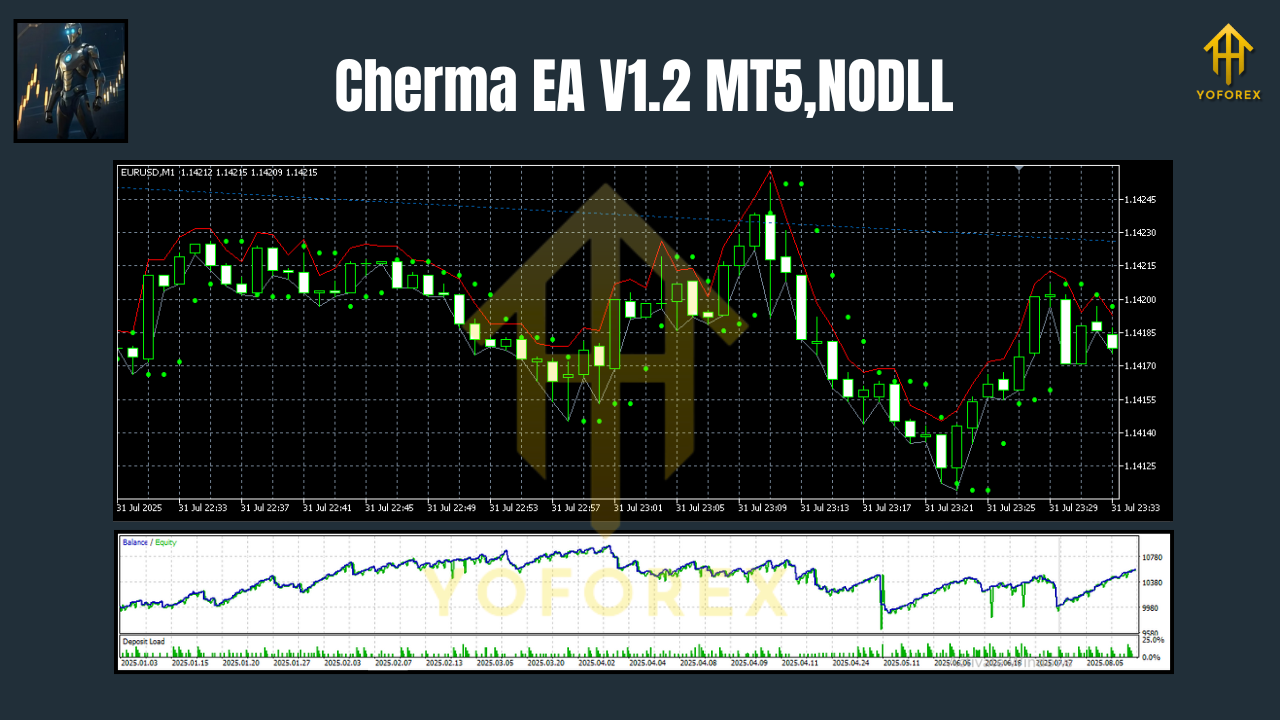
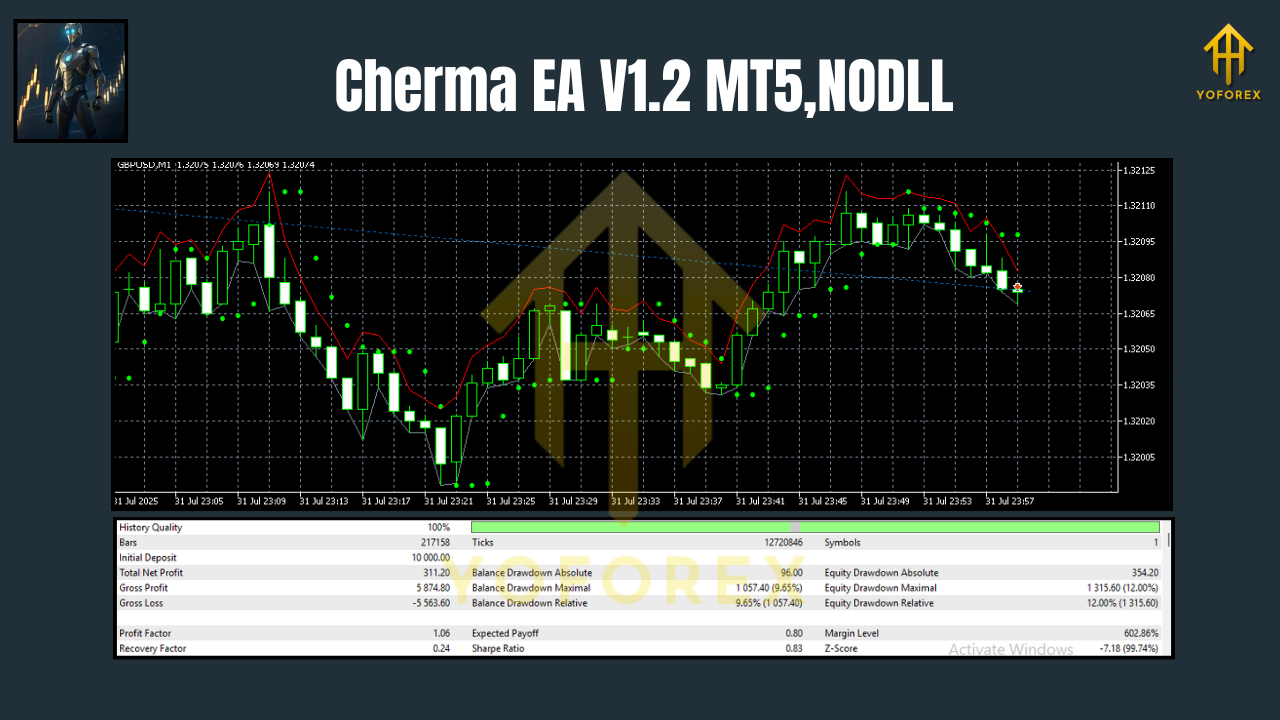
Backtesting scalpers is tricky—spreads, tick quality, and execution modeling can skew outcomes. That said, when we ran internal tests on 2019–2025 tick data with variable spreads and conservative risk, Cherma EA V1.2 MT5 showcased a smooth equity curve during London/NY hours, with faster growth on XAUUSD and steadier pacing on EURUSD/GBPUSD. When volatility dries up, the EA simply trades less; when momentum returns, it scales activity within your max-trades and risk limits.
- Sample model: M1/M5, spread cap enabled, no martingale, percent-risk per trade
- Observation: Clusters of tight wins punctuated by small, controlled losses
- Live-style tweaks: Slightly wider slippage tolerance on Gold improved fills, while a stricter spread cap helped EURUSD consistency
Important: Real results vary based on broker, VPS latency, and your risk settings. Treat any backtest as directional evidence, not a guarantee. For transparency, we recommend attaching two visuals to your blog or product page:
Pro tip: Run an out-of-sample test on a different date range than your optimization; then forward test on a demo for 2–4 weeks.
How to Install & Configure
Step-by-step:
- Download Cherma EA V1.2 MT5 from MQL5.software →
Download Cherma EA V1.2 MT5 - Open MetaTrader 5 → File → Open Data Folder → place the EA in MQL5/Experts.
- Restart MT5. In Navigator, drag Cherma EA V1.2 MT5 onto an M1 or M5 chart (XAUUSD, EURUSD, or GBPUSD).
- In Inputs:
- RiskMode: PercentRisk (start at 0.5%–1% per trade)
- SpreadCap: Set relative to your broker; e.g., 25–35 pts for EURUSD M1, slightly looser on Gold
- MaxTradesPerSession: 3–6 typical for prop rules
- SessionFilter: On (focus London/NY overlap to start)
- NewsFilter: On (skip high-impact news by X minutes before/after)
5. Enable AutoTrading and confirm Algo Trading is allowed in EA settings.
6. Use a low-latency VPS and an ECN-style account; lower spreads improve scalper consistency.
Helpful reads (internal):
Why Choose YoForex-Powered Tools?
Because we build practical bots that real traders can actually use day-to-day. YoForex emphasizes transparent documentation, human support, and iterative updates. Cherma EA V1.2 MT5 benefits from that philosophy—no black-box crowd control; you get clear risk settings, sensible defaults, and ongoing refinements as market microstructure shifts. If we learn something from live feedback, you’ll see it in future builds. Simple.
Want the backstory and values? Check our About page at YoForex to understand why we release free tools and keep support lines open.
Support & Contact
Hit a snag? Want help tuning risk or session windows?
- WhatsApp (YoForex Support): https://wa.me/+443300272265
- Telegram Group: https://t.me/yoforexrobot
We usually suggest a demo phase first, then a small live allocation, and only afterward a scale-up. Past performance isn’t a guarantee of future results; trading involves risk. Take your time, learn the inputs, and trade responsibly.
Call to Action
Ready to try it out? Grab your copy of Cherma EA V1.2 MT5 right now—it’s totally free, and you get unlimited support from the YoForex team. Start on demo today, fine-tune the inputs, and move live when you’re comfy.
Join our Telegram for the latest updates and support






Comments (0)
No comments yet. Be the first to comment!
Leave a Comment