⚡️Upgrade your trading with the C15-Software System Indicator MT4 – a precision-built tool designed for traders who prefer clarity, consistency, and actionable trade signals without repainting confusion. Whether you're new to trading or seeking a structured strategy to enhance decision-making, this indicator brings a blend of visual guidance and analytical depth.
???? What is the C15-Software System Indicator MT4?
The C15-Software System Indicator for MetaTrader 4 is a multi-functional trading tool that generates non-repainting buy/sell signals based on structured market conditions. Unlike most flashy indicators, this one is rule-based with built-in filters that adapt to different trading styles — scalping, intraday, and swing.
It doesn’t rely on lagging logic like some traditional oscillators; instead, it offers real-time directional signals, smartly backed by risk-reward modeling.
???? Key Features of C15-Software System
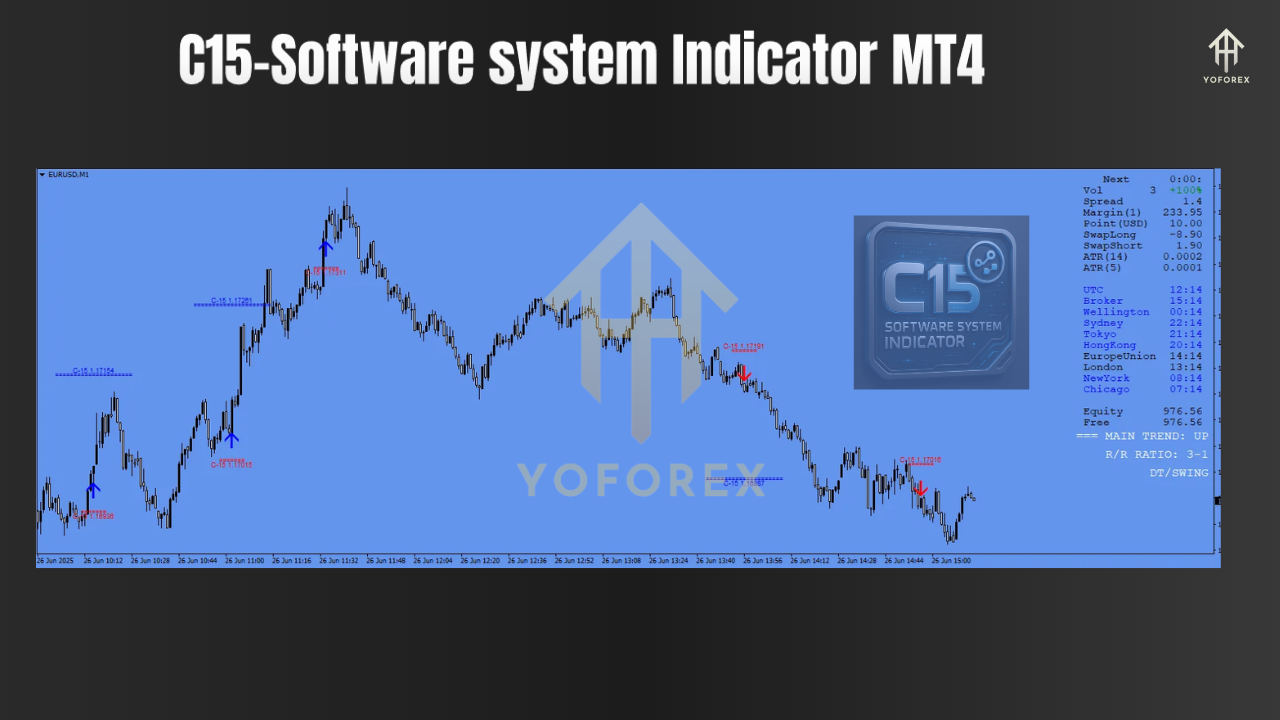
- Non-Repainting Arrows: Every signal you see on the chart is permanent. No repainting, no confusion — perfect for confident execution.
- Three Risk Modes: Choose from predefined 1:1, 2:1, or 3:1 Risk-Reward templates depending on your trading psychology.
- Multi-Timeframe Compatibility: Works seamlessly across M1 to W1 charts, giving flexibility to both day traders and long-term investors.
- Stop Loss & Take Profit Recommendations: The indicator automatically projects SL and TP levels based on chosen risk profiles.
- Minimalistic UI Dashboard: Displays crucial session info, spreads, and trend strength directly on the chart.
- Trade Alerts: Receive MT4 popup notifications and sound alerts when trade setups occur.
???? How It Works
The C15 Indicator observes a combination of momentum shifts, volatility spikes, and trend structure breakouts to detect potential entries. Once a valid setup is recognized, it plots a clear up or down arrow — alongside projected stop-loss and take-profit levels.
Every signal is designed to help:
- Minimize emotional trading
- Standardize entries and exits
- Reduce guesswork using SL/TP zones
You can use it standalone or pair it with your preferred confirmation tools like support/resistance or Fibonacci levels.
???? Who Should Use This?
- Beginners who want a clear visual system to guide trades.
- Manual Traders who dislike repainting systems.
- Scalpers, Day Traders, Swing Traders looking for adaptable entry logic.
- Traders who rely on fixed SL/TP setups and want automated risk modeling.
???? Best Practices for Usage
- Always test on a demo account first to get familiar with the signal patterns and risk modes.
- Use additional confluence like trendlines, price action, or volume zones to filter low-probability trades.
- Stick to one risk mode per session to avoid confusion.
- Avoid high-impact news periods when using this indicator for scalping.






Comments (0)
No comments yet. Be the first to comment!
Leave a Comment