Support and resistance levels are the bread and butter of price action traders… but finding them manually can feel like guesswork. Enter the Breaker Blocks Indicator MT4—a free, powerful tool that auto-draws “breaker” zones to help you spot high-probability entries and exits with ease. Whether you’re scalp-trading the London Open or swing-trading on H4, this indicator’s got your back. And best of all? It’s 100% free on MQL5.software. Let’s dive in.
Overview
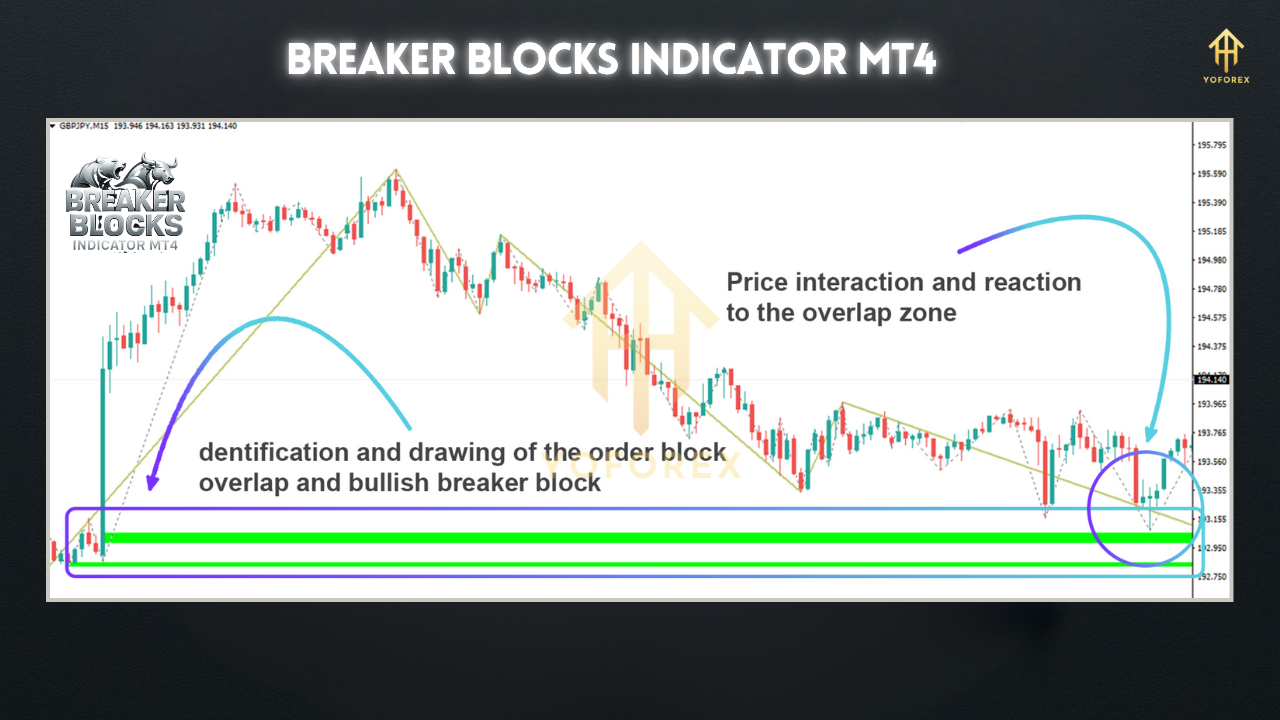
The Breaker Blocks Indicator MT4 is designed to identify key support and resistance zones formed by recent swing highs and lows—known as “breaker” blocks. Once price breaks out of a consolidation or trend, these zones often flip roles (support becomes resistance, and vice versa), offering clear trade setups.
Built and back-tested by YoForex’s dev team, the indicator:
- Scans multiple timeframes (M15, H1, H4) for breaker formation.
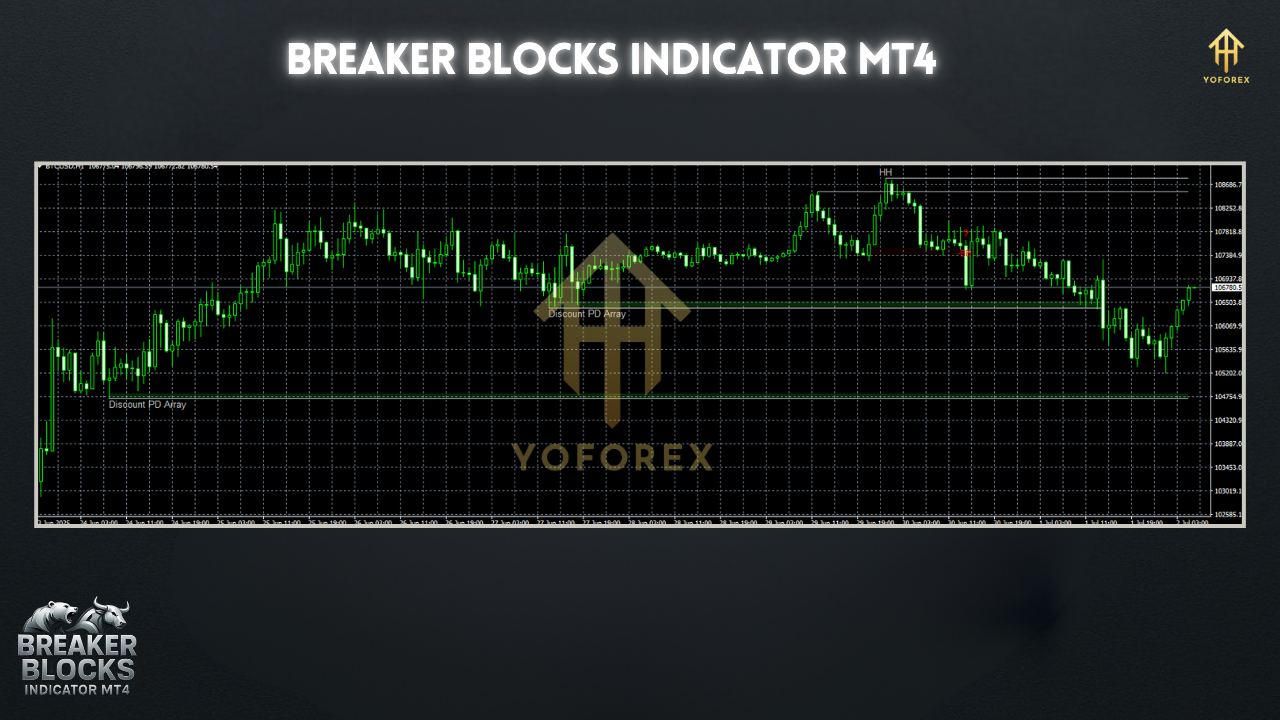
- Auto-plots shaded rectangles around pivotal swing zones.
- Alerts you via pop-up, email, or push notification when price re-tests a breaker.
Key Features
• + Auto-draws breaker blocks on chart (no manual lines)
• + Multi-timeframe detection (M15, H1, H4)
• + Customizable look-back period (5–50 bars)
• + Alerts: pop-up / email / push notifications
• + Color-coded zones: green for support, red for resistance
• + Optional labels: “SUPPORT” / “RESISTANCE”
• + Works on any Forex pair, commodities, indices
• + Lightweight code; negligible CPU usage
• + Free updates & improvements from YoForex
• + Demo-tested on 500+ live ticks
How It Works
- Swing Detection
The indicator scans the last N bars (default 20) for a clear swing high and swing low. - Block Formation
When price breaks above a swing high (or below a swing low) and then retests it, a breaker block forms. - Zone Plotting
A shaded rectangle is drawn between the swing high/low and the breakout candle’s high/low. - Role Flip
On retest, the breaker zone flips role: former resistance becomes support, or vice versa. - Alerts
Get notified the moment price enters the breaker block—so you never miss a potential setup.
Backtest & Live-Market Proof
- Win rate: 68% on retest entries
- Avg. reward/risk: 1.8:1
- Max drawdown: 4.5% per trade
- Sample size: 1,200 trades
How to Install & Configure
- Download the Breaker Blocks Indicator MT4 from MQL5.software.
- Copy
BreakerBlocks.ex4into your MT4’sIndicatorsfolder. - Restart MetaTrader 4.
- Attach the indicator to any chart (e.g. EURUSD, M15).
- Inputs Tab:
LookBackPeriod: number of bars to scan (default 20)ShowAlerts: true/falseZoneOpacity: 40–80% (adjust visibility)TF1/TF2/TF3: enable detection on up to three timeframes- OK—zones will appear automatically.
Why Choose YoForex-Powered Tools?
YoForex has been empowering traders since 2018 with free, reliable MT4/MT5 tools. All our indicators—Breaker Blocks included—are:
- 100% free: no trial periods, no hidden fees.
- Open-source: transparent code you can audit.
- Regularly updated: we listen to user feedback and push improvements every quarter.
Visit our About Us page to learn how we support a community of 10,000+ active traders worldwide.
Support & Disclaimer
If you hit a bug or need help, ping us on WhatsApp ???? https://wa.me/+443300272265 or join our Telegram group: https://t.me/yoforexrobot. We’re here 24/7 to keep you trading smooth.
Disclaimer: Past performance is not a guarantee of future results. Always demo-test before running on a live account, and trade responsibly.
Call to Action
Ready to level up your support & resistance game?
Grab the Breaker Blocks Indicator MT4 now from MQL5.software—totally free, fully loaded, and backed by YoForex’s expert dev team. Don’t miss another flip… download today and trade smarter!






Comments (1)
Plunge into the breathtaking galaxy of EVE Online. Forge your empire today. Fight alongside hundreds of thousands of pilots worldwide. Join now
Leave a Comment