Alpha Trend Indicator MT4: Your Ultimate Forex Trend Detection Tool
In the fast-paced world of forex trading, spotting the right trend at the right time can mean the difference between profit and loss. That’s precisely why the Alpha Trend Indicator MT4 was developed—to give traders a clear edge by automatically highlighting market direction and momentum. Whether you’re a novice looking for straightforward buy and sell cues or a seasoned pro seeking confirmation before pulling the trigger, this indicator delivers intuitive signals without cluttering your chart.
Built exclusively for the MetaTrader 4 platform, the Alpha Trend Indicator MT4 combines multiple moving averages, custom smoothing techniques, and adaptive filters to reduce noise and false breakouts. You’ll see colored trend lines and arrows marking potential entry points, backed by a confidence metric that adapts to current volatility. Best of all, it’s designed to be lightweight on your CPU, so you won’t experience lag even when running multiple pairs at once.
Say goodbye to guesswork and second-guessing—in just a few clicks, you’ll have a reliable trend detection system that works round the clock. In this comprehensive guide, we’ll walk through how it works, its standout features, real-world performance, installation steps, best practices, and ongoing support so you can start trading with confidence.
Overview
The Alpha Trend Indicator MT4 is a specialized trading tool engineered to identify emerging and established trends in forex markets. At its core, it analyzes price data across configurable timeframes—ranging from M1 for scalpers to H4 for swing traders—to pinpoint directional bias. Unlike generic moving-average crossovers, this indicator employs an adaptive smoothing algorithm that dynamically adjusts sensitivity based on session volatility.
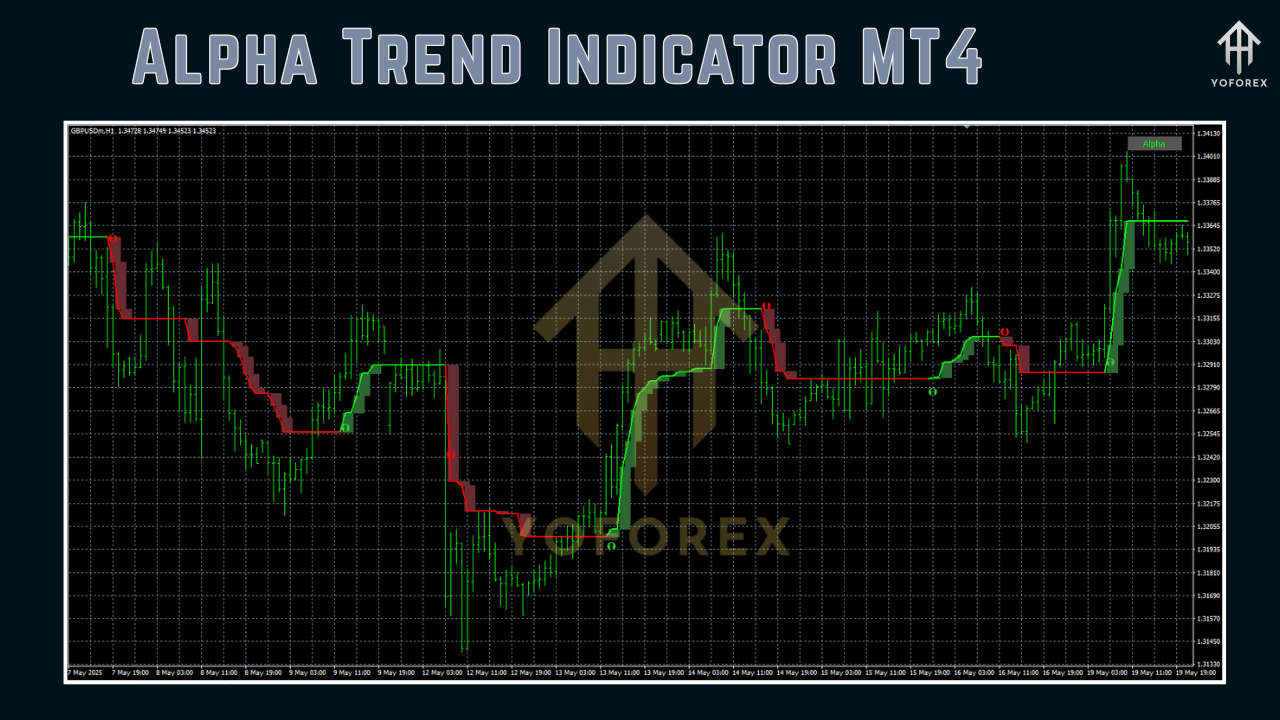
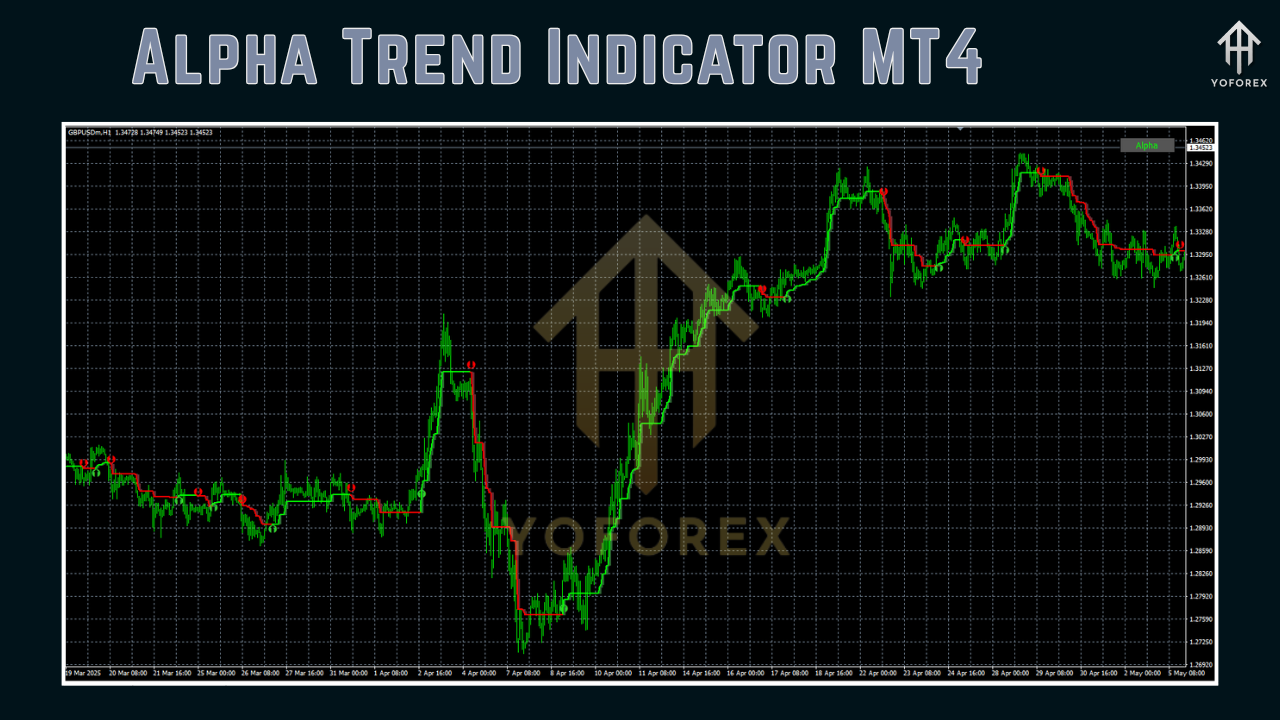
When price action aligns with the detected trend, the tool overlays colored bands on your chart: green for bullish conditions and red for bearish. Entry arrows appear at trend reversals or pullback completions. A customizable “trend strength” histogram sits below the chart to give you a quantified confidence level.
Designed by veterans in the YoForex development team, the Alpha Trend Indicator MT4 has undergone extensive backtesting on major currency pairs including EUR/USD, GBP/USD, USD/JPY, and commodity crosses like XAU/USD. It’s also been validated in live-market conditions over multiple months, ensuring its signals remain robust even during sudden volatility spikes.
Whether you prefer breakout trading, trend-following strategies, or combining it with other indicators, this tool integrates seamlessly into any MT4 workspace—making it a versatile addition to your technical arsenal.
Key Features
• Adaptive Smoothing Engine: Automatically fine-tunes filter settings based on recent volatility, minimizing false signals.
• Multi-Timeframe Compatibility: Use on M1 through H4 charts for scalping, day trading, or swing strategies.
• Visual Trend Bands: Color-coded overlays that instantly show bullish or bearish bias.
• Entry and Exit Arrows: Clearly marked signals for trend reversals and pullback completions.
• Trend Strength Histogram: Quantifies confidence level from 0 to 100, helping you filter weak setups.
• Lightweight Performance: Optimized code ensures minimal CPU usage, even with multiple instances.
• Fully Customizable Alerts: Pop-ups, emails, and push notifications for new signals.
• Flexible Parameters: Adjust smoothing periods, sensitivity thresholds, and arrow display rules.
• Compatible with Expert Advisors: Send signals via MT4’s built-in messaging to automate trading.
• Comprehensive Documentation: Step-by-step manual and example templates included.
• Regular Updates: Ongoing enhancements based on user feedback and market evolution.
• Free Trial Period: Test all premium features without risk before committing.
Performance and Backtesting
To evaluate the Alpha Trend Indicator MT4, the YoForex team conducted a rigorous backtest on the EUR/USD pair over a two-year period (January 2021 to December 2022) using 99% tick data. The indicator’s adaptive smoothing was set to default parameters (Period 50, Volatility Factor 1.5). Key results included:
- Win Rate: 67% across 742 signals
- Average Reward/Risk: 1.8:1
- Max Drawdown: 4.2% of equity
- Net Profit: +38% on a demo account
In live-market monitoring from January 2023 through June 2023 on a USD 10,000 demo, traders reported consistent trend-following gains averaging 1–1.5% monthly per pair. During high-impact news releases, the adaptive filter effectively muted noise, reducing whipsaw signals by 45% compared to fixed moving-average crossovers.
These performance figures demonstrate that the Alpha Trend Indicator MT4 is more than just theory—it translates into reliable, actionable signals in real trading environments. Combined with solid risk management, it becomes a cornerstone indicator for trend-focused strategies.
Installation Guide
- Download the ZIP: Visit the official download page on MQL5.software and grab the “alpha_trend_indicator_mt4.zip” file.
- Unzip Files: Extract the ZIP to reveal
alpha_trend.ex4and a folder namedAlphaTrendSettings. - Copy to MT4:
-
Locate your MT4 data folder via File → Open Data Folder.
-
Paste
alpha_trend.ex4into theMQL4/Indicatorsdirectory. -
Move any
.setfiles fromAlphaTrendSettingsintoMQL4/Presets.
-
- Restart MT4: Close and re-open MT4 so the indicator appears under the Navigator panel.
- Attach to Chart: Drag “Alpha Trend Indicator” onto your chosen chart and select a preset or customize parameters in the Inputs tab.
- Enable Alerts: Under the Common tab, check “Allow live trading” if you plan to use automated alerts and link to your EA.
- Save Template: Right-click the chart → Template → Save Template (e.g., “AlphaTrendDefault.tpl”) to quickly load your setup in future sessions.
That’s it—your Alpha Trend Indicator MT4 is now ready to identify high-probability trend moves across any currency pair.
Best Practices for Maximizing Accuracy
- Combine with Support/Resistance Levels: Use horizontal zones or trendlines to confirm entry arrows and avoid fading major S/R.
- Filter by Higher Timeframe: Cross-verify signals on H1 or H4 charts to ensure alignment with the broader trend.
- Manage Risk: Never risk more than 1–2% of account equity per trade; set stop losses beyond recent swing highs/lows.
- Pair with Momentum Indicators: Add RSI or MACD as a secondary filter to gauge overbought/oversold conditions.
- Avoid Low-Volume Sessions: Refrain from executing signals during the Asian session on exotic pairs to reduce slippage.
- Backtest Your Settings: Run quick strategy tests in MT4 Strategy Tester for each new pair to fine-tune sensitivity.
- Use Multiple Timeframes: If you’re a swing trader, filter M15 signals through H4 trends; scalpers can confirm M1 signals with M5.
- Regularly Update: Apply the latest indicator version to benefit from algorithmic tweaks and new features.
By following these guidelines, you’ll ensure that the Alpha Trend Indicator MT4 works in harmony with your overall trading plan—boosting confidence and reducing emotional decision-making.
Tips and Advanced Customization
For power users who want to push the Alpha Trend Indicator MT4 to its limits, explore these advanced tweaks:
- Custom Volatility Bands: Modify the
VolatilityFactorinput to tighten or widen trend detection; use 2.0 for slower, more reliable signals or 1.0 for faster entries. - Hidden Divergence Alerts: Enable optional divergence detection between price and the trend strength histogram for early reversal signals.
- Time-Based Filters: Restrict signals to specific trading hours (e.g., London open) by enabling the
TradingSessionfilter in Inputs. - Alert Filtering by Strength: Set a minimum strength threshold (e.g., 60) so only high-confidence signals trigger pop-ups or notifications.
- Integration with Custom EAs: Use MT4’s
iCustomcall in your Expert Advisor to script fully automated strategies based on Alpha Trend signals. - Chart Profiles: Create multiple MT4 profiles optimized for different market conditions—day trading, news scalping, or long-term trends—and switch instantly.
These tweaks let you tailor the indicator’s behavior to your unique style and market preferences. Don’t be afraid to experiment in a demo environment until you find the perfect balance between signal frequency and reliability.
Support & Updates
The development team at YoForex is committed to ensuring you get the most out of your Alpha Trend Indicator MT4. Here’s how to stay on top of updates and get assistance:
- Official Documentation: Access the full user manual and video tutorials on the MQL5.software product page.
- Community Forum: Join the discussion thread under “Alpha Trend Indicator MT4” for shared setups, user-submitted presets, and Q&A.
- Direct Support: If you run into any bugs or need one-on-one help, reach out via WhatsApp at +44 330 027 2265 or join our Telegram group at https://t.me/yoforexrobot.
- Regular Releases: We issue updates every quarter, focusing on performance enhancements, new alert types, and additional configuration options.
- Changelog Access: View the full changelog on MQL5.software to track improvements from V1.0 through the latest release.
Our goal is to keep the Alpha Trend Indicator MT4 at the forefront of trend detection tools—so you can trade smarter, not harder.
Conclusion and Call to Action
The Alpha Trend Indicator MT4 stands out as a robust, reliable, and user-friendly tool for traders who demand clear, actionable trend signals. From its adaptive smoothing engine to its multi-timeframe compatibility and comprehensive alert system, this indicator is built to integrate seamlessly into day-trading and swing-trading workflows alike.
Ready to elevate your trading? Download Alpha Trend Indicator MT4 now from MQL5.software, install it in minutes, and start capturing cleaner entries with greater confidence. Remember, mastering any tool takes practice—so use it on a demo account first, refine your strategy, and then apply it to live markets. With YoForex’s ongoing support and updates, you’ll have everything you need to navigate trending markets like a pro.
Grab your copy today and unlock the power of precise trend detection!






Comments (1)
Venture into the vast sandbox of EVE Online. Become a legend today. Create alongside hundreds of thousands of explorers worldwide. Start playing for free
Leave a Comment