⚡️Upgrade your MetaTrader 4 experience with the innovative AI MaxPro EA V2.01, an Expert Advisor designed specifically for trading the DAX (DE40) index using intelligent filters and risk-aware strategies. Developed for both novice and experienced traders, this EA combines advanced algorithms with simplicity, enabling more adaptive and secure automated trades.
AI MaxPro EA V2.01 stands apart in the crowded world of EAs by executing only one trade at a time, avoiding aggressive grid or martingale tactics. Backed by verified demo results, it promises striking demo gains and low drawdowns, although these results should be approached with prudent skepticism when considering live deployment.
This guide walks you through its features, performance metrics, how to install and use it, community feedback, and best practices for testing and risk management. By the end, you'll understand whether AI MaxPro EA meets your trading needs and how to safely explore its potential on mql5.software.
Introduction to AI MaxPro EA V2.01
AI MaxPro EA is a MetaTrader 4 Expert Advisor optimized for the DE40 trading instrument. Its core strengths include:
-
Single-trade operation: one position at a time, minimizing overexposure.
-
Built-in volatility and news filters: designed to avoid market disturbances.
-
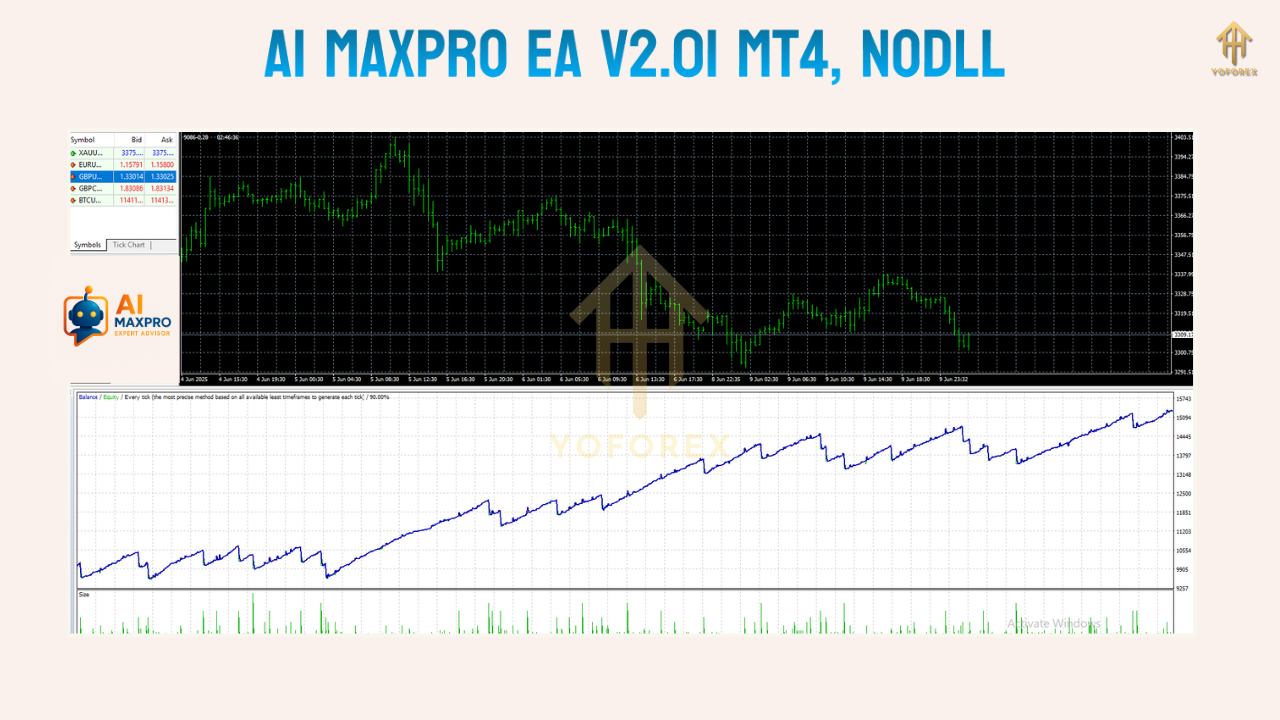
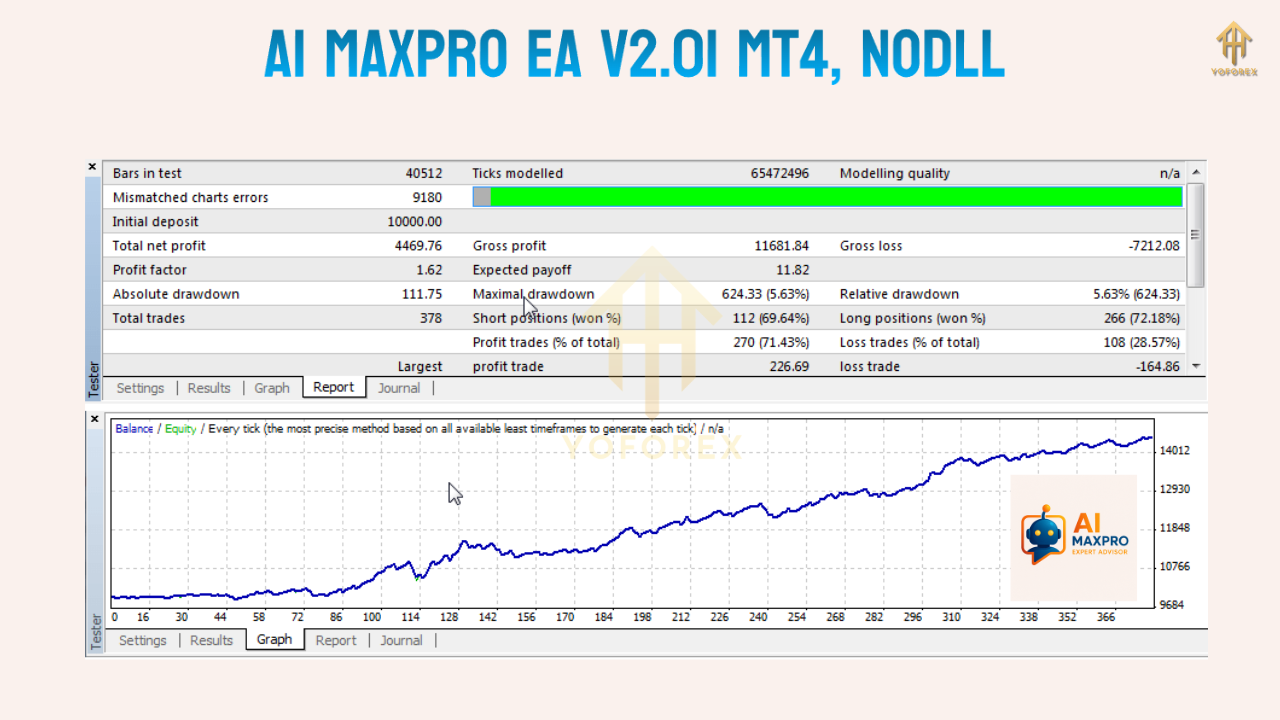
Demo-verified performance: MyFXBook shows gains north of 150,000%, drawdown under 3%, over more than 16,000 trades.
However, as these are strictly demo results, traders must remain cautious before applying the EA to live environments.
Key Features and Strategy Insights
AI MaxPro EA V2.01 stands out for:
-
Single-Trade Logic
This mechanism reduces risk by allowing only one open trade per account, eliminating compounding or hedging strategies. -
Volatility and News Filters
Automatically restrains trading during high-impact news or sudden market swings to preserve capital. -
Optimized for M15 Charts
Works best on the 15-minute timeframe for the DAX index, taking advantage of short-term intraday moves. -
Lightweight and Efficient
Designed to be resource-light on your MT4 terminal for smooth, continuous operation.
Demo Performance Overview
AI MaxPro EA V2.01 showcases impressive performance on demo accounts:
-
Gain: +155,901%
-
Drawdown: 2.66%
-
Trades: 16,935
-
Leverage: 1:500
Additional source confirms similar stats: +143,160% gain with 4% max drawdown.
Benefits of Using AI MaxPro EA V2.01
You may consider this EA because it offers:
-
Outstanding accuracy and profitability in demo environments.
-
Minimal drawdown due to smart filters and single-trade logic.
-
Streamlined and user-friendly setup for MT4 users.
-
Ideal for learning algorithmic trading and testing strategies.
Risks and Limitations
Despite its promising demo results, AI MaxPro EA V2.01 also poses significant risks:
-
No verified live account performance, which may differ due to slippage, spread, or broker execution differences.
-
High leverage (1:500) increases risk and may lead to rapid equity swings.
-
Limited to DE40; not optimized for other instruments.
-
No vendor support or guarantees for updates (per the download source).
How to Download and Set Up
You can download AI MaxPro EA V2.01 for MT4 from CheaperForex as a free product. The package includes the EA file, recommended set file, and demo login details.
Installation steps:
-
Place EA file into your MT4 /Experts folder.
-
Load the M15 DE40 chart.
-
Adjust inputs if needed (lot size, filters).
-
Enable AutoTrading.
-
Optionally, use a low-latency VPS for reliability.
Best Practices for Testing
For responsible evaluation:
Begin on a demo account and run the EA across different market conditions, like high and low volatility periods. Track metrics over at least 4–6 weeks.
Community Insights
User reviews and community discussions are generally positive, highlighting strong demo performance and effective news filtering, though skepticism persists regarding its viability on real accounts.
Conclusion
AI MaxPro EA V2.01 is a compelling, intelligently designed trading robot for MT4 users focused on DE40. Its strong demo performance and sensible risk filters make it worth exploring—but only via demo testing. Live usage should be avoided unless new, vetted performance data emerges.






Comments (0)
No comments yet. Be the first to comment!
Leave a Comment